Imagine waking up in the morning and checking your phone. You browse social media, watch a video, ask a smart speaker about the weather, or join an online meeting from your laptop. Everything seems effortless. The internet simply works—or at least it feels that way.
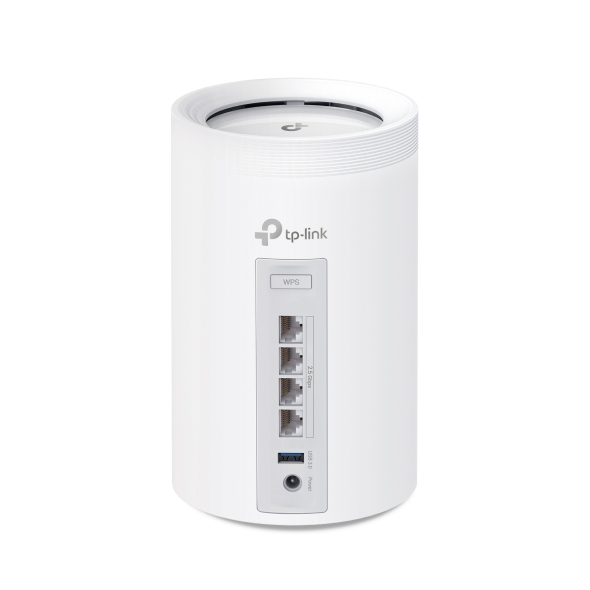
Behind this everyday convenience is a small device quietly doing an enormous amount of work: the router.
Although many people see a router as just a box with blinking lights sitting on a shelf or tucked into a corner of the room, it is actually one of the most important pieces of networking technology in modern life. Every website you visit, every email you send, every movie you stream, and every online game you play depends on your router directing data to the right destination.
Understanding what a router is and how it works makes the internet far less mysterious. It also helps you make better decisions about your home network, improve internet performance, and protect your devices from online threats.
What Is a Router?
A router is a networking device that connects different computer networks and directs data between them. In most homes, a router connects your local home network to the internet provided by your Internet Service Provider (ISP).
You can think of a router as a traffic controller for digital information. Instead of directing cars on roads, it directs tiny packets of data across networks so they reach the correct destination.
Every smartphone, computer, smart TV, gaming console, tablet, security camera, and smart home device in your home communicates through the router whenever it accesses the internet.
Without a router, your devices would have no organized way to exchange information with websites, online services, or one another.
Why Is It Called a Router?
The name “router” comes from the word “route.”
Its primary job is routing data.
Whenever information travels across the internet, it moves through many different networks before reaching its destination. The router decides the best path for each piece of data, helping it arrive quickly and accurately.
This routing process happens in fractions of a second, often thousands or even millions of times every day in a busy household.
How Does a Router Work?
Every time you open a website, send a message, or stream a video, your device creates small units of information called data packets.
Each packet contains important information, including where it came from and where it needs to go.
The router examines this information and forwards each packet toward its destination.
When data comes back from the internet, the router determines which device requested it and delivers it correctly.
For example, imagine three people in your home are online at the same time.
One person is watching a movie.
Another is attending a video conference.
Someone else is playing an online game.
Although all three activities use the same internet connection, the router keeps their data separate and sends every packet to the correct device.
Without this organization, internet communication would quickly become chaotic.
The Difference Between a Router and a Modem
Many people confuse routers with modems because they often work together.
However, they perform different jobs.
A modem connects your home to your internet service provider. It receives internet signals through cable, fiber-optic lines, DSL, or other communication technologies.
The router then takes that internet connection and shares it among multiple devices.
In simple terms, the modem brings the internet into your home, while the router distributes it to your phones, computers, televisions, and other connected devices.
Some internet providers supply a single device that combines both a modem and a router into one unit, often called a gateway.
Wired and Wireless Routers
Routers can connect devices using cables or wireless radio signals.
A wired connection uses Ethernet cables to create a stable, high-speed connection between devices and the router.
Wireless connections use Wi-Fi, allowing devices to connect without physical cables.
Most modern routers support both methods simultaneously.
Desktop computers, gaming consoles, and network storage devices often benefit from wired connections because they offer lower latency and greater reliability.
Smartphones, tablets, and laptops typically rely on Wi-Fi for convenience and mobility.
What Is Wi-Fi?
Wi-Fi is a wireless networking technology that allows devices to communicate with the router using radio waves.
Importantly, Wi-Fi is not the internet itself.
Instead, it is simply the method used to connect devices to the router without cables.
The router then forwards internet traffic through the modem and onward to the wider internet.
You can have Wi-Fi without internet—for example, devices on the same local network can communicate with each other even if the internet connection is unavailable.
How Routers Know Where to Send Data
Every device connected to a network has an Internet Protocol (IP) address.
An IP address acts much like a mailing address.
The router uses these addresses to identify devices and determine where incoming and outgoing data should travel.
When you request a webpage, the router reads the destination address, sends the request toward the internet, and ensures the response returns to the correct device.
This entire process usually takes only milliseconds.
What Is a Home Network?
A home network is the collection of devices connected through your router.
These devices may include laptops, smartphones, printers, smart speakers, televisions, streaming boxes, security cameras, smart thermostats, and even refrigerators.
The router allows these devices to communicate with one another while also providing access to the internet.
For example, your smartphone can send photos to a wireless printer because both devices are connected through the same router.
Why Routers Are Essential for Modern Life
Modern homes often contain dozens of internet-connected devices.
Without a router, each device would require its own direct internet connection, which would be expensive and impractical.
The router allows everyone in the home to share one internet connection efficiently.
Parents can work remotely.
Children can attend online classes.
Someone can stream a movie while another person downloads files.
Smart home devices can automatically communicate in the background.
The router coordinates all these activities simultaneously.
Understanding Data Packets
Internet information does not travel as one enormous file.
Instead, every email, webpage, image, and video is divided into many smaller pieces called packets.
Each packet contains information about where it belongs.
The router forwards these packets independently.
When they arrive at the destination, they are reassembled into the original webpage, video, or message.
This packet-based communication makes internet networking highly efficient and reliable.
If one packet is lost during transmission, only that packet usually needs to be resent instead of the entire file.
Router Speed and Performance
A router’s performance depends on several factors.
Its processor handles routing decisions.
Its memory temporarily stores networking information.
Its wireless technology determines maximum Wi-Fi speeds.
Its antennas influence wireless coverage.
Newer routers often support more advanced Wi-Fi standards, improved signal processing, and faster data transfer rates than older models.
However, a fast router cannot make an internet connection faster than the speed provided by your internet service plan.
Instead, it helps deliver that available speed more efficiently throughout your home.
What Happens When You Open a Website?
When you type a website address into your browser, several events happen almost instantly.
Your device sends a request to the router.
The router forwards that request through the modem to your internet provider.
The request travels across many networks until it reaches the website’s server.
The server responds by sending webpage data back through the internet.
Your router receives the returning information and delivers it to the correct device.
Your browser then displays the webpage.
Although this process sounds complex, it usually happens in less than a second.
Router Security
Modern routers do much more than direct traffic.
They also help protect your network.
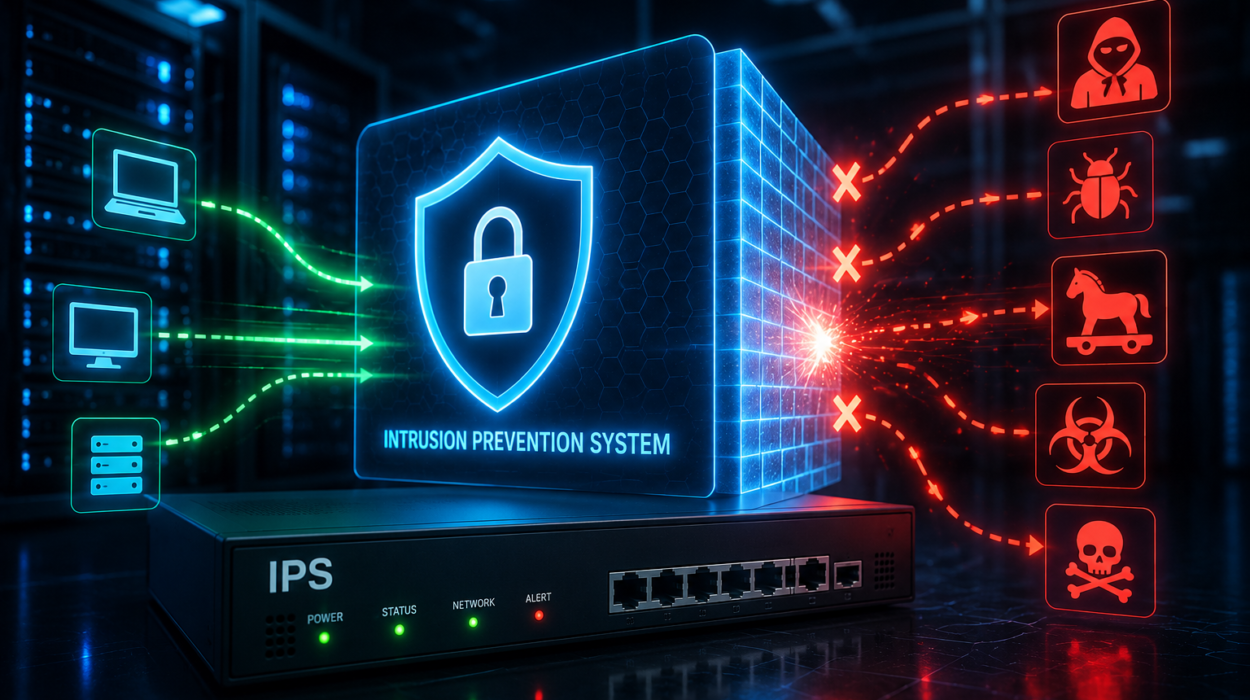
Most routers include built-in security features that help prevent unauthorized devices from joining your Wi-Fi network.
They can block suspicious internet traffic and reduce certain types of cyberattacks.
Wireless security standards such as WPA2 and WPA3 encrypt information traveling between your devices and the router.
Encryption converts readable information into coded data that can only be understood by authorized devices.
This helps protect passwords, financial information, personal messages, and other sensitive data from interception.
The Importance of Strong Wi-Fi Passwords
Your router serves as the entrance to your home network.
Using a strong, unique Wi-Fi password helps prevent unauthorized access.
Many routers also allow you to change the default administrator password used to manage the router itself.
Changing both passwords greatly improves network security.
Keeping the router’s software updated also protects against newly discovered security vulnerabilities.
What Is Router Firmware?
Firmware is specialized software built into the router.
It controls how the router operates.
Manufacturers occasionally release firmware updates to improve performance, fix bugs, enhance security, and add new features.
Installing these updates helps keep the router reliable and secure.
Many modern routers can install firmware updates automatically.
Dual-Band and Tri-Band Routers
Modern wireless routers often operate on multiple radio frequency bands.
The 2.4 GHz band provides longer range but is generally more crowded because many household devices use it.
The 5 GHz band offers higher speeds and less interference but usually covers shorter distances.
Some newer routers also support the 6 GHz band through Wi-Fi 6E or Wi-Fi 7, providing additional wireless capacity with reduced congestion.
Using multiple frequency bands allows routers to handle many connected devices more efficiently.
What Is Mesh Wi-Fi?
Large homes sometimes experience weak Wi-Fi signals in distant rooms.
A mesh Wi-Fi system solves this problem using multiple interconnected devices that work together as one network.
Instead of relying on a single router, several mesh units spread Wi-Fi coverage throughout the building.
As you move around your home, your phone or laptop automatically connects to the strongest nearby unit without interrupting your connection.
Mesh systems are especially useful in multi-story homes or buildings with thick walls.
Can a Router Work Without Internet?
Yes.
A router can continue operating even if the internet connection is unavailable.
Devices connected to the same local network can still communicate with one another.
For example, you may still be able to print documents, access files stored on a network-attached storage device, or stream videos from a local media server.
Only communication with the wider internet becomes unavailable.
Business Routers
Businesses often require routers with more advanced capabilities than typical home users.
Enterprise routers manage hundreds or even thousands of connected devices simultaneously.
They provide advanced security, traffic management, virtual private network (VPN) support, and sophisticated routing features.
Large organizations may use multiple routers working together to maintain reliable internet access even if one connection fails.
How Routers Support Smart Homes
Modern homes increasingly depend on internet-connected devices.
Smart lights, thermostats, security cameras, voice assistants, robotic vacuum cleaners, doorbells, appliances, and entertainment systems all communicate through the router.
As the number of connected devices continues to grow, routers are becoming more powerful to handle increasing network demands.
A reliable router ensures these devices communicate smoothly without interfering with one another.
Common Reasons Internet Becomes Slow
People often blame their internet provider when connections become slow.
However, the router is not always the cause.
Slow performance may result from weak Wi-Fi signals, interference from nearby electronics, outdated router firmware, network congestion, too many connected devices, or limitations of the internet service itself.
Sometimes simply moving the router to a more central location significantly improves wireless coverage.
Placing the router away from thick walls, large metal objects, and electronic interference can also improve signal quality.
The Future of Routers
Networking technology continues advancing rapidly.
New generations of Wi-Fi provide faster speeds, lower latency, and improved efficiency for homes with many connected devices.
Artificial intelligence is beginning to help routers optimize network traffic automatically.
Future routers may become even better at predicting congestion, improving security, reducing delays, and managing increasingly complex smart homes.
As cloud computing, virtual reality, augmented reality, remote work, and connected devices continue expanding, routers will play an even more important role in daily life.
Why Understanding Routers Matters
Most people interact with the internet every day without thinking about the technology behind it.
Yet the router quietly performs one of the most important jobs in modern communication. It connects devices, directs billions of data packets, protects home networks, and enables everything from online learning and video streaming to remote work and smart home automation.
Understanding how a router works helps you appreciate the remarkable engineering behind something as simple as opening a webpage or making a video call. Although it often sits unnoticed in a corner of the room, the router is truly the digital gateway to the modern world, ensuring that information travels quickly, securely, and accurately between your home and the vast global network we call the internet.