Every time you open a website, stream a video, send an email, or launch an app connected to the internet, something remarkable happens behind the scenes. Your device must first discover where that website or online service actually lives on the internet. It does this in just a fraction of a second, thanks to a technology called the Domain Name System, or DNS.
Although most people never think about DNS, it is one of the internet’s most important technologies. Without it, you would need to remember long strings of numbers called IP addresses instead of simple names like example.com or openai.com. DNS quietly translates those familiar names into the numerical addresses that computers use to communicate.
As internet users become more aware of online privacy, security, and performance, terms such as Public DNS and Private DNS appear more frequently. Many devices even include a setting called “Private DNS,” leading many people to wonder what it actually means. Is Private DNS always more secure? Is Public DNS slower? Which one should you use?
The answers are more nuanced than many people realize. Public DNS and Private DNS serve different purposes, and understanding how they work can help you make better decisions about your internet connection.
What Is DNS?
DNS stands for Domain Name System. It is often called the “phonebook of the internet.”
When you type a website address into your browser, your computer does not automatically know where that website is located. Websites are identified by numerical Internet Protocol (IP) addresses, such as 142.250.190.78 for one of Google’s servers. Since remembering numbers is difficult, humans use domain names instead.
DNS translates those easy-to-read domain names into IP addresses.
For example, when you enter a website address into your browser, your device sends a DNS query asking, “What is the IP address for this domain?” A DNS server responds with the correct address, allowing your browser to connect to the website.
This process usually takes only a few milliseconds.
Without DNS, the modern internet would be almost impossible to use.
How DNS Works Behind the Scenes
Although DNS appears simple from the user’s perspective, it involves several different systems working together.
Your device first checks whether it already knows the IP address from a recent visit. If not, it sends a request to a DNS resolver.
The resolver searches for the correct answer. If it has recently looked up the same website, it can answer immediately from its cache.
Otherwise, it contacts other DNS servers across the internet until it finds the authoritative server responsible for that domain.
Once the correct IP address is found, it is returned to your device, which then connects to the website.
All of this usually happens so quickly that users never notice it.
What Is Public DNS?
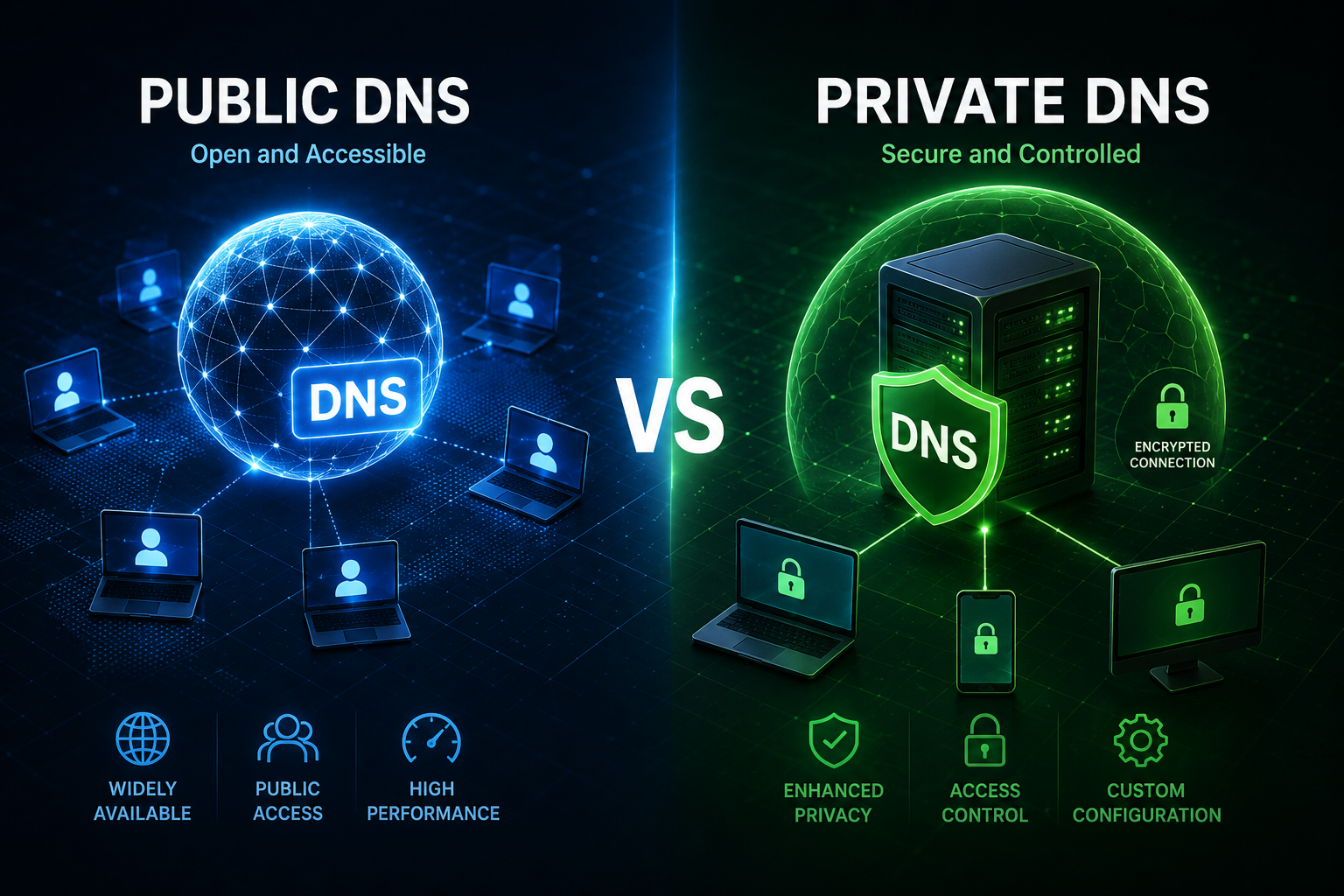
A Public DNS service is a DNS resolver that anyone on the internet can use.
Instead of relying on the DNS servers provided by your internet service provider (ISP), you choose another DNS provider.
Many technology companies operate public DNS services that are available worldwide.
These servers are designed to provide reliable, fast, and secure DNS resolution for millions of users.
When you configure a Public DNS server on your computer, smartphone, or router, every DNS request is sent to that provider instead of your ISP’s DNS servers.
The provider then performs the DNS lookup and returns the correct IP address.
Why Public DNS Exists
The original internet relied heavily on DNS servers operated by internet service providers.
However, ISP DNS servers are not always the fastest, most reliable, or the most privacy-focused.
Some providers introduced Public DNS services to improve internet performance, reduce downtime, increase security, and support modern encrypted DNS protocols.
Many Public DNS providers maintain globally distributed networks of servers, allowing users to receive responses from locations close to them.
This can reduce lookup time and improve browsing responsiveness.
Advantages of Public DNS
Public DNS services often invest heavily in speed and reliability.
Large providers operate servers in many countries, allowing users to reach nearby DNS infrastructure regardless of where they live.
Because of their global networks, many Public DNS providers can respond to requests very quickly.
Another advantage is uptime.
Major Public DNS providers typically build highly redundant systems with multiple data centers, making outages relatively rare.
Security is another important benefit.
Many Public DNS services automatically block known phishing websites, malware domains, and other dangerous destinations before users accidentally visit them.
Many also support encrypted DNS technologies such as DNS over HTTPS (DoH) and DNS over TLS (DoT), preventing other people on the network from reading your DNS requests.
Limitations of Public DNS
Although Public DNS offers many benefits, it is not perfect.
When you use Public DNS, your DNS requests are handled by another organization rather than your ISP.
This means you are trusting that provider to manage your DNS data responsibly.
Privacy policies differ between providers.
Some minimize logging and retain little user information.
Others may temporarily collect certain technical information to improve service quality or defend against attacks.
Performance also varies depending on your location.
A Public DNS provider that performs exceptionally well in one country may not necessarily be the fastest option elsewhere.
What Is Private DNS?
The term Private DNS can mean different things depending on the context.
In networking, a Private DNS server is often a DNS server used only within a private organization, company, school, or home network. It resolves internal domain names that are not visible on the public internet.
However, on Android smartphones, the setting called Private DNS has a different meaning.
It refers specifically to using DNS over TLS, an encrypted protocol that protects DNS traffic between your device and the DNS server.
Because many Android users encounter this setting, some people mistakenly believe that Private DNS means a completely separate kind of DNS service.
In reality, it usually refers to encrypted DNS communication.
Private DNS Inside Organizations
Large companies often operate their own Private DNS infrastructure.
These internal DNS servers resolve addresses that exist only inside the company’s network.
For example, an employee might access an internal server using a name like:
server.company.local
That address does not exist on the public internet.
Only devices connected to the company’s network can resolve it.
Private DNS allows organizations to manage internal resources securely while keeping them hidden from the outside world.
Schools, universities, hospitals, banks, and government agencies commonly use private DNS systems.
Private DNS on Android Devices
Modern Android devices include a feature called Private DNS.
Instead of sending DNS requests in plain text, the device encrypts them using DNS over TLS.
Encryption prevents other people on the same Wi-Fi network from seeing which websites your device is requesting through DNS.
For example, someone operating a public Wi-Fi hotspot may not be able to monitor your DNS traffic if encrypted DNS is being used.
This significantly improves privacy compared to traditional DNS.
However, Private DNS on Android does not hide your browsing activity completely.
Websites, internet providers, VPNs, and other systems may still observe aspects of your internet traffic depending on how your connection is configured.
Public DNS and Private DNS Can Work Together
One of the biggest misconceptions is that Public DNS and Private DNS are opposites.
In many situations, they work together.
For example, you can use a Public DNS provider that supports DNS over TLS.
When your Android phone connects to that provider using Private DNS mode, you are using a Public DNS service with encrypted communication.
The DNS provider is public.
The connection is private.
These are two different concepts.
Comparing Speed
Many users switch DNS providers hoping for faster internet.
DNS can influence how quickly websites begin loading, but it does not increase your internet bandwidth.
A faster DNS server reduces the time needed to find a website’s IP address.
Once the website starts loading, your download speed depends on your internet connection, the website’s server, and network conditions.
For users whose ISP operates slow DNS servers, switching to a high-quality Public DNS service may produce noticeably faster browsing.
For others, the improvement may be minimal.
Comparing Privacy
Privacy is one of the biggest differences.
Traditional DNS requests are usually unencrypted.
Anyone controlling the network between your device and the DNS server may be able to observe which domains you request.
Encrypted Private DNS greatly reduces this risk.
Even though the DNS provider still receives your requests, other parties on the network cannot easily read them.
This makes encrypted DNS particularly useful on public Wi-Fi networks.
Comparing Security
Security is another important consideration.
Many Public DNS providers actively detect malicious domains.
If a user accidentally attempts to visit a known phishing website, the DNS server may refuse to resolve the address or redirect the request to a warning page.
Private organizational DNS systems can also improve security.
Companies often use them to restrict access to dangerous websites, protect confidential systems, and enforce internal security policies.
Encrypted Private DNS additionally prevents attackers from tampering with DNS responses while they travel across the network.
Comparing Reliability
Reliability depends largely on the DNS provider rather than whether it is public or private.
Major Public DNS providers often operate extensive global infrastructure with excellent availability.
Private DNS servers inside organizations are designed primarily for internal users.
Their reliability depends on the organization’s own network infrastructure.
A well-managed corporate DNS system may achieve extremely high reliability.
A poorly maintained one may experience frequent outages.
Which One Is Better for Home Users?
For most home internet users, a reputable Public DNS service that supports encrypted DNS offers an excellent balance of speed, privacy, and security.
If your operating system supports DNS over HTTPS or DNS over TLS, enabling encrypted DNS helps protect your DNS traffic from local network monitoring.
Most users do not need to operate their own Private DNS server.
Running a private DNS infrastructure requires technical knowledge, server maintenance, security management, and ongoing updates.
Unless you manage a business or advanced home network, using a trusted DNS provider is usually the simplest solution.
When Businesses Prefer Private DNS
Organizations often require much greater control over their networks.
Private DNS allows administrators to create internal domain names that never appear on the public internet.
It also enables centralized management of thousands of computers, servers, printers, security systems, and cloud resources.
Access policies can be enforced through DNS.
Internal systems remain hidden from external users.
Large enterprises frequently combine Private DNS with Public DNS forwarding, allowing employees to access both internal resources and public websites seamlessly.
Common Myths About Public DNS and Private DNS
One common myth is that changing DNS dramatically increases internet speed.
In reality, DNS affects only the name lookup process, not the actual download speed of websites or videos.
Another misconception is that Private DNS makes internet browsing completely anonymous.
It improves privacy by encrypting DNS requests, but it does not hide your identity from every online service.
Some people also believe Public DNS is automatically insecure because it is publicly available.
In fact, many Public DNS providers invest heavily in cybersecurity and operate some of the world’s most secure DNS infrastructures.
Likewise, not every Private DNS server is inherently secure. Security depends on proper configuration, maintenance, software updates, and access controls.
The Future of DNS
The DNS ecosystem continues to evolve as privacy and security become increasingly important.
Encrypted DNS protocols such as DNS over HTTPS and DNS over TLS are becoming more widely adopted by operating systems, browsers, and internet providers.
Researchers are also developing new technologies that improve DNS privacy while maintaining performance and reliability.
As cyber threats become more sophisticated, DNS itself is increasingly used as a first line of defense against phishing attacks, malware distribution, botnets, and malicious domains.
Artificial intelligence is also beginning to assist DNS providers by identifying suspicious domain activity in real time, helping block cyber threats before they reach users.
Conclusion
Public DNS and Private DNS are both essential parts of today’s internet, but they serve different purposes. Public DNS refers to DNS services that anyone can use, often offering fast, reliable, and secure domain name resolution through globally distributed servers. Private DNS, depending on the context, either refers to internal DNS systems used within private networks or to encrypted DNS communication, such as DNS over TLS on Android devices.
Neither option is universally better than the other. The right choice depends on your needs. Home users typically benefit from trusted Public DNS providers with encrypted DNS support, while businesses often rely on Private DNS infrastructure to manage internal resources securely. Understanding the difference helps you make informed decisions about privacy, security, and network performance.
Although DNS usually operates silently in the background, it is one of the internet’s most essential technologies. Every website you visit begins with a DNS lookup, making this invisible system one of the true foundations of the modern digital world.