Choosing a new laptop or desktop can feel overwhelming, especially when you encounter terms like Integrated GPU and Dedicated GPU. They may sound like technical jargon, but the choice between them can dramatically affect your computer’s performance, battery life, gaming experience, creative work, and even its price.
Whether you’re browsing the web, editing photos, creating videos, playing the latest games, or exploring artificial intelligence tools, the graphics processor inside your computer plays a vital role. Yet many people buy a computer without fully understanding what kind of graphics hardware it contains.
The good news is that the difference between integrated and dedicated graphics is easier to understand than it first appears. Both are designed to process images, videos, animations, and visual effects, but they achieve this goal in very different ways.
Understanding these differences can help you spend your money wisely and choose a computer that matches your needs instead of paying for power you’ll never use—or ending up with a system that struggles with your favorite tasks.
What Is a GPU?
A Graphics Processing Unit (GPU) is a specialized processor designed to handle graphical calculations. While the Central Processing Unit (CPU) acts as the computer’s general-purpose brain, the GPU focuses on rendering images, drawing graphics, processing video, and performing thousands of mathematical calculations simultaneously.
Originally, GPUs were developed mainly for displaying graphics on monitors. Over time, they became incredibly powerful parallel processors capable of handling much more than games.
Today, GPUs accelerate video editing, 3D rendering, scientific simulations, artificial intelligence, machine learning, image processing, engineering applications, cryptocurrency research, and countless other computational tasks.
Every modern computer has some form of graphics processor. The major difference lies in whether that processor is integrated into the CPU or exists as a separate, dedicated graphics card.
What Is an Integrated GPU?
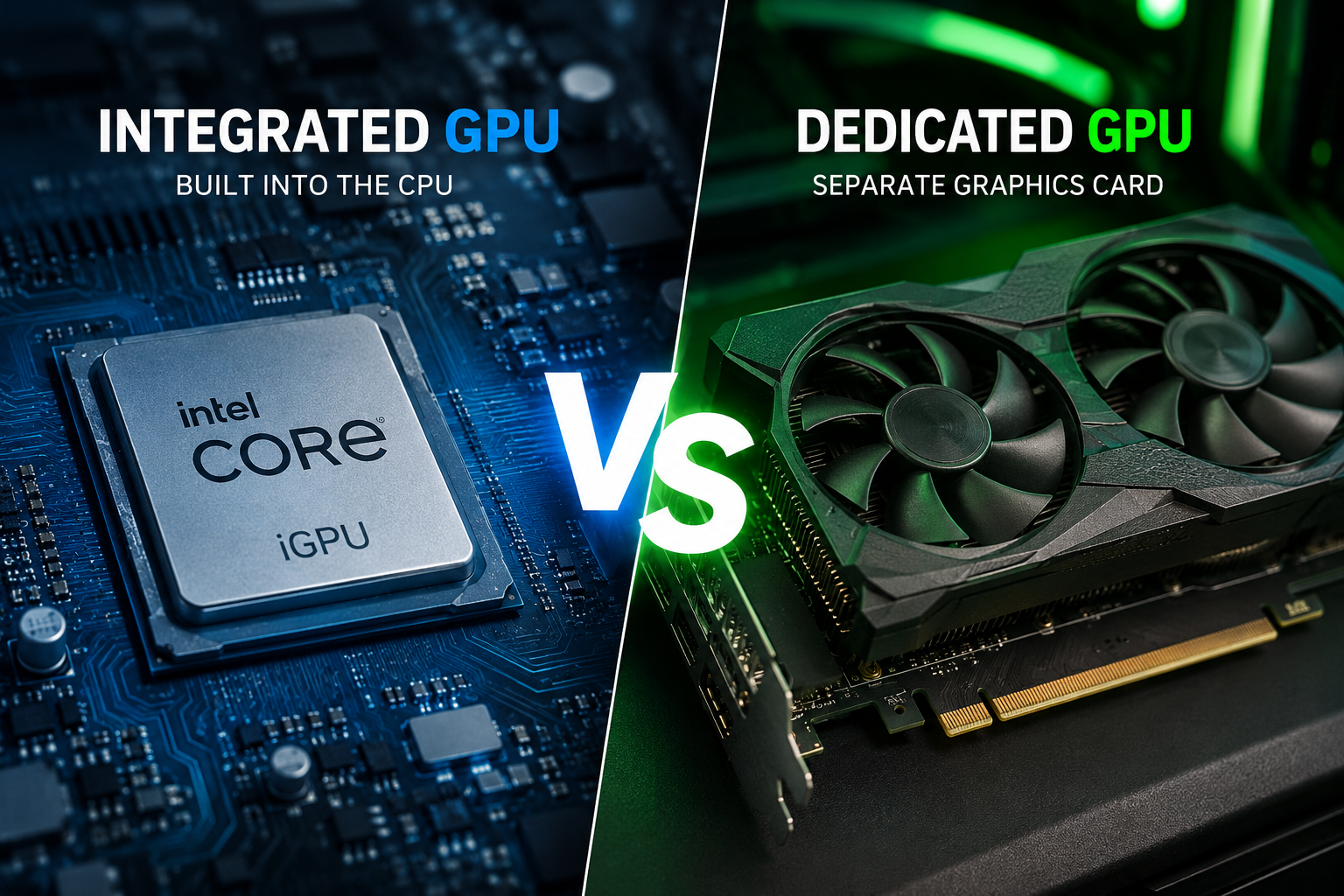
An Integrated GPU (iGPU) is built directly into the computer’s processor or, in some systems, integrated into the same chip package. Instead of existing as separate hardware, it shares resources with the CPU.
Because it is integrated, it does not have its own dedicated graphics memory. Instead, it uses part of the computer’s main system memory (RAM) whenever it needs to process graphics.
Integrated graphics have improved dramatically over the past decade. Modern processors from Intel, AMD, and Apple include graphics engines that are significantly more powerful than those found in older computers.
Many everyday users never realize they are using integrated graphics because these GPUs handle common tasks remarkably well.
Watching high-resolution videos, browsing the web, attending video meetings, streaming movies, editing office documents, programming, and even playing some lighter games are all well within the capabilities of modern integrated graphics.
What Is a Dedicated GPU?
A Dedicated GPU (dGPU) is a completely separate graphics processor designed specifically for graphics-intensive workloads.
Unlike integrated graphics, a dedicated GPU includes its own processor, its own cooling system, and its own high-speed memory called VRAM (Video Random Access Memory).
Because it operates independently of the CPU, a dedicated GPU can perform far more complex graphical calculations without relying on the computer’s main memory.
Dedicated GPUs are commonly found in gaming PCs, professional workstations, creator laptops, and computers designed for artificial intelligence, engineering, and scientific computing.
Companies such as NVIDIA, AMD, and Intel manufacture dedicated graphics processors for a wide range of applications.
How Integrated and Dedicated GPUs Work
Although both types of GPUs perform similar jobs, the way they handle those jobs is fundamentally different.
An integrated GPU shares the processor’s resources. It uses the system’s RAM and often operates within the processor’s overall power budget. This design reduces manufacturing costs, lowers power consumption, and saves physical space inside the computer.
A dedicated GPU, on the other hand, functions almost like an additional computer inside your computer. It has its own processor cores, memory, cache, power delivery system, and cooling hardware. This allows it to process massive amounts of graphical data independently while the CPU focuses on other tasks.
The result is much greater performance, especially during demanding workloads.
Graphics Memory Makes a Huge Difference
One of the biggest differences between integrated and dedicated graphics is memory.
Integrated GPUs borrow memory from the system’s RAM.
This shared approach works well for everyday computing but creates limitations when running demanding applications. The GPU must compete with the CPU for memory bandwidth, reducing performance under heavy workloads.
Dedicated GPUs include their own ultra-fast VRAM.
Because this memory is reserved exclusively for graphics processing, the GPU can rapidly access textures, models, lighting information, and video frames without interfering with the CPU.
Large amounts of VRAM become especially important for modern games, high-resolution video editing, 3D animation, AI workloads, and professional graphics software.
Performance Differences
Performance is where dedicated graphics usually stand apart.
For basic computing, integrated graphics are often more than sufficient. Opening documents, streaming 4K videos, browsing websites with many tabs, participating in video calls, and editing photos casually rarely require a dedicated GPU.
However, as workloads become more demanding, the performance gap grows rapidly.
Modern games require enormous graphical calculations involving realistic lighting, shadows, reflections, textures, and physics simulations.
Professional video editing software processes multiple streams of high-resolution footage while applying effects and color correction.
Three-dimensional modeling software renders highly detailed objects with millions of polygons.
Artificial intelligence applications process vast amounts of mathematical data simultaneously.
Dedicated GPUs are specifically engineered to handle these tasks efficiently.
Gaming: The Biggest Difference
Gaming is where most people first notice the importance of a dedicated GPU.
Modern games contain highly detailed environments, advanced lighting effects, realistic physics, high-resolution textures, and complex animations.
An integrated GPU can run many lightweight games and older titles smoothly. Popular esports games and less demanding games often perform well at lower graphics settings.
However, the latest AAA games frequently require much more graphical power than integrated graphics can provide.
A dedicated GPU allows games to run at higher resolutions, smoother frame rates, better visual quality, and more advanced graphical effects such as ray tracing.
For serious gamers, a dedicated GPU is often considered essential.
Video Editing and Content Creation
Creating digital content has become one of the fastest-growing uses for GPUs.
Modern video editing software uses graphics processors to accelerate playback, rendering, exporting, visual effects, and color grading.
Integrated graphics can comfortably edit Full HD videos and perform basic creative work.
As projects become more complex—especially with 4K, 6K, or 8K footage—a dedicated GPU can significantly reduce rendering times and improve editing responsiveness.
Graphic designers, photographers, animators, filmmakers, and visual effects artists often rely on dedicated graphics because they dramatically increase productivity.
Artificial Intelligence and Machine Learning
Artificial intelligence has created an entirely new role for GPUs.
Many AI algorithms involve performing billions or even trillions of mathematical operations simultaneously.
GPUs excel at this kind of parallel processing.
Dedicated GPUs, especially those designed for AI computing, contain thousands of processing cores optimized for these calculations.
Integrated GPUs are increasingly capable of accelerating certain AI features, especially in newer processors that include specialized AI hardware. However, they generally cannot match the computational power of high-end dedicated GPUs for training or running large AI models.
For everyday AI features such as background blur in video calls, photo enhancements, or on-device language tools, modern integrated graphics are often sufficient. For advanced AI research, professional development, or large-scale inference, dedicated GPUs remain the preferred choice.
Power Consumption
Power efficiency is one of the greatest strengths of integrated graphics.
Because integrated GPUs share hardware with the CPU, they consume significantly less electricity.
Lower power consumption leads to several benefits.
Laptops enjoy longer battery life.
Systems generate less heat.
Cooling requirements become simpler.
Computers operate more quietly.
Dedicated GPUs consume considerably more power, particularly during demanding workloads.
High-performance gaming GPUs can require hundreds of watts of electricity under heavy load.
As a result, gaming laptops often have shorter battery life when running graphics-intensive applications.
Heat Generation
Every electronic device produces heat.
Since integrated GPUs use relatively little power, they generate less heat and are easier to cool.
Dedicated GPUs produce much more heat because they perform far more calculations.
This is why gaming computers often include multiple cooling fans, heat pipes, vapor chambers, or even liquid cooling systems.
Proper cooling helps maintain performance and protects hardware from overheating.
Physical Size
Integrated graphics require very little additional space because they are built into the processor.
This makes them ideal for thin laptops, mini PCs, ultrabooks, compact desktops, and lightweight portable devices.
Dedicated graphics require additional hardware, including the graphics processor, memory chips, cooling systems, and power circuitry.
Desktop graphics cards can be surprisingly large, with some occupying multiple expansion slots.
Gaming laptops also need additional internal space for cooling, making them thicker and heavier than many ultrabooks.
Cost
Price is another major factor.
Integrated graphics are included with many processors, so there is no separate graphics card to purchase.
This makes integrated systems more affordable.
Dedicated GPUs significantly increase the cost of a computer.
High-end graphics cards are among the most expensive components in modern PCs.
For users who rarely perform graphics-intensive work, paying for a powerful dedicated GPU may provide little practical benefit.
Battery Life
Battery life matters greatly for portable computers.
Integrated graphics are designed with efficiency in mind, allowing laptops to operate for many hours on a single charge during everyday tasks.
Dedicated GPUs consume more energy whenever they are active.
Many modern laptops address this by automatically switching between integrated and dedicated graphics. The system uses integrated graphics during light tasks to save power and activates the dedicated GPU only when additional performance is needed.
This technology helps balance battery life with performance.
Noise Levels
Integrated graphics generally operate quietly because they require minimal cooling.
Many laptops with integrated graphics remain nearly silent during everyday work.
Dedicated GPUs often require active cooling with larger fans that become more noticeable during gaming or demanding applications.
Powerful desktop graphics cards may also include advanced cooling systems designed to keep temperatures under control while maintaining performance.
Upgradability
Desktop computers often allow dedicated graphics cards to be upgraded.
Users can replace an older GPU with a newer model to improve gaming performance or support more demanding creative software.
Integrated graphics cannot usually be upgraded independently because they are built into the processor.
Improving integrated graphics performance generally requires replacing the entire CPU or even the motherboard, depending on the system design.
Laptop upgrades are also much more limited, as most laptop GPUs—whether integrated or dedicated—are permanently attached to the motherboard.
Reliability
Both integrated and dedicated GPUs are highly reliable when properly cooled and operated within their design limits.
Integrated graphics benefit from having fewer separate components, reducing overall system complexity.
Dedicated GPUs contain more hardware and operate at higher temperatures and power levels, making effective cooling especially important for long-term reliability.
Modern graphics processors include sophisticated safeguards that automatically reduce performance or shut down if temperatures become unsafe.
Which Users Benefit Most from Integrated Graphics?
Integrated graphics are ideal for users whose daily work revolves around productivity and general computing.
Students writing assignments, professionals using office software, web developers, teachers, researchers, remote workers, and families browsing the internet often find that integrated graphics provide everything they need.
Modern integrated GPUs also handle streaming services, video conferencing, casual photo editing, and light gaming comfortably.
For these users, integrated graphics offer an excellent balance of performance, efficiency, portability, and affordability.
Who Should Choose a Dedicated GPU?
Dedicated graphics are designed for users who regularly perform demanding graphical or computational work.
Competitive gamers benefit from smoother gameplay and higher visual settings.
Professional video editors enjoy faster rendering and smoother timelines.
Architects, engineers, and industrial designers rely on dedicated GPUs for 3D modeling and simulation.
Scientists and AI researchers use GPU acceleration for complex calculations and machine learning workloads.
Digital artists, animators, photographers, and game developers also benefit from the increased computational power.
If graphics-intensive software is central to your work or hobbies, a dedicated GPU can significantly improve both performance and productivity.
Can You Have Both?
Yes. Many modern laptops include both an integrated GPU and a dedicated GPU.
During everyday tasks, the computer uses the integrated GPU to conserve battery life and reduce heat.
When launching a demanding game or professional application, the system automatically switches to the dedicated GPU.
This hybrid approach combines the efficiency of integrated graphics with the power of dedicated graphics, giving users the best of both worlds.
The Future of Graphics Processing
The line between integrated and dedicated graphics continues to evolve.
Integrated GPUs have become dramatically more capable thanks to advances in semiconductor manufacturing, chip architecture, memory bandwidth, and software optimization. Some modern processors can now handle tasks that once required an entry-level dedicated graphics card.
At the same time, dedicated GPUs continue to push the boundaries of performance with technologies such as hardware-accelerated ray tracing, AI-assisted rendering, frame generation, and increasingly powerful parallel computing capabilities.
As artificial intelligence becomes more deeply integrated into everyday computing, both integrated and dedicated GPUs are gaining specialized hardware to accelerate AI workloads. This means future computers will deliver more intelligent features while becoming faster and more energy-efficient.
Final Thoughts
The choice between an integrated GPU and a dedicated GPU ultimately depends on how you use your computer. Integrated graphics provide impressive performance for everyday tasks, offering excellent energy efficiency, longer battery life, lower cost, and quieter operation. For web browsing, office work, streaming, online learning, programming, and light creative projects, they are more than capable.
Dedicated graphics, on the other hand, are built for demanding workloads. Whether you’re playing the latest games, editing high-resolution videos, creating complex 3D models, training AI systems, or working with professional creative software, a dedicated GPU delivers the power needed to handle these tasks smoothly and efficiently.
Neither option is universally better. The best GPU is the one that matches your needs. By understanding how integrated and dedicated graphics differ in architecture, memory, performance, power consumption, and real-world applications, you can make an informed decision and invest in a computer that will serve you well for years to come.