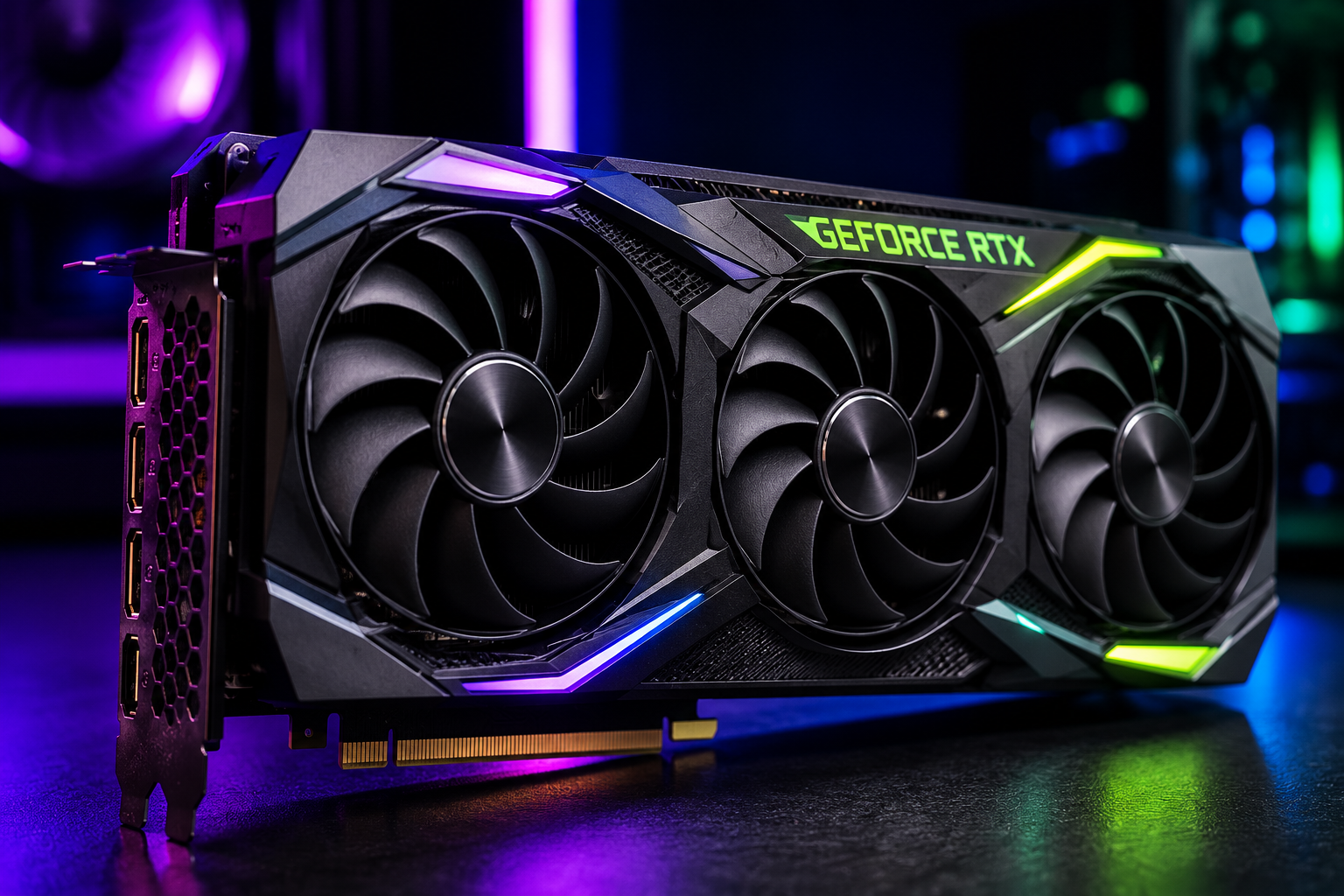
Every breathtaking video game, stunning animated movie, realistic 3D model, and even the smooth movement of your computer’s desktop begins with an extraordinary process happening inside one small piece of hardware—the graphics card.
At first glance, a modern video game looks like a living world. Mountains stretch toward the horizon, sunlight shines through trees, water reflects the sky, and characters move naturally through detailed environments. Yet none of these scenes actually exist inside your computer. Every frame is created from scratch in just a fraction of a second.
This incredible feat is the job of the Graphics Processing Unit, or GPU. A modern graphics card performs billions—and often trillions—of mathematical calculations every second to transform raw data into the colorful images that appear on your display.
Understanding how a graphics card renders images reveals one of the greatest engineering achievements of modern computing. Behind every pixel lies an intricate pipeline of geometry, lighting, textures, and physics that works so quickly we experience it as smooth motion.
What Is a Graphics Card?
A graphics card is a specialized computer component designed to generate images, videos, and animations. While the Central Processing Unit (CPU) handles general-purpose computing tasks, the GPU is built specifically for processing visual information.
Unlike a CPU, which typically contains a relatively small number of highly powerful cores optimized for sequential tasks, a GPU contains hundreds to many thousands of smaller processing cores capable of performing many calculations simultaneously. This massively parallel design makes GPUs exceptionally well suited for graphics rendering, where millions of independent calculations can be carried out at the same time.
Modern graphics cards also include dedicated memory called Video RAM (VRAM), which stores textures, geometric data, frame buffers, and other graphical assets that the GPU needs to access rapidly.
Every Image Begins as Data
When you launch a game or open a 3D application, the computer does not store the scene as a photograph. Instead, everything exists as digital information.
Characters are collections of three-dimensional models.
Buildings are mathematical shapes.
Trees consist of geometric structures covered with textures.
Lights are defined by their positions, colors, and intensities.
Cameras describe where the virtual viewpoint is located.
Animations contain instructions that describe how objects should move over time.
The GPU’s job is to convert all of this abstract information into the two-dimensional image that appears on your monitor.
Understanding the World of 3D Graphics
Imagine building a city using millions of tiny triangles.
That is remarkably close to how modern computer graphics work.
Almost every object in a video game is made from polygons, with triangles being the most common because they are mathematically simple and always remain flat. Whether it is a racing car, a human face, or a dragon, the visible surface is constructed from countless interconnected triangles.
A simple object may contain only a few hundred triangles.
A realistic game character may contain tens of thousands.
Entire game worlds often contain millions of triangles visible in a single scene.
The GPU must process every one of these geometric pieces before an image can be displayed.
The Rendering Pipeline
Graphics cards create images through a carefully organized sequence of steps known as the rendering pipeline.
Although modern GPUs can use slightly different techniques depending on the software and hardware, the basic pipeline follows the same fundamental principles.
Each stage transforms the scene into something closer to the final image.
Creating the Virtual Scene
Rendering begins with a complete virtual world.
Every object has a position, size, orientation, material, and texture.
The game engine also knows where lights are located and where the virtual camera is pointing.
At this stage, the GPU has not yet produced any visible image. It only has mathematical descriptions of the scene.
Processing Vertices
Every triangle consists of three corner points called vertices.
Each vertex contains important information such as its position in three-dimensional space, its color, its texture coordinates, and the direction the surface is facing.
The GPU processes these vertices using small programs called vertex shaders.
Vertex shaders calculate where each point should appear after accounting for object movement, animation, camera position, and perspective.
For example, if a character raises an arm, every affected vertex must move to its new position.
If a racing car turns a corner, all of its vertices rotate accordingly.
Millions of these calculations happen every frame.
Transforming 3D Into 2D
Computer monitors are flat, but virtual worlds are three-dimensional.
One of the GPU’s most important tasks is projecting the 3D scene onto a two-dimensional screen.
This process uses the same principles as perspective in photography.
Objects closer to the camera appear larger.
Objects farther away appear smaller.
Parallel lines seem to converge in the distance.
Without perspective projection, virtual worlds would look unnatural and unrealistic.
Clipping Invisible Objects
Not everything in the virtual world needs to be drawn.
Objects behind the camera are ignored.
Geometry outside the camera’s viewing area is discarded.
Objects completely hidden behind walls or mountains may also be excluded, depending on the rendering techniques being used.
Removing unnecessary work saves enormous amounts of computing power.
Modern game engines use sophisticated visibility algorithms to ensure the GPU spends its time only on objects that might actually contribute to the final image.
Rasterization: Turning Shapes Into Pixels
Once the GPU knows where every triangle appears on the screen, it begins rasterization.
Rasterization converts geometric triangles into individual screen pixels.
Imagine placing a fine grid over a triangle.
Every square touched by the triangle becomes a pixel candidate.
The GPU determines exactly which pixels belong to each triangle.
A single triangle may cover only a few pixels or thousands, depending on its size and distance from the camera.
This stage transforms abstract geometry into something the display can actually show.
Applying Textures
Without textures, every object would appear as a plain colored surface.
Textures are digital images wrapped around 3D models to create realistic detail.
A brick wall uses a brick texture.
Human skin uses skin textures.
Roads use asphalt textures.
Leaves use detailed leaf textures.
The GPU determines exactly which part of each texture belongs on every pixel.
Texture mapping allows highly detailed objects to be created without requiring millions of extra polygons.
Adding Color
Each visible pixel receives its own color.
Sometimes the color comes directly from the object’s texture.
Other times it results from complex mathematical calculations involving lighting, reflections, shadows, and material properties.
Modern rendering often combines many sources of information to determine the final appearance of every pixel.
Simulating Light
Lighting is one of the most computationally demanding parts of rendering.
Without lighting, even detailed models would appear flat and unrealistic.
The GPU calculates how light interacts with every visible surface.
It determines whether sunlight reaches a particular location.
It calculates how bright each surface should appear.
It estimates how much light reflects toward the camera.
It computes soft transitions between illuminated and shaded areas.
Advanced rendering techniques simulate multiple light sources simultaneously, producing scenes with remarkable realism.
Shadows Bring Depth
Shadows help our brains understand the shape and position of objects.
Creating realistic shadows is surprisingly difficult.
The GPU must determine whether another object blocks the path between a light source and a surface.
If light cannot reach the surface, that area becomes shadowed.
Modern graphics cards often generate dynamic shadows that move naturally as lights or objects change position.
Reflections and Refractions
Real-world materials interact with light in different ways.
A mirror reflects nearly all incoming light.
Water reflects some light while allowing other light to pass through.
Glass bends light through refraction.
Metal reflects light differently than wood or fabric.
Modern GPUs simulate many of these optical effects using advanced rendering algorithms.
Although these simulations are approximations, they often produce remarkably convincing results.
Anti-Aliasing: Smoothing Jagged Edges
Digital screens consist of square pixels.
When diagonal lines or curved surfaces are displayed, they can appear jagged, an effect known as aliasing.
Anti-aliasing reduces these visible stair-step patterns.
The GPU blends colors along edges to create smoother transitions.
Various techniques exist, including multisample anti-aliasing (MSAA), temporal anti-aliasing (TAA), and newer AI-assisted approaches.
Each method balances image quality against computational cost.
Depth Testing
Imagine looking through a forest.
Some trees are close.
Others stand far away.
The GPU must know which surfaces should appear in front of others.
Depth testing compares the distance of every pixel from the virtual camera.
Only the closest visible surface at each screen location is ultimately displayed.
This process prevents distant objects from incorrectly appearing in front of nearby ones.
Transparency
Transparent materials require additional calculations.
Glass windows, smoke, water, and flames allow some light to pass through.
The GPU blends multiple layers together while preserving their correct visual order.
Rendering transparency accurately remains one of the more challenging aspects of real-time graphics because transparent objects often cannot be processed in the same order as opaque ones.
The Frame Buffer
As rendering progresses, every completed pixel is stored inside an area of memory called the frame buffer.
The frame buffer represents the finished image.
Once all pixels have been calculated, the completed frame is sent to the monitor for display.
Immediately afterward, the GPU begins rendering the next frame.
This process repeats continuously while the application is running.
Creating Motion
Movies typically play at about 24 frames per second.
Many modern games target 60, 120, or even 240 frames per second.
At 60 frames per second, the GPU has only about 16.7 milliseconds to complete every calculation needed for an entire image.
At 120 frames per second, that time is reduced to roughly 8.3 milliseconds.
Within these tiny fractions of a second, the GPU performs billions of mathematical operations.
The rapid succession of slightly different images creates the illusion of smooth motion.
Ray Tracing: Following the Path of Light
Traditional graphics use rasterization because it is extremely fast.
However, light in the real world behaves differently.
Ray tracing attempts to simulate how light actually travels.
Instead of starting with triangles, the GPU traces rays from the virtual camera into the scene.
These rays bounce from surfaces, reflect from mirrors, pass through glass, and interact with light sources.
Ray tracing naturally produces realistic reflections, shadows, and global illumination.
Historically, ray tracing was too computationally expensive for real-time graphics.
Modern GPUs now include specialized hardware that accelerates these calculations, making real-time ray tracing increasingly practical.
Artificial Intelligence Enters Graphics Rendering
Recent graphics cards include dedicated AI hardware capable of accelerating rendering in new ways.
Instead of rendering every pixel directly at the display’s full resolution, some techniques first render a lower-resolution image.
Artificial intelligence then reconstructs a higher-resolution version while preserving fine detail.
Technologies such as NVIDIA DLSS, AMD FSR (which has evolved to include machine-learning-assisted versions in some implementations), and Intel XeSS are designed to improve performance while maintaining high image quality. Although they differ in their underlying approaches, they all aim to deliver smoother gameplay without requiring the GPU to perform as much traditional rendering work for every displayed pixel.
AI is also being used for denoising ray-traced images, generating intermediate frames, improving textures, and optimizing rendering pipelines.
Why GPUs Are So Fast
The remarkable speed of modern graphics cards comes from parallel processing.
Imagine asking one person to paint an enormous mural.
Now imagine asking ten thousand painters to each paint a tiny section simultaneously.
The second approach finishes much faster.
GPUs work in a similar way.
Since many pixels can be processed independently, thousands of GPU cores work at the same time.
This architecture allows modern graphics cards to perform trillions of floating-point calculations every second.
Beyond Gaming
Although graphics cards are famous for gaming, image rendering represents only part of their capabilities.
Scientists use GPUs to simulate galaxies, weather systems, earthquakes, and molecular interactions.
Artificial intelligence researchers train large neural networks using GPU acceleration.
Medical researchers analyze MRI scans and DNA data with GPUs.
Engineers design aircraft, cars, and buildings using GPU-powered simulations.
Movie studios create photorealistic visual effects with massive rendering farms built around powerful graphics processors.
The same hardware that renders a fantasy game can also help scientists study the universe or develop life-saving medicines.
The Future of Graphics Rendering
Graphics rendering continues to evolve at an extraordinary pace.
Future GPUs are expected to deliver more advanced ray tracing, increasingly sophisticated AI-assisted rendering, improved energy efficiency, and even more realistic simulations of light and materials.
Researchers are also exploring neural rendering, a rapidly developing field that combines traditional computer graphics with machine learning to generate highly realistic images in new ways.
As computing power grows, the boundary between computer-generated imagery and real-world photography continues to narrow.
The Hidden Masterpiece Behind Every Frame
Every image on your screen is the result of an astonishing collaboration between mathematics, physics, engineering, and computer science. In just milliseconds, a graphics card transforms millions of triangles, textures, lighting calculations, and physical simulations into a complete picture made of millions of colored pixels.
Whether you are exploring an open-world game, watching an animated film, editing photographs, or simply moving a window across your desktop, your GPU is performing an extraordinary amount of work behind the scenes. Its ability to render images so quickly and accurately is one of the greatest achievements in modern computing—turning pure mathematics into vibrant worlds that entertain, inform, and inspire billions of people every day.