A slow Wi-Fi connection can quickly turn a relaxing evening into a frustrating experience. Videos stop to buffer, online meetings freeze, games lag, and web pages seem to load forever. While many people immediately blame their internet service provider, the real problem often lies much closer to home. In many cases, poor Wi-Fi performance is caused by factors such as router placement, wireless interference, outdated hardware, or incorrect settings rather than the internet connection itself.
The good news is that Wi-Fi performance can often be improved dramatically without upgrading your internet plan. Understanding how Wi-Fi works and making a few smart adjustments can increase speed, extend coverage, reduce interruptions, and create a much more reliable wireless network.
This guide explains the science behind Wi-Fi performance and explores practical ways to improve it, whether you live in a small apartment, a large house, or work in a busy office.
Understanding How Wi-Fi Works
Wi-Fi is a wireless networking technology that allows devices to communicate using radio waves instead of physical cables. Your router acts like a wireless broadcasting station, sending and receiving data between your devices and your internet connection.
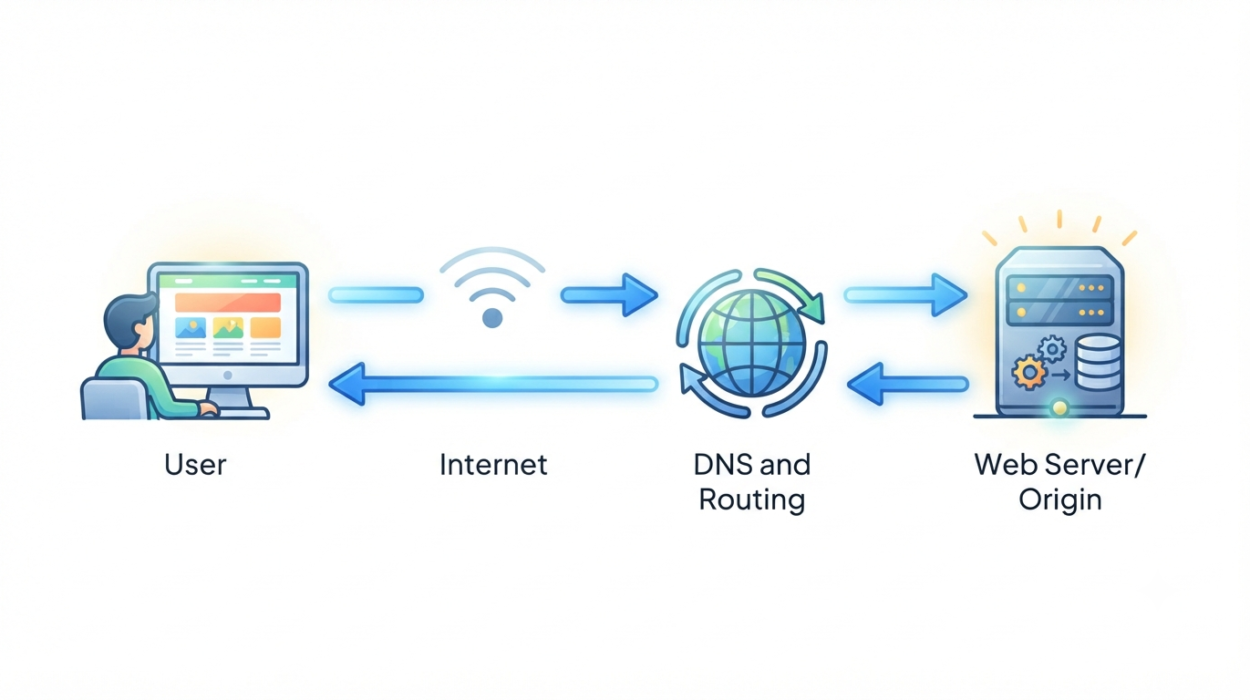
When you open a website or stream a movie, your device sends requests to the router. The router then communicates with your internet service provider and returns the requested information wirelessly.
Unlike a cable connection, Wi-Fi signals travel through the air. As they move, they can weaken, reflect, scatter, or become blocked by walls, furniture, appliances, and even people. Because of this, Wi-Fi performance depends on far more than your internet speed.
Why Wi-Fi Becomes Slow
Many factors influence wireless performance.
The farther a device is from the router, the weaker the signal becomes. Thick concrete walls, metal objects, mirrors, and multiple floors can absorb or reflect radio waves, reducing signal strength.
Wireless interference is another common problem. Many household devices use similar radio frequencies, including Bluetooth devices, baby monitors, cordless phones, microwave ovens, wireless cameras, and neighboring Wi-Fi networks.
Modern homes also contain dozens of connected devices. Smartphones, laptops, tablets, smart TVs, gaming consoles, security cameras, streaming boxes, voice assistants, and smart home gadgets all compete for wireless bandwidth.
Even if your internet service is fast, your Wi-Fi network may struggle if too many devices are active at the same time.
Place Your Router in the Right Location
Router placement has a surprisingly large impact on Wi-Fi performance.
Many people hide their router inside cabinets, behind televisions, under desks, or in corners of the house. Although this keeps the router out of sight, it also blocks wireless signals.
The best location is usually near the center of your home or office where signals can spread more evenly in every direction.
Placing the router on a shelf or table rather than on the floor usually improves coverage because radio waves travel more effectively when obstacles are minimized.
Keeping the router away from large metal objects, thick concrete walls, refrigerators, fish tanks, and microwave ovens also helps reduce interference.
In multi-story homes, placing the router on the middle floor often provides more balanced coverage throughout the building.
Keep the Router in an Open Space
Wi-Fi signals spread outward like light from a lamp.
If the router is surrounded by furniture or enclosed inside a cabinet, much of its signal becomes blocked before reaching your devices.
An open location allows radio waves to travel farther with fewer obstacles.
Even moving the router just a few feet can sometimes improve coverage across several rooms.
Understand the Difference Between 2.4 GHz and 5 GHz
Most modern routers broadcast two wireless frequency bands: 2.4 gigahertz (GHz) and 5 GHz.
The 2.4 GHz band provides longer range because lower-frequency radio waves travel farther and pass through walls more effectively.
However, it is also more crowded because many devices use this frequency.
The 5 GHz band offers much higher speeds and lower interference but has a shorter range.
For devices located close to the router, the 5 GHz band usually delivers faster performance.
For devices farther away, especially through several walls, the 2.4 GHz band often provides a stronger and more stable connection.
Many modern routers automatically choose the best band for each device.
Take Advantage of Wi-Fi 6 and Wi-Fi 7
Wireless technology has evolved significantly over the years.
Older routers using Wi-Fi 4 or early Wi-Fi 5 standards may struggle when many devices connect simultaneously.
Newer standards such as Wi-Fi 6, Wi-Fi 6E, and Wi-Fi 7 introduce numerous improvements.
These technologies can handle more connected devices efficiently, reduce network congestion, lower latency, and improve overall wireless performance.
Even if your internet speed remains the same, upgrading to a modern router can make your network feel noticeably faster because it manages wireless traffic more effectively.
Restart Your Router Occasionally
Like computers and smartphones, routers continuously run software.
Over time, temporary software issues, memory usage, and network congestion can reduce performance.
Restarting the router clears temporary data, refreshes wireless connections, and often resolves unexpected slowdowns.
Many routers can even be scheduled to restart automatically during the night when internet usage is low.
Update Your Router’s Firmware
Router manufacturers regularly release firmware updates.
These updates improve security, fix software bugs, enhance compatibility with new devices, and sometimes increase wireless performance.
Installing the latest firmware ensures your router operates efficiently while protecting your network from known security vulnerabilities.
Many newer routers install updates automatically, but older models may require manual updates through the router’s administration page.
Choose a Better Wireless Channel
Wi-Fi networks share radio channels.
In neighborhoods with many nearby routers, several networks may use the same channel, creating congestion.
Modern routers can automatically select less crowded channels.
If your router allows manual channel selection, choosing a less congested channel may improve performance, especially in apartment buildings where dozens of Wi-Fi networks operate close together.
Reduce Wireless Interference
Wi-Fi signals compete with many other electronic devices.
Microwave ovens are particularly well known for interfering with the 2.4 GHz band while operating.
Bluetooth devices also share similar frequencies, although modern technologies are much better at avoiding interference than earlier generations.
Keeping the router away from large electronic appliances can reduce signal disruption.
If interference remains a problem, connecting compatible devices to the 5 GHz band often helps because it experiences less congestion.
Limit Unnecessary Connected Devices
Many households have dozens of connected devices.
Some continue downloading updates or synchronizing data even when not actively being used.
Each connected device requires the router to manage additional wireless communication.
Disconnecting unused devices reduces network congestion and allows active devices to receive more bandwidth.
Smart home devices generally use little data individually, but together they can increase wireless management overhead.
Secure Your Wi-Fi Network
An unsecured wireless network allows unauthorized users to consume your bandwidth.
Even if neighbors connect accidentally, they can reduce available speed for everyone on the network.
Using WPA3 security, or WPA2 if WPA3 is unavailable, helps protect your Wi-Fi.
A strong password also prevents unauthorized access.
Changing the default administrator password for the router adds another important layer of security.
Upgrade an Old Router
Technology changes rapidly.
A router that performed well eight years ago may struggle with today’s internet speeds and modern devices.
Older routers often have slower processors, less memory, older Wi-Fi standards, and fewer advanced wireless features.
Replacing outdated hardware with a newer model can significantly improve both speed and reliability.
Modern routers are specifically designed to handle multiple smartphones, laptops, smart TVs, gaming consoles, and smart home devices simultaneously.
Use Mesh Wi-Fi for Large Homes
Large homes present unique challenges.
Even powerful routers have limited wireless range.
If some rooms consistently receive weak signals, adding traditional range extenders may provide limited improvement, but mesh Wi-Fi systems often deliver much better results.
A mesh system consists of multiple wireless nodes placed throughout the home.
Instead of relying on one router to cover the entire building, these nodes work together as a single intelligent network.
As you move around the house, your devices automatically connect to the strongest node without interrupting the connection.
This creates smoother coverage across multiple floors and larger spaces.
Position Router Antennas Correctly
Many routers include adjustable external antennas.
Although they may seem simple, antenna orientation affects signal distribution.
Keeping one antenna vertical and another horizontal can sometimes improve coverage because devices inside the home may be oriented differently.
Modern routers with multiple antennas use technologies that intelligently direct signals toward connected devices, making antenna placement even more effective.
Understand Signal Strength
A strong Wi-Fi signal does not always guarantee high speed.
Signal strength measures how well your device can receive radio waves.
Speed depends on additional factors, including network congestion, interference, router processing power, wireless standards, and internet bandwidth.
You may have a full signal but still experience slow downloads if too many devices are using the network simultaneously.
Improving both signal quality and network efficiency produces the best results.
Reduce Network Congestion During Busy Hours
Every online activity consumes bandwidth.
Streaming ultra-high-definition videos, downloading large games, cloud backups, video conferencing, and software updates all compete for network resources.
When several people perform data-intensive activities simultaneously, available bandwidth becomes divided.
Many modern routers include Quality of Service (QoS) features that prioritize important traffic.
For example, video calls and online gaming can receive higher priority than background software updates, resulting in smoother performance.
Connect Stationary Devices with Ethernet
Although Wi-Fi is convenient, Ethernet cables remain faster, more stable, and less affected by interference.
Devices that rarely move—such as desktop computers, gaming consoles, smart TVs, and network storage systems—often perform better when connected directly to the router using Ethernet.
Every device moved from Wi-Fi to a wired connection also reduces wireless congestion for the remaining devices.
Keep Your Devices Updated
Wireless performance depends on both the router and connected devices.
Smartphones, laptops, tablets, and computers regularly receive operating system updates that improve Wi-Fi compatibility, security, and performance.
Updating network drivers on computers can also solve connection problems and improve wireless efficiency.
Restart Individual Devices When Necessary
Sometimes the problem is not the Wi-Fi network but a specific device.
A smartphone or laptop may experience temporary software issues affecting wireless communication.
Restarting the device refreshes its network connection and often resolves slow or unstable performance.
Testing another device on the same Wi-Fi network can help determine whether the issue lies with the network or the individual device.
Know When the Internet Connection Is the Problem
Not every slowdown is caused by Wi-Fi.
If every device experiences poor performance, especially during wired Ethernet connections, the internet service itself may be the limiting factor.
Running an internet speed test while connected with an Ethernet cable provides a clearer picture of your actual broadband performance.
If wired speeds are much faster than wireless speeds, the issue is likely your Wi-Fi network.
If both are equally slow, your internet plan or internet service provider may be responsible.
Avoid Common Wi-Fi Myths
Many myths surround wireless networking.
Some people believe expensive antennas automatically increase speed everywhere. In reality, antenna improvements mainly affect signal direction and coverage rather than internet bandwidth.
Others think restarting the router daily is always necessary. While occasional restarts can solve temporary issues, a properly functioning router should operate reliably for long periods.
Another common misconception is that more signal bars always mean faster internet. Signal strength is only one part of overall wireless performance.
Understanding how Wi-Fi actually works helps avoid unnecessary purchases and ineffective troubleshooting.
Future Wi-Fi Technologies
Wireless networking continues to evolve rapidly.
New standards increase speed, improve reliability, reduce latency, and support larger numbers of connected devices.
Future Wi-Fi technologies will become even more important as smart homes, virtual reality, cloud gaming, artificial intelligence, and connected appliances continue to grow.
Engineers are developing more efficient methods of using radio spectrum, reducing interference, and delivering faster wireless communication than ever before.
These advances will help homes and businesses support hundreds of connected devices without sacrificing performance.
Creating a Faster and More Reliable Wireless Experience
Improving Wi-Fi performance is rarely about finding one magical solution. Instead, it involves understanding how wireless signals travel and removing the obstacles that prevent them from working efficiently. A well-placed router, modern hardware, updated software, reduced interference, secure settings, and thoughtful network management all contribute to a stronger and more dependable connection.
As our homes become increasingly connected, Wi-Fi has become one of the most important technologies in daily life. From remote work and online education to entertainment, healthcare, and smart home automation, a reliable wireless network supports countless everyday activities. By applying the principles explained in this guide, you can build a Wi-Fi network that delivers faster speeds, wider coverage, and a smoother online experience for everyone who depends on it.