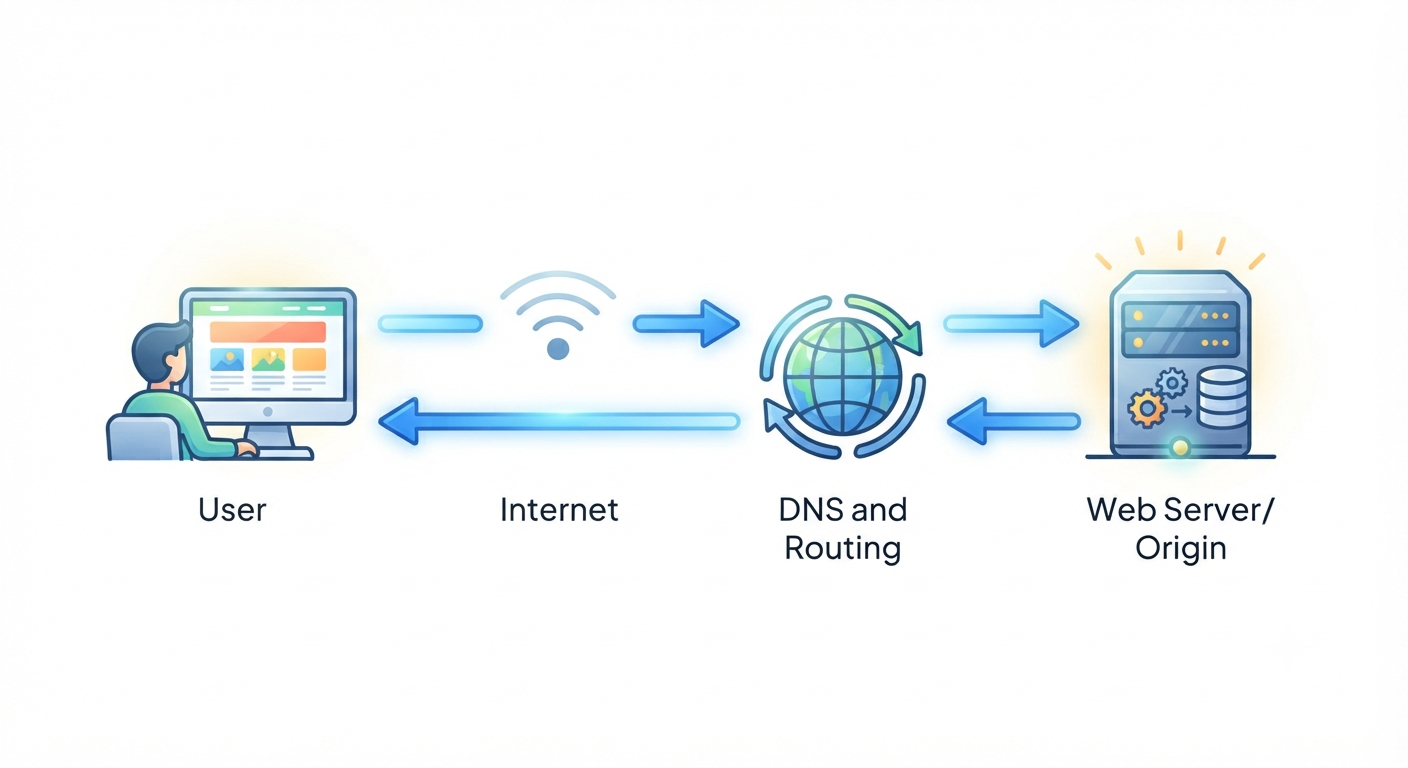
Every day, billions of people visit websites without giving much thought to what happens behind the scenes. You tap a link, type a web address, or click a bookmark, and within moments, a webpage appears. It feels almost magical. Yet behind that seemingly simple action is one of the most remarkable technological processes ever created.
When you visit a website, thousands of tiny operations occur in fractions of a second. Your device communicates with servers that may be thousands of miles away. Internet networks exchange information at incredible speeds. Computers identify addresses, establish secure connections, transfer data, and finally assemble everything into the webpage you see.
Understanding this journey not only satisfies curiosity but also helps explain why websites sometimes load instantly, why others take longer, and how the modern internet connects billions of people around the world.
The Internet: The World’s Largest Connected Network
Before understanding what happens when you visit a website, it helps to understand the internet itself.
The internet is a massive global network made up of millions of computers, servers, routers, data centers, undersea cables, satellites, and wireless networks. Instead of being one giant computer, it is a collection of countless devices that communicate using common rules known as internet protocols.
Every device connected to the internet has a way to send and receive information. Whether you are using a smartphone, laptop, tablet, or smart television, your device becomes part of this enormous worldwide network.
When you visit a website, your device is essentially asking another computer somewhere in the world to send the information needed to display that website.
It All Begins With a Web Address
Every website has a web address, also called a URL (Uniform Resource Locator).
For example, when you type a website address into your browser, you are telling your device which website you want to visit.
Humans prefer easy-to-read names because they are much easier to remember than long strings of numbers. Imagine trying to remember a numerical address for every website you visit—it would be almost impossible.
Fortunately, the internet has a system that translates these familiar names into addresses that computers understand.
Your Browser Starts Working Immediately
The moment you press Enter or tap a link, your web browser springs into action.
A web browser is software designed to retrieve, interpret, and display webpages. Popular browsers all perform essentially the same tasks, although they may differ in speed, design, and additional features.
As soon as your request begins, the browser first checks whether it already has some of the website stored locally. Browsers often save copies of images, scripts, and other resources in a cache. If recent versions are available, they can be reused instead of downloading them again, making the website load much faster.
If the necessary information is not available locally, the browser begins communicating with the internet.
Finding the Website Using the Domain Name System
Computers do not locate websites by their names. They use numerical addresses called Internet Protocol (IP) addresses.
An IP address identifies a device connected to the internet, much like a postal address identifies a house.
Since humans prefer names instead of numbers, the Domain Name System, commonly known as DNS, acts like the internet’s phonebook.
When you request a website, your browser asks a DNS server, “What is the IP address for this website?”
The DNS system searches its records and returns the correct numerical address.
This entire process usually takes only a few milliseconds.
Without DNS, using the internet would be much more difficult because people would need to memorize long numerical addresses for every website.
Connecting to the Web Server
Once your browser knows the website’s IP address, it must establish communication with the server that hosts the website.
A server is a specialized computer designed to store websites and deliver them whenever someone requests them.
Unlike personal computers, servers are built to operate continuously, often twenty-four hours a day, seven days a week.
Large websites may use thousands of servers working together in data centers around the world.
Your browser sends a request asking the server for the webpage you want to view.
If everything is working correctly, the server prepares the requested files for transmission.
Establishing a Secure Connection
Today, most websites use HTTPS instead of the older HTTP protocol.
The extra “S” stands for “Secure.”
HTTPS protects information by encrypting the communication between your device and the website.
Encryption converts readable information into coded data that unauthorized people cannot easily understand.
When a secure connection begins, your browser and the server perform a process called the TLS handshake.
During this process, both sides agree on encryption methods and verify the website’s digital certificate.
This certificate helps confirm that the website is genuinely operated by the organization it claims to represent.
Once the secure connection has been established, information can travel safely across the internet.
Sending the Request
After the secure connection is ready, your browser sends an HTTP request.
This request contains information such as which webpage you want to access, the browser you are using, and sometimes details about your preferred language or supported features.
The request travels across multiple internet networks before reaching the destination server.
Although this journey may involve thousands of miles, it often takes only a fraction of a second.
How Information Travels Across the Internet
Data does not move across the internet as one enormous block.
Instead, it is divided into many small pieces called packets.
Each packet contains a portion of the information along with instructions describing where it came from and where it should go.
These packets travel independently through routers spread across the internet.
A router is a networking device responsible for directing internet traffic toward its destination.
Different packets may even take different routes depending on current network conditions.
Once all packets arrive at your device, they are reassembled into the original information.
This packet-based system makes internet communication both efficient and reliable.
The Server Processes Your Request
Upon receiving your request, the web server begins preparing a response.
For simple websites, the requested files may already exist and can be sent immediately.
More complex websites often generate pages dynamically.
For example, when you log into an online store, your personalized recommendations, shopping cart, and account details may be created only after your request arrives.
The server may communicate with databases that store information such as user accounts, articles, products, images, comments, or search results.
After gathering everything needed, the server prepares its response.
Databases Behind Modern Websites
Many websites rely on databases rather than storing everything as fixed webpages.
A database is an organized collection of information.
When you search for products, read news articles, view social media posts, or watch videos, databases quickly retrieve the requested information.
Instead of creating millions of individual webpages, websites can generate customized pages instantly using data stored inside databases.
This approach allows websites to update information continuously without rebuilding every page.
The Server Sends the Response
The server now sends the requested information back across the internet.
The response usually contains HTML, CSS, JavaScript, images, videos, fonts, and many other files.
These resources are transmitted as packets and travel through internet networks until they reach your device.
The faster the internet connection and the closer the server is to you, the sooner these files arrive.
HTML: The Structure of Every Webpage
The first file your browser usually receives is HTML.
HTML stands for HyperText Markup Language.
HTML provides the basic structure of a webpage.
It tells the browser where headings, paragraphs, images, buttons, links, videos, forms, and other elements belong.
Without HTML, browsers would have no instructions for organizing webpage content.
Think of HTML as the framework of a building before the walls, paint, furniture, and decorations are added.
CSS Makes Websites Beautiful
While HTML creates structure, CSS controls appearance.
CSS stands for Cascading Style Sheets.
CSS determines colors, fonts, spacing, layouts, animations, shadows, borders, and responsive designs.
Without CSS, nearly every website would appear as plain black text on a white background.
Modern web design relies heavily on CSS to create visually attractive experiences across computers, tablets, and smartphones.
JavaScript Brings Websites to Life
Many modern websites are interactive because of JavaScript.
JavaScript allows webpages to respond instantly to user actions.
Buttons become clickable.
Menus expand.
Images slide across the screen.
Search suggestions appear while typing.
Videos play.
Maps become interactive.
Online games function.
Forms validate information before submission.
JavaScript transforms static webpages into dynamic applications.
Downloading Additional Resources
Most webpages require much more than a single HTML file.
The browser often discovers references to additional resources while reading the HTML.
These may include:
Images
Videos
Icons
Fonts
CSS files
JavaScript files
Advertisements
Analytics scripts
Third-party widgets
Each additional file requires another request to the appropriate server.
Modern browsers download many of these resources simultaneously to reduce loading time.
Rendering the Webpage
As files continue arriving, your browser begins rendering the webpage.
Rendering means converting downloaded code into the visual page you see.
The browser interprets HTML.
It applies CSS styling.
It executes JavaScript.
It arranges images.
It calculates layouts.
It determines fonts.
It positions buttons.
Finally, it paints everything onto your screen.
This entire rendering process often occurs in less than one second on modern devices.
Why Some Websites Load Faster Than Others
Not every website loads at the same speed.
Several factors influence loading performance.
Fast websites often use optimized images, efficient code, modern compression techniques, caching, and powerful servers.
Slow websites may contain very large images, excessive scripts, poorly optimized code, or overloaded servers.
Internet connection quality also plays an important role.
Fiber-optic connections generally deliver webpages much faster than slower mobile or satellite connections.
The physical distance between you and the server can also affect loading time.
Content Delivery Networks Make Websites Faster
Many popular websites use Content Delivery Networks, commonly called CDNs.
A CDN stores copies of website files on servers located in many different regions.
Instead of downloading files from one distant server, your browser retrieves them from the nearest available location.
This reduces travel distance for data and significantly improves loading speed.
CDNs are especially useful for websites with global audiences.
Browser Caching Saves Time
Your browser remembers parts of websites you visit frequently.
This temporary storage is called the browser cache.
When you revisit a website, your browser may already have images, style sheets, and scripts stored locally.
Instead of downloading everything again, it reuses these saved files whenever appropriate.
Caching reduces network traffic and makes websites appear much faster.
Cookies Help Websites Remember You
Many websites save small pieces of information called cookies.
Cookies are tiny text files stored in your browser.
They help websites remember useful information such as whether you are logged in, your language preference, items in your shopping cart, or personalized settings.
Cookies do not contain entire webpages.
Instead, they store small amounts of information that improve your browsing experience.
Modern browsers also provide controls allowing users to manage or delete cookies.
Search Engines Are Usually the First Step
Many website visits begin with a search engine rather than directly typing a web address.
When you search for information, search engines maintain enormous indexes containing information about billions of webpages.
Their algorithms identify pages that appear most relevant to your search.
When you click a search result, the normal webpage loading process begins.
Mobile Browsing Works the Same Way
Whether you browse on a smartphone or desktop computer, the overall process remains remarkably similar.
Your phone still performs DNS lookups.
It still establishes secure HTTPS connections.
It still downloads HTML, CSS, JavaScript, images, and other resources.
The primary difference lies in how webpages are displayed.
Responsive web design automatically adjusts layouts for different screen sizes.
This allows websites to provide comfortable reading experiences across a wide variety of devices.
Modern Websites Are More Like Applications
Many websites today behave more like software applications than traditional webpages.
Online email services, collaborative documents, streaming platforms, interactive maps, and social media continuously exchange information with servers while you use them.
Instead of reloading the entire page, only small portions are updated as needed.
This creates smoother and more responsive experiences.
Artificial Intelligence Is Becoming Part of the Web
Artificial intelligence is increasingly integrated into modern websites.
AI systems may recommend products, personalize news feeds, improve search results, translate languages, recognize images, detect fraud, answer customer questions, or assist users through intelligent chat systems.
Although AI adds powerful new capabilities, it still relies on the same fundamental internet technologies to exchange information between users and servers.
Every Click Begins an Extraordinary Journey
Visiting a website feels effortless because decades of scientific research and engineering have made an incredibly complex process appear almost instantaneous. Behind every click lies a carefully coordinated sequence of events involving browsers, DNS servers, internet routers, encrypted connections, web servers, databases, programming languages, and global communication networks.
In just a fraction of a second, your request may travel across oceans through fiber-optic cables, reach a distant data center, retrieve information from powerful servers, and return millions of pieces of data that your browser transforms into the webpage before your eyes.
The next time you open a website, remember that what seems like a simple click is actually one of the greatest technological achievements in human history. It is a remarkable demonstration of how mathematics, computer science, engineering, and global cooperation work together to make the world’s knowledge available almost instantly from virtually anywhere on Earth.