Every time you play a visually stunning video game, edit a high-resolution video, create AI-generated images, or watch a lifelike 3D animation, your computer is performing millions—or even billions—of calculations every second. While the graphics processing unit (GPU) does most of this heavy work, it cannot do it alone. It relies on a special type of memory designed to keep graphics data close at hand and ready to use instantly.
This memory is known as GPU memory, or VRAM (Video Random Access Memory). It is one of the most important components of a graphics card because it determines how much visual data the GPU can store and process at one time. Whether you are gaming at 4K resolution, editing 8K video, training artificial intelligence models, or designing complex 3D worlds, GPU memory plays a critical role in performance.
Understanding GPU memory helps explain why two graphics cards with similar processing power can deliver very different results. It also helps you choose the right graphics card for your needs without being misled by marketing numbers alone.
What Is GPU Memory?
GPU memory is a high-speed type of memory built specifically for a graphics processing unit. It temporarily stores the data that the GPU needs to access quickly while rendering images, videos, animations, and other visual tasks.
Think of GPU memory as the GPU’s personal workspace. Instead of constantly asking the computer’s main memory for information, the GPU keeps frequently used data in its own memory, allowing it to work much faster.
The data stored in GPU memory may include textures, 3D models, lighting information, frame buffers, shaders, geometry data, AI computations, and video frames.
Without GPU memory, modern graphics would be dramatically slower.
Why Does a GPU Need Its Own Memory?
Modern graphics require enormous amounts of information.
Imagine exploring an open-world game. Every mountain, tree, building, cloud, shadow, character, and reflection contains data that must be processed almost instantly.
If the GPU had to retrieve every piece of information from the computer’s main RAM every time it needed it, performance would slow significantly because system memory is generally farther away from the GPU and often offers lower bandwidth than dedicated graphics memory.
Dedicated GPU memory solves this problem by storing graphics data directly alongside the GPU, where it can be accessed extremely quickly.
The result is smoother gameplay, faster rendering, and more responsive graphics.
What Is VRAM?
VRAM stands for Video Random Access Memory.
Although people often use the terms “GPU memory” and “VRAM” interchangeably, VRAM specifically refers to the dedicated memory used by most discrete graphics cards.
VRAM is optimized for handling massive amounts of visual information at very high speeds.
Unlike ordinary RAM, which serves the entire computer, VRAM is primarily reserved for graphics-related tasks.
How GPU Memory Works
Whenever you launch a game or graphics application, the GPU begins loading important visual assets into its memory.
Textures are copied into VRAM.
3D models are stored there.
Lighting calculations are prepared.
Shadow maps are created.
Frame buffers are allocated.
As the GPU renders each frame, it repeatedly reads this information from VRAM rather than fetching it from slower storage devices or repeatedly transferring it from system memory.
Because the data is already nearby, the GPU can process millions of pixels every second with remarkable efficiency.
Once an application closes, the memory becomes available for other tasks.
What Does GPU Memory Store?
GPU memory temporarily holds almost everything needed to create the images you see on your screen.
High-resolution textures occupy significant amounts of VRAM because they contain detailed visual information.
Three-dimensional models define the shapes of characters, buildings, vehicles, and environments.
Frame buffers store the completed image before it appears on your display.
Depth buffers help determine which objects appear in front of others.
Shaders contain programs that calculate lighting, reflections, shadows, and visual effects.
Ray tracing data may also occupy GPU memory as modern graphics cards simulate realistic light behavior.
For artificial intelligence applications, GPU memory stores neural network parameters, training data, tensors, and intermediate calculations.
Dedicated GPU Memory vs Shared Memory
Not every computer has dedicated graphics memory.
Many laptops and budget desktops use integrated graphics processors that are built into the CPU.
Instead of having their own VRAM, integrated GPUs borrow a portion of the computer’s main RAM.
This borrowed memory is called shared memory.
Because system RAM usually provides less memory bandwidth to the GPU than dedicated VRAM, integrated graphics generally deliver lower graphics performance, especially in demanding games and professional workloads.
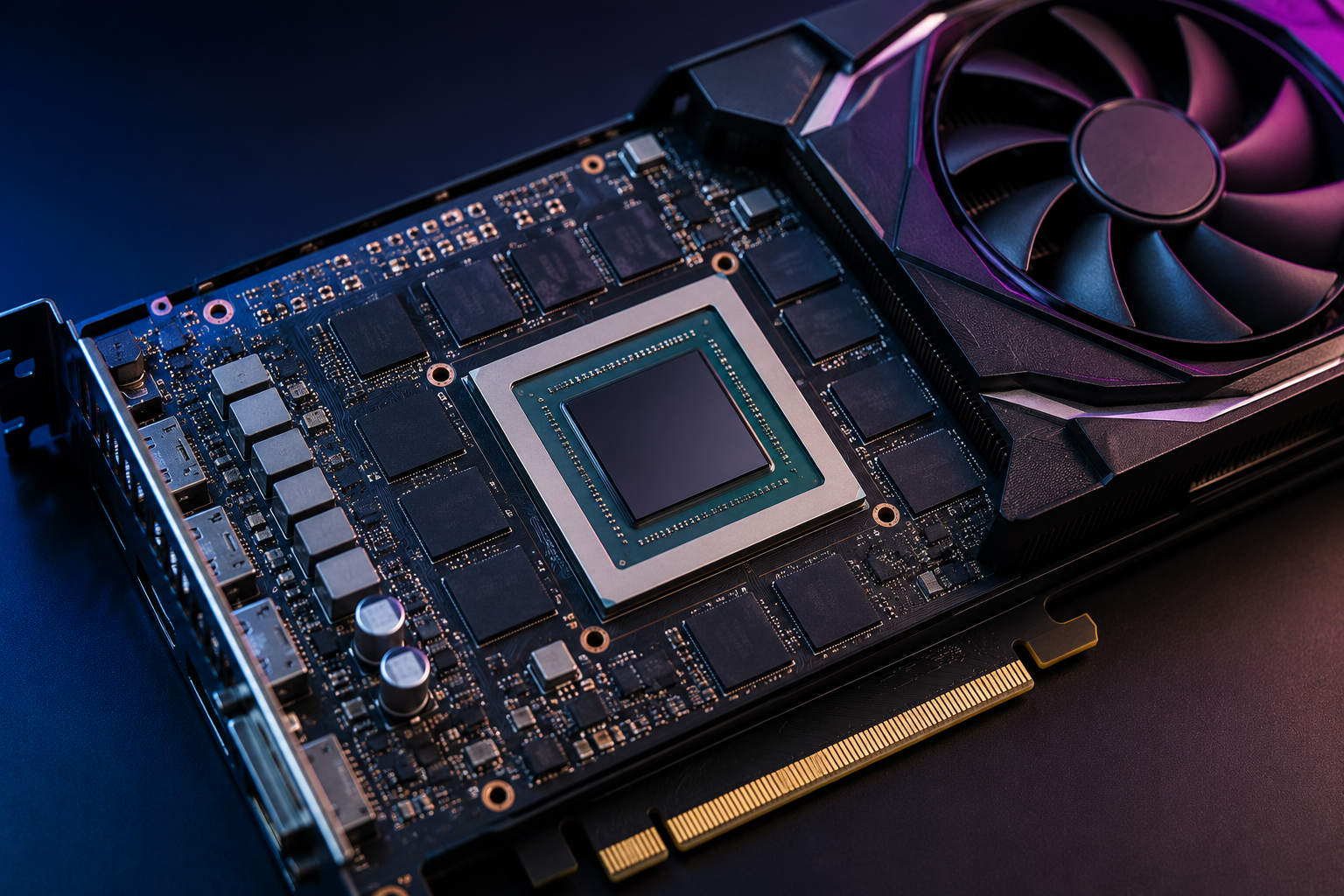
Dedicated graphics cards include their own memory chips connected directly to the GPU, allowing much faster access.
Why GPU Memory Is Important
GPU memory affects far more than just gaming.
If there is enough VRAM available, the GPU can keep more data ready for immediate use.
This reduces delays caused by repeatedly transferring information between storage, system RAM, and the graphics card.
When GPU memory becomes full, performance often suffers.
Games may experience stuttering.
Textures may load slowly or appear blurry.
Video editing software may become less responsive.
Rendering times may increase.
Artificial intelligence models may become too large to fit into memory, forcing developers to reduce model size or split workloads.
Having sufficient GPU memory helps maintain smooth and consistent performance.
Does More GPU Memory Always Mean Better Performance?
One of the biggest misconceptions is that more VRAM automatically makes a graphics card faster.
In reality, GPU performance depends on many factors.
The graphics processor itself is usually the most important.
Its architecture, number of processing cores, clock speed, memory bandwidth, cache size, and power efficiency all influence overall performance.
A powerful GPU with 8 GB of VRAM can outperform a weaker GPU with 16 GB in many situations.
Extra VRAM only becomes useful when applications actually need that additional capacity.
If a game uses only 6 GB of VRAM, having 24 GB will not necessarily increase frame rates.
However, modern games, professional creative software, and AI workloads are increasingly demanding, making larger memory capacities more valuable over time.
What Happens When GPU Memory Runs Out?
When VRAM is exhausted, the GPU must move some data into system RAM.
Because accessing system memory is generally slower than accessing dedicated VRAM, this can introduce delays.
You may notice sudden drops in frame rate.
Games may pause briefly while loading textures.
Applications may become sluggish.
Video editing timelines may stutter.
In extreme cases, software may crash or refuse to load certain projects.
This is why running modern software with insufficient GPU memory often results in inconsistent performance rather than simply lower average speed.
How Much GPU Memory Do Games Use?
The amount of GPU memory required depends on several factors.
Higher screen resolutions require larger frame buffers.
High-resolution textures consume more memory.
Ray tracing adds additional memory demands.
Large open-world environments require more assets to remain loaded simultaneously.
Mods that replace game textures with higher-quality versions often increase VRAM usage significantly.
Modern games running at 1080p with moderate settings may use considerably less VRAM than the same games running at 4K with ultra-quality textures and advanced lighting effects.
GPU Memory for Content Creation
Professional creators often need more GPU memory than gamers.
Video editing software stores high-resolution video frames, effects, and color information in VRAM.
Three-dimensional modeling applications keep detailed models, textures, and lighting data in memory.
Animation software processes large scenes containing thousands of objects.
Visual effects artists frequently work with extremely detailed assets that require substantial memory.
Photographers editing very high-resolution RAW images may also benefit from larger GPU memory capacities in applications that accelerate image processing with the GPU.
GPU Memory for Artificial Intelligence
Artificial intelligence has dramatically increased the importance of GPU memory.
Training modern neural networks requires storing enormous amounts of data in memory.
Every layer of a neural network contains mathematical parameters that occupy VRAM.
Input data, intermediate calculations, and output values must also fit into memory during training and inference.
Large language models, image generation systems, scientific simulations, and machine learning research often require graphics cards with very large memory capacities.
In many AI workloads, GPU memory becomes the primary limitation rather than raw processing power.
Different Types of GPU Memory
GPU memory has evolved significantly over the years.
Early graphics cards used technologies such as SDRAM and DDR memory.
Later generations introduced GDDR (Graphics Double Data Rate) memory, which was specifically designed for graphics workloads.
Modern consumer graphics cards commonly use GDDR6 and GDDR6X memory, offering high bandwidth for demanding applications.
Some high-performance GPUs use High Bandwidth Memory (HBM), which stacks memory chips vertically and places them very close to the GPU. This design provides extremely high bandwidth while reducing the distance data must travel.
Different memory technologies balance speed, power consumption, manufacturing complexity, and cost.
Memory Capacity vs Memory Bandwidth
Memory capacity and memory bandwidth are often confused, but they describe different characteristics.
Capacity refers to how much information the GPU can store.
Bandwidth refers to how quickly that information can be transferred between the memory and the GPU.
Imagine a warehouse.
Capacity is the size of the warehouse.
Bandwidth is the width of the loading doors.
A huge warehouse with narrow doors may still slow operations.
Likewise, a graphics card with large memory capacity but limited bandwidth may not achieve its full potential.
High-performance GPUs require both sufficient memory capacity and high bandwidth.
What Determines GPU Memory Speed?
Several factors influence GPU memory performance.
The type of memory matters.
Memory clock speed affects how rapidly information moves.
The width of the memory bus determines how much data can travel simultaneously between the GPU and its memory.
Modern GPUs also include advanced cache systems that reduce the need to access external memory as often, improving efficiency.
Engineers carefully balance these components to maximize performance while controlling power consumption and manufacturing costs.
GPU Memory and Screen Resolution
Higher display resolutions require more GPU memory because every frame contains more pixels.
A Full HD image contains over two million pixels.
A 4K image contains more than eight million pixels.
As resolution increases, larger frame buffers are needed, and higher-quality textures become more important to maintain visual sharpness.
Ultra-wide monitors, multiple displays, and virtual reality headsets also increase memory demands because the GPU must process more visual information simultaneously.
GPU Memory and Ray Tracing
Ray tracing simulates how light behaves in the real world.
Instead of using simplified lighting techniques, the GPU calculates how light rays bounce, reflect, scatter, and cast shadows.
These calculations require additional data structures stored in GPU memory.
As a result, enabling ray tracing often increases VRAM usage, especially at higher resolutions.
Graphics cards with larger memory capacities generally handle complex ray-traced scenes more comfortably.
Can You Upgrade GPU Memory?
Unlike system RAM, GPU memory usually cannot be upgraded.
The memory chips are permanently attached to the graphics card during manufacturing.
Adding more VRAM is generally not possible for consumer graphics cards.
If you need additional GPU memory, the practical solution is usually to replace the graphics card with a model that includes more VRAM.
Common Myths About GPU Memory
Many people believe that buying the graphics card with the largest amount of VRAM automatically guarantees the best performance.
This is not true.
A balanced GPU architecture is much more important.
Others assume that unused VRAM is wasted memory.
In reality, applications dynamically allocate memory based on their needs. Extra capacity provides flexibility for future software and more demanding workloads.
Some also believe integrated graphics perform exactly like dedicated graphics because both use memory.
However, dedicated VRAM generally provides much higher bandwidth and is specifically designed for graphics processing, giving discrete GPUs a substantial performance advantage in demanding tasks.
The Future of GPU Memory
As graphics become more realistic and AI models continue to grow, GPU memory requirements are expected to increase.
Future games will likely use even larger textures, more detailed worlds, and increasingly sophisticated lighting techniques.
Artificial intelligence applications are expanding rapidly across medicine, robotics, scientific research, engineering, and creative industries.
These advances will continue driving demand for faster memory technologies, higher bandwidth, and larger memory capacities.
Researchers are also exploring new memory architectures that improve efficiency while reducing power consumption.
Why Understanding GPU Memory Matters
GPU memory is much more than a technical specification on a graphics card box. It is the workspace where the GPU stores and accesses the visual information needed to create everything from lifelike games and cinematic animations to scientific simulations and AI-powered applications.
While having more VRAM does not automatically make a graphics card faster, having enough high-speed memory is essential for handling modern workloads smoothly. The right balance of GPU processing power, memory capacity, and memory bandwidth allows computers to render breathtaking graphics, accelerate professional creativity, and power the next generation of artificial intelligence.
As technology continues to evolve, GPU memory will remain one of the most important foundations of high-performance computing, enabling experiences that become richer, faster, and more immersive with every new generation of hardware.