Imagine waking up in the morning and your bedroom lights gradually brighten before your alarm rings. The coffee maker starts brewing your favorite drink. The thermostat has already warmed the house to a comfortable temperature, and your smart speaker reads today’s weather forecast while your robot vacuum quietly finishes cleaning the living room. None of these devices are acting on their own. They are communicating through the internet, sharing information, responding to commands, and working together to make everyday life more convenient.
Smart home technology has rapidly become part of millions of homes worldwide. From smart bulbs and security cameras to video doorbells, refrigerators, washing machines, and voice assistants, connected devices are changing how people interact with their homes. But behind this convenience lies a fascinating network of wireless communication, cloud computing, sensors, and software that allows these devices to stay connected.
Understanding how smart home devices connect to the internet is not just useful for technology enthusiasts. It also helps homeowners make better decisions about performance, security, and privacy. The process may seem complex, but once broken down into simple steps, it becomes surprisingly easy to understand.
What Is a Smart Home Device?
A smart home device is an electronic product that can connect to a network, communicate with other devices or online services, and often be controlled remotely through a smartphone, tablet, computer, or voice assistant.
Unlike traditional appliances that operate independently, smart devices continuously exchange information. A smart thermostat can monitor room temperature and adjust heating automatically. A smart security camera can detect motion and instantly send an alert to your phone. Smart lights can turn on at sunset without anyone touching a switch.
These devices combine sensors, processors, software, and internet connectivity to perform tasks automatically or in response to user commands.
Why Internet Connectivity Matters
The internet is what transforms an ordinary electronic device into a smart device.
Without internet access, many smart home products lose some of their most useful features. You might still be able to turn on a smart light using a nearby switch, but you would no longer receive notifications from your security camera while traveling, control your thermostat from work, or ask a voice assistant to manage devices remotely.
Internet connectivity allows smart devices to communicate beyond the walls of your home. It connects your home to cloud servers that process data, store settings, and enable remote access from virtually anywhere with an internet connection.
The Journey Begins with Your Home Network
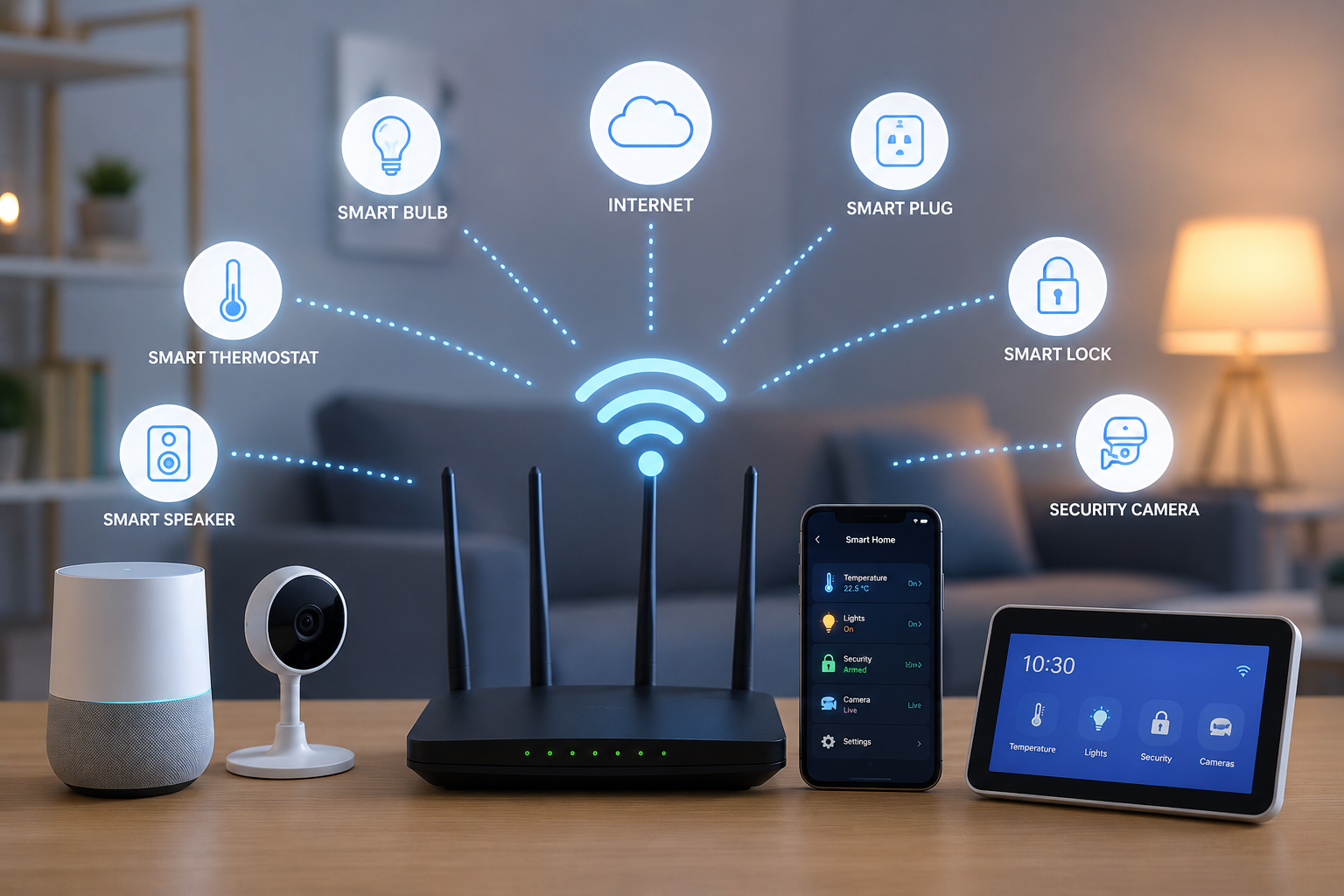
Most smart home devices first connect to your home’s local network.
This network is usually created by a wireless router connected to your internet service provider. The router acts like the home’s communication center, directing information between connected devices and the internet.
When you install a new smart device, you typically use the manufacturer’s mobile app to connect it to your home’s Wi-Fi network. During setup, the device receives the network name and password, allowing it to join the same network as your phone, laptop, and other connected devices.
Once connected, the device receives an Internet Protocol (IP) address. This unique address identifies it on the network, allowing data to be sent to and from the correct device.
Understanding Wi-Fi
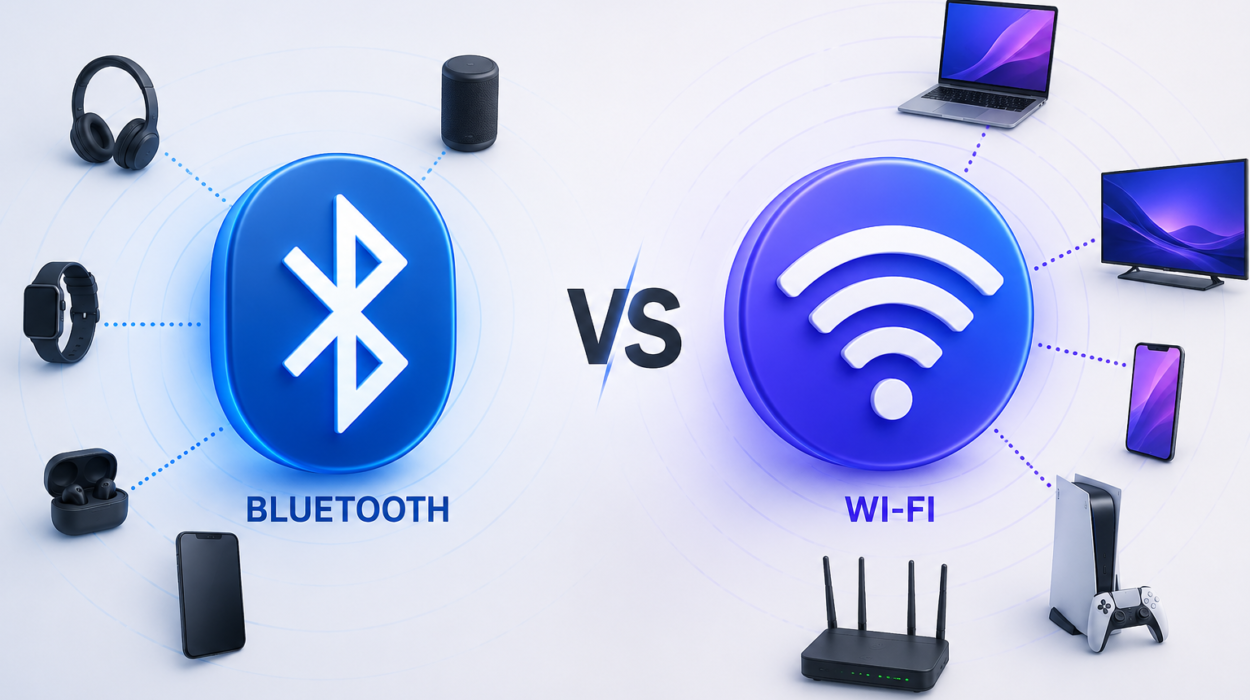
Wi-Fi is the most common way smart home devices connect to the internet.
Wi-Fi uses radio waves to transmit information between devices and a wireless router without requiring physical cables.
Most modern smart products, including smart speakers, televisions, cameras, and thermostats, use Wi-Fi because it offers relatively high data speeds and widespread compatibility with home internet networks.
When you tap a button in a smartphone app to turn off a smart light, your command travels through your Wi-Fi network to the router and, depending on the device’s design, may also pass through cloud servers before reaching the light bulb.
Wi-Fi works well for devices that require frequent communication or transmit large amounts of data, such as security cameras streaming high-definition video.
Bluetooth Connections
Some smart home devices use Bluetooth instead of Wi-Fi, especially during initial setup or for short-range communication.
Bluetooth is designed for direct communication between nearby devices. Unlike Wi-Fi, Bluetooth typically has a shorter range but consumes much less power.
Many smart locks, wearable devices, sensors, and lighting systems use Bluetooth for local control. During installation, a smartphone often connects to the device through Bluetooth before helping it join the home’s Wi-Fi network.
Some devices continue operating entirely through Bluetooth if remote internet access is not required.
Zigbee and Thread
Not every smart home device communicates directly with Wi-Fi.
Many products use wireless technologies designed specifically for smart homes, such as Zigbee and Thread.
These technologies consume significantly less energy than Wi-Fi, making them ideal for battery-powered sensors, door contacts, smart switches, and motion detectors.
Instead of every device communicating directly with the router, Zigbee and Thread often create a mesh network.
In a mesh network, devices can pass information from one device to another. This allows signals to travel farther and improves reliability because multiple communication paths may exist.
If one device becomes unavailable, information can often find another route through the network.
The Role of Smart Home Hubs
Some smart homes include a central hub.
A smart hub acts as a translator between devices that use different communication technologies.
For example, a hub may communicate with Zigbee sensors, Thread devices, Bluetooth accessories, and Wi-Fi appliances while presenting everything through a single smartphone app.
The hub also automates routines, allowing devices from different manufacturers to work together.
A motion sensor can trigger smart lights, activate security cameras, and send phone notifications simultaneously, even if each device uses a different communication protocol.
What Happens When You Press a Button?
Consider what happens when you tap “Turn On Living Room Lights” in a smartphone app.
Your phone first sends the command through your Wi-Fi network or mobile internet connection.
Depending on the system, the command may travel to cloud servers operated by the device manufacturer.
Those servers verify your account, process the request, and send instructions back through the internet to your home’s router.
The router forwards the message to the correct smart light, which immediately switches on.
This entire process usually takes only a fraction of a second.
Some newer systems allow commands to be processed locally inside the home instead of relying entirely on cloud servers, reducing delays and improving reliability.
Cloud Computing Behind Smart Homes
Cloud computing plays an important role in many smart home systems.
The “cloud” refers to powerful remote computers that store information and perform processing tasks over the internet.
Instead of every smart device performing all computations itself, many devices send information to cloud servers.
For example, a smart security camera may upload video clips to cloud storage.
A voice assistant records your spoken request and sends it securely to cloud servers, where advanced speech recognition and language-processing systems interpret the command before returning a response.
Cloud computing allows devices to become more capable without requiring expensive hardware inside every product.
Local Processing Is Becoming More Common
Although cloud services remain important, many smart home devices increasingly perform tasks locally.
Modern smart hubs and home automation systems can process commands without sending every request to the internet.
For example, a smart light switch may turn on lights instantly when motion is detected, even if the internet connection is temporarily unavailable.
Local processing reduces response times, improves privacy for certain functions, and allows basic automation to continue during internet outages.
Voice Assistants Connect Everything Together
Voice assistants have become the heart of many smart homes.
When you say, “Turn off the kitchen lights,” the microphone captures your voice.
The recording is processed using speech recognition and natural language technologies, often with the help of cloud computing.
The system determines your intent and sends the appropriate command to the correct smart device.
Within seconds, lights turn off, thermostats adjust temperatures, televisions pause, or doors lock.
Although the interaction feels effortless, it involves sophisticated communication between microphones, wireless networks, internet servers, and connected devices.
Sensors Make Smart Devices Intelligent
Connectivity alone does not make a device smart.
Sensors allow devices to observe their surroundings and respond automatically.
Temperature sensors monitor indoor climate.
Motion sensors detect movement.
Light sensors measure brightness.
Humidity sensors monitor moisture levels.
Cameras capture images and video.
Microphones detect sound.
Door and window sensors recognize whether an entrance is open or closed.
These sensors continuously collect information that software uses to make intelligent decisions.
How Smart Devices Identify Each Other
Each connected device has unique identifiers that help networks distinguish one device from another.
One important identifier is the Media Access Control (MAC) address, which is assigned to a network interface by the manufacturer. Unlike an IP address, which may change over time depending on the network configuration, a MAC address is designed to uniquely identify the device on a local network.
The router keeps track of connected devices, ensuring information reaches the intended destination.
This organized communication allows dozens or even hundreds of devices to operate simultaneously without confusion.
Internet Protocol Makes Communication Possible
Much of the internet relies on Internet Protocol, commonly called IP.
Every connected device receives an IP address, which functions similarly to a mailing address.
When information is sent across the network, routers use these addresses to deliver data to the correct destination.
Without IP addresses, the internet would have no reliable way to identify billions of connected devices around the world.
Data Travels in Small Packets
Information sent across the internet is not transmitted as one large message.
Instead, it is divided into small pieces called packets.
Each packet contains part of the data along with addressing information that tells network equipment where it should go.
These packets may travel through different routes across the internet before being reassembled at their destination.
This packet-based system allows networks to remain efficient even when handling enormous amounts of information simultaneously.
Why Smart Devices Need Software Updates
Smart home devices regularly receive software updates through the internet.
Manufacturers release updates to improve performance, fix software bugs, add new features, and correct security vulnerabilities.
These updates are downloaded automatically or after user approval.
Keeping devices updated is one of the simplest ways to improve both reliability and cybersecurity.
Security Is Essential
Because smart home devices connect to the internet, protecting them from unauthorized access is extremely important.
Manufacturers use encryption to protect information while it travels across networks. Encryption converts readable information into coded data that can only be interpreted by authorized devices possessing the correct cryptographic keys.
Many devices also require password protection, secure user accounts, and two-factor authentication for remote access.
Homeowners play an important role by choosing strong passwords, updating device software regularly, securing their Wi-Fi network, and purchasing products from reputable manufacturers that provide ongoing security support.
Privacy in the Smart Home
Many smart devices collect information to perform their intended functions.
A smart thermostat records temperature preferences.
A security camera captures video.
A voice assistant processes spoken commands.
This information allows devices to provide personalized experiences, but it also raises important privacy considerations.
Many manufacturers allow users to review privacy settings, control what information is stored, delete recordings, and decide which features to enable.
Understanding these settings helps users balance convenience with privacy.
What Happens If the Internet Goes Down?
An internet outage does not affect every smart device in the same way.
Devices that rely heavily on cloud services may lose remote access or advanced features until the connection returns.
However, products that support local control often continue performing basic tasks.
Smart switches may still operate lights.
Local automation routines may continue running.
Motion sensors may still activate connected lights inside the home.
The extent of functionality depends on how each device was designed.
The Rise of Matter
One challenge for smart homes has been compatibility between products from different manufacturers.
The Matter standard was developed to simplify this problem.
Matter provides a common communication framework that allows compatible devices from many companies to work together more easily, regardless of the ecosystem users prefer.
Many newer smart home products now support Matter, making setup simpler and improving interoperability across brands.
Artificial Intelligence in Smart Homes
Artificial intelligence is making smart homes even smarter.
Instead of simply following fixed schedules, AI systems can learn patterns over time.
A thermostat may recognize when the family usually leaves for work and automatically adjust heating or cooling to save energy.
Security cameras can distinguish between people, pets, vehicles, and other movements, reducing unnecessary alerts.
Voice assistants continue improving their understanding of natural conversations, allowing users to interact with their homes more naturally.
As AI advances, smart homes are becoming increasingly adaptive and personalized.
The Future of Connected Homes
Smart home technology continues to evolve rapidly.
Faster wireless networks, more efficient processors, improved sensors, and stronger cybersecurity are making connected homes more reliable than ever before.
Future devices are expected to communicate even more efficiently, process more information locally, consume less energy, and integrate seamlessly with one another.
Rather than requiring users to manually control every device, future smart homes may anticipate needs automatically while giving homeowners greater control over privacy and security.
Understanding the Invisible Network Around You
Every time a smart light turns on with a voice command, a thermostat adjusts the temperature before you arrive home, or a security camera sends an instant notification, an invisible conversation is taking place between devices, routers, cloud servers, and software.
Although these interactions happen in seconds, they rely on decades of advances in networking, wireless communication, computer science, and engineering. Technologies such as Wi-Fi, Bluetooth, Zigbee, Thread, Internet Protocol, cloud computing, and intelligent software all work together to create a connected home that feels responsive and intuitive.
The more we understand how smart home devices connect to the internet, the better we can appreciate the remarkable technology quietly operating behind the scenes. What may appear to be a simple tap on a smartphone or a spoken command to a voice assistant is actually the result of an intricate network of communication designed to make everyday life safer, more efficient, and more convenient.