Every day, millions of people unlock their digital lives with passwords. Whether checking email, shopping online, managing a bank account, watching movies, or logging into social media, passwords have become the keys to almost everything we do on the internet.
But there is a growing problem. Most people have dozens—or even hundreds—of online accounts. Remembering a different, strong password for every account is nearly impossible. As a result, many people reuse the same password across multiple websites or create passwords that are easy to remember but also easy for cybercriminals to guess.
This is where password managers come in. They are designed to solve one of the biggest challenges of modern cybersecurity: creating and managing strong, unique passwords without requiring you to memorize them all.
A password manager does much more than simply store passwords. It acts as a secure digital vault, protected by powerful encryption, helping users defend themselves against hacking, phishing, and identity theft. Understanding how password managers work not only makes them less mysterious but also reveals why cybersecurity experts often recommend using them as one of the simplest ways to improve online security.
What Is a Password Manager?
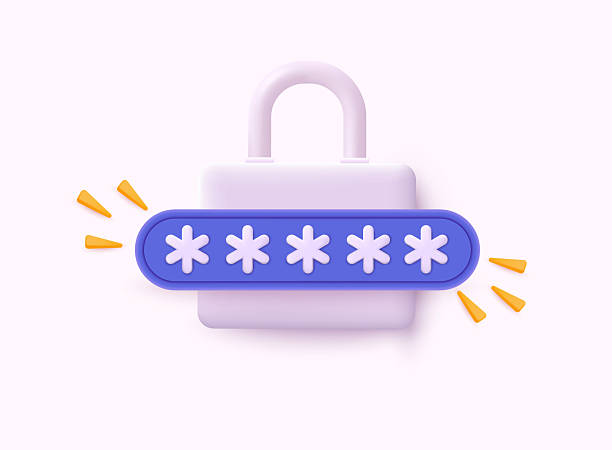
A password manager is a software application that securely stores usernames, passwords, and other sensitive information inside an encrypted digital vault. Instead of remembering dozens of different passwords, users only need to remember one strong master password that unlocks the vault.
Once unlocked, the password manager can automatically fill in login information for websites and apps. It can also generate long, random, and highly secure passwords whenever a new account is created.
Modern password managers are available on computers, smartphones, tablets, and web browsers. Many synchronize securely across multiple devices, allowing users to access their passwords wherever they need them.
The main goal of a password manager is simple: make strong security easier than weak security.
Why Strong Passwords Matter
Every online account is a potential target for cybercriminals.
Weak passwords are one of the most common reasons accounts become compromised. Passwords like “123456,” “password,” or a person’s birthday can often be guessed in seconds.
Even passwords that seem unique can become dangerous if they are reused across multiple websites. Imagine using the same house key for every building you own. If someone copies that key, every door becomes vulnerable.
The same principle applies online.
If one website suffers a data breach and your password becomes exposed, attackers may try the same password on email accounts, banking websites, shopping platforms, and social media accounts. This technique is known as credential stuffing, and it succeeds because many people reuse passwords.
Password managers eliminate this problem by creating a different password for every account.
The Basic Idea Behind Password Managers
Think of a password manager as a highly secure digital safe.
Inside that safe are all your login credentials.
Instead of carrying hundreds of keys, you carry only one—the master password.
When you visit a website, the password manager unlocks the appropriate credential from its encrypted vault and fills it in automatically.
The passwords remain protected while stored, while being transferred between devices, and even while synchronized through cloud services.
This protection is possible because of one of modern cybersecurity’s most important technologies: encryption.
The Power of Encryption
Encryption is the process of converting readable information into coded data that can only be understood using the correct cryptographic key.
Imagine writing a secret message in a language that nobody else can understand. To everyone else, the message appears meaningless. Only someone with the correct decoding method can read it.
Password managers use this same concept, but with extremely advanced mathematics.
When you save a password, the software encrypts it before storing it. Instead of keeping the password in plain text, it stores an encrypted version that appears as a random collection of characters.
Even if someone somehow obtained the encrypted database, they would not immediately see your actual passwords.
Without the proper encryption key, the stored information remains unreadable.
What Is a Master Password?
The master password is the single password you must remember.
Unlike the passwords stored inside the vault, the master password is usually never stored in readable form by the password manager.
Instead, it is used to generate the cryptographic key needed to unlock the encrypted vault.
Because everything depends on this one password, it should be long, unique, and difficult to guess.
Many cybersecurity experts recommend using a passphrase made from several unrelated words combined with numbers or symbols. Longer passwords are generally much harder to crack than shorter ones.
If the master password is weak, the security of the entire password manager is weakened.
Creating the Encryption Key
When you enter your master password, the password manager does not simply compare it against a stored password.
Instead, it uses specialized mathematical algorithms called key derivation functions.
These algorithms transform your master password into a cryptographic encryption key.
The process intentionally requires significant computational work, making it much more difficult for attackers to test millions or billions of password guesses rapidly.
Popular key derivation algorithms are designed to resist modern password-cracking techniques, even when attackers possess powerful computer hardware.
Once generated, the encryption key unlocks your encrypted password vault.
How Passwords Are Stored
Inside the vault, every password remains encrypted.
Rather than storing data in plain text, the password manager saves encrypted entries that typically include usernames, passwords, website addresses, notes, and sometimes additional information such as security questions or payment details.
Each entry is protected using modern encryption algorithms that are widely trusted by the cybersecurity community.
This means that even if someone steals the stored database, the encrypted information remains extremely difficult to decode without the proper encryption key.
Automatic Password Generation
One of the greatest strengths of password managers is their ability to generate strong passwords automatically.
Humans naturally create passwords that are memorable.
Computers generate passwords that are unpredictable.
A password manager can instantly produce passwords containing random combinations of uppercase letters, lowercase letters, numbers, and special symbols.
Some password managers also allow users to choose password length and customize which character types are included.
Randomly generated passwords are significantly more resistant to guessing attacks because they lack recognizable patterns.
Since the password manager remembers these passwords for you, there is no need to make them easy to memorize.
Autofill Technology
Typing passwords manually increases both inconvenience and the risk of mistakes.
Password managers simplify this process using autofill.
When you visit a saved website, the password manager recognizes the web address and offers to fill in the appropriate username and password automatically.
This feature saves time while reducing typing errors.
Importantly, reputable password managers are designed to match login credentials only with the correct website. If the web address differs from the one originally saved, the manager may refuse to autofill, helping users avoid entering passwords on fake websites.
Protection Against Phishing
Phishing attacks attempt to trick people into entering passwords on fraudulent websites that imitate legitimate ones.
For example, a fake banking website might closely resemble the real one but use a slightly different web address.
Humans can overlook these subtle differences.
Password managers are less likely to.
Because they compare the website’s address with the stored login information, they often refuse to autofill passwords on fraudulent websites.
Although no security tool is perfect, this feature provides an important layer of protection against phishing attacks.
Syncing Across Devices
Many password managers allow users to access their vaults from multiple devices.
You might save a password on your laptop and later access it from your smartphone or tablet.
This synchronization usually occurs through encrypted cloud storage.
Importantly, many password managers use end-to-end encryption, meaning the information is encrypted before leaving your device and remains encrypted while stored on remote servers.
The service provider stores encrypted data rather than readable passwords.
Only your devices, using your master password, can decrypt the information.
What Is Zero-Knowledge Architecture?
Many modern password managers use a security model called zero-knowledge architecture.
This means the company operating the password manager cannot read your stored passwords.
Your encryption keys remain under your control.
Even though the encrypted vault may be stored on the company’s servers, the provider does not possess the information needed to decrypt it.
As a result, employees cannot simply access your passwords.
This design greatly reduces the risk associated with storing sensitive information online.
Local Storage and Cloud Storage
Not all password managers work the same way.
Some store encrypted password vaults only on your own device.
Others synchronize encrypted vaults through cloud services.
Local storage offers complete control over where data resides but may require manual backups.
Cloud synchronization provides convenience by making passwords available across devices while relying on strong encryption to maintain security.
Many password managers allow users to choose between these approaches depending on their needs.
Two-Factor Authentication for Password Managers
Many password managers support two-factor authentication (2FA) for additional security.
In addition to entering the master password, users may also need a temporary verification code generated by an authentication app, a hardware security key, or another trusted device.
This means that even if someone somehow learns the master password, they still cannot easily access the password vault without the second authentication factor.
Using two-factor authentication significantly strengthens overall account security.
Password Health Monitoring
Many password managers continuously evaluate the strength of stored passwords.
They can identify weak passwords, reused passwords, or passwords that are too short.
Some managers also alert users if a password appears in databases associated with known data breaches.
This allows users to replace compromised passwords before attackers can misuse them.
These monitoring features encourage better cybersecurity habits without requiring advanced technical knowledge.
Secure Password Sharing
Sometimes passwords need to be shared with trusted family members or coworkers.
Sending passwords through text messages or email can expose them to interception.
Many password managers include secure sharing features that encrypt passwords during transmission.
Recipients receive access through their own password manager accounts rather than viewing passwords directly in plain text.
This approach provides greater security while maintaining convenience.
Beyond Passwords
Modern password managers often store much more than passwords.
Many securely protect credit card information, identity documents, passport numbers, software licenses, Wi-Fi credentials, recovery codes, and encrypted notes.
Some also organize digital identities by automatically filling addresses, phone numbers, and payment information during online forms.
These additional features transform password managers into comprehensive digital security vaults.
Are Password Managers Safe?
No security system is completely immune to risk.
However, reputable password managers are generally considered far safer than reusing passwords or storing them in notebooks, spreadsheets, or unencrypted files.
Their security depends on several factors.
Strong encryption protects stored data.
A strong master password prevents unauthorized access.
Regular software updates fix newly discovered vulnerabilities.
Two-factor authentication provides additional protection.
Responsible user behavior remains essential.
When these elements work together, password managers offer a high level of security for most individuals and organizations.
Common Misconceptions
Some people worry that storing all passwords in one place creates a single point of failure.
While this concern is understandable, the encrypted vault is specifically designed to withstand unauthorized access.
In practice, using unique passwords for every account through a password manager is usually much safer than relying on human memory and password reuse.
Another misconception is that password managers can somehow read all your private information.
In password managers built with zero-knowledge architecture, the provider typically cannot decrypt your stored vault because it does not possess your master password or encryption key.
The security model is specifically designed to limit access to your data.
The Future of Password Managers
Digital security continues to evolve.
Many websites now support passkeys, a newer authentication technology based on public-key cryptography rather than traditional passwords.
Many password managers have already begun supporting passkeys alongside conventional passwords.
As online authentication becomes more secure, password managers are evolving into broader identity management tools.
Instead of simply remembering passwords, they help users securely manage digital identities across websites, applications, and devices.
Why Password Managers Are Becoming Essential
The modern internet contains more online accounts than ever before. Every streaming service, shopping website, banking app, workplace platform, healthcare portal, and social network requires secure authentication. Expecting anyone to memorize hundreds of unique, complex passwords is unrealistic.
Password managers solve this challenge by combining strong encryption, secure password generation, automatic autofill, synchronized access, and advanced authentication technologies into a single easy-to-use tool. They make strong cybersecurity practical rather than burdensome.
Ultimately, the greatest strength of a password manager is not simply that it remembers passwords. It empowers people to use long, random, and unique credentials for every account without sacrificing convenience. In a world where cyber threats continue to grow in sophistication, password managers have become one of the most effective and accessible tools for protecting personal information, preserving online privacy, and keeping digital lives secure.