Imagine transferring an entire 4K movie in just a few seconds, connecting multiple high-resolution monitors with a single cable, charging your laptop, and using ultra-fast external storage—all through one compact port. This isn’t science fiction. It’s exactly what Thunderbolt technology was designed to do.
As computers have become more powerful, the need for faster, more versatile connections has grown dramatically. Whether you’re a creative professional editing videos, a gamer connecting external graphics hardware, or simply someone who wants fewer cables on their desk, Thunderbolt has become one of the most advanced connection technologies available.
At first glance, a Thunderbolt port may look almost identical to a USB-C port. This similarity often causes confusion. Although they can share the same connector shape, Thunderbolt offers capabilities that go far beyond standard USB, combining incredibly fast data transfer, video output, power delivery, and networking into a single interface.
Understanding Thunderbolt helps you make better decisions when buying laptops, monitors, storage devices, docking stations, and accessories. More importantly, it reveals how one small cable has transformed the way modern computers communicate with the world around them.
What Is Thunderbolt?
Thunderbolt is a high-speed hardware interface that allows computers and electronic devices to transfer data, video, audio, and electrical power through a single cable.
Rather than being designed for only one purpose, Thunderbolt combines several technologies into one connection. A single Thunderbolt cable can transfer files, connect external displays, charge compatible devices, communicate with storage drives, and even connect computers directly to one another.
Thunderbolt was originally developed through a collaboration between Intel and Apple. Since its introduction, it has evolved through multiple generations, with each version delivering higher speeds, greater flexibility, and improved compatibility.
Today, Thunderbolt is widely found in premium laptops, desktop computers, docking stations, monitors, external SSDs, professional cameras, and many other high-performance devices.
Why Thunderbolt Was Created
Before Thunderbolt existed, computers often required separate ports for different purposes.
One cable connected an external hard drive.
Another cable connected a monitor.
A different cable supplied power.
Another connected networking equipment.
As computers became thinner and more portable, carrying numerous cables became inconvenient. Manufacturers wanted a single connection that could handle nearly everything.
Thunderbolt was designed to solve this problem.
Instead of needing multiple specialized ports, users could connect one Thunderbolt cable that carried multiple kinds of information simultaneously.
This simplified computer design while making devices far more versatile.
How Thunderbolt Works
Thunderbolt works by combining multiple communication technologies into one high-speed connection.
When you connect a Thunderbolt device, the cable can carry different types of information at the same time.
Large files can move between your computer and an external SSD.
Video signals can travel to one or more monitors.
Audio can be transmitted to speakers or displays.
Electrical power can charge laptops or connected accessories.
Network data can pass between computers.
All of these tasks can happen simultaneously without requiring separate cables.
This ability to carry multiple data streams is one of Thunderbolt’s greatest strengths.
Thunderbolt Uses the USB-C Connector
Modern versions of Thunderbolt use the same physical connector as USB-C.
This is one reason many people confuse the two technologies.
The connector may look identical, but the capabilities behind it can be very different.
A USB-C connector describes only the shape of the plug.
Thunderbolt describes the communication technology running through that connector.
Think of it like two roads that look identical from above. One may be a local street with slower traffic, while the other is a multi-lane highway capable of carrying far more vehicles much more quickly.
Similarly, not every USB-C port supports Thunderbolt.
Many USB-C ports support only standard USB data transfer.
Thunderbolt ports support USB while adding numerous advanced features.
Data Transfer Speeds
One of Thunderbolt’s biggest advantages is its remarkable speed.
Earlier computer connections often required many minutes to transfer large files.
Thunderbolt dramatically reduces waiting time.
Modern Thunderbolt versions can transfer enormous amounts of data every second, making them ideal for tasks involving large video files, professional photography, software development, scientific research, and engineering.
For professionals working with terabytes of information, these speed improvements can save countless hours over the lifetime of a computer.
Thunderbolt and External Storage
External storage devices have become increasingly important as digital files grow larger.
High-resolution photos, 4K and 8K videos, game installations, scientific datasets, and creative projects often occupy hundreds of gigabytes.
Thunderbolt allows external solid-state drives to operate at speeds approaching those of internal storage in many situations.
This means photographers can edit images directly from an external drive.
Video editors can work with massive video files without first copying them onto the computer.
Researchers can analyze enormous datasets stored on portable drives.
The result is a faster and more efficient workflow.
Connecting Multiple Displays
Thunderbolt is also an excellent technology for connecting monitors.
A single Thunderbolt connection can carry high-quality video signals to one or more displays, depending on the computer and Thunderbolt version.
This makes it popular among graphic designers, software developers, engineers, financial analysts, architects, and anyone who benefits from additional screen space.
Instead of managing multiple display cables, users can often connect everything through one Thunderbolt cable.
Charging Devices
Thunderbolt can also deliver electrical power.
Many modern laptops receive power through the same Thunderbolt cable that transfers data and video.
Imagine arriving at your desk and plugging in only one cable.
Immediately, your laptop begins charging.
Your external monitor activates.
Your keyboard and mouse become available.
Your internet connection is established.
External storage appears.
Speakers begin working.
All of this can happen through one connection when using a Thunderbolt docking station.
Thunderbolt Docking Stations
Docking stations have become one of Thunderbolt’s most popular applications.
A Thunderbolt dock acts as a central hub.
Instead of connecting numerous accessories directly to your laptop, everything connects to the dock.
The dock then connects to your computer using a single Thunderbolt cable.
This creates a cleaner workspace while making it much easier to connect and disconnect portable computers.
Professionals who frequently move between home, office, and travel especially appreciate this convenience.
Thunderbolt Supports Daisy Chaining
One unique feature of Thunderbolt is daisy chaining.
Instead of connecting every device directly to the computer, compatible Thunderbolt devices can often connect to one another in sequence.
For example, an external SSD may connect to the laptop.
A monitor connects to the SSD.
Another storage device connects to the monitor.
Each device communicates through the same Thunderbolt connection.
This reduces cable clutter while expanding the number of connected devices.
Thunderbolt for Creative Professionals
Creative industries have embraced Thunderbolt because their work often involves enormous files.
Professional photographers regularly handle high-resolution RAW images.
Video editors work with multiple streams of 4K, 6K, and 8K footage.
Music producers record dozens or even hundreds of audio tracks.
Visual effects artists create detailed digital animations.
These workflows require fast storage, reliable displays, and high-speed communication between devices.
Thunderbolt provides the bandwidth needed for these demanding tasks.
Thunderbolt and External Graphics
Some laptops are small enough to be highly portable but may not contain powerful graphics hardware.
Thunderbolt makes it possible for certain computers to connect to external graphics processing units, often called eGPUs, through compatible enclosures.
This allows users to benefit from stronger graphics performance without carrying a larger computer, although support for eGPUs depends on both the Thunderbolt version and the operating system.
Thunderbolt in Scientific Research
Thunderbolt is valuable beyond creative work.
Scientists often process enormous datasets collected by telescopes, microscopes, medical imaging equipment, and laboratory instruments.
Fast storage access allows researchers to analyze data more efficiently.
Medical imaging professionals can quickly transfer large scans.
Engineers working with complex simulations can move massive project files between systems.
The high performance of Thunderbolt helps accelerate many research workflows.
Thunderbolt in Everyday Life
Even if you never edit movies or design computer graphics, Thunderbolt can still improve everyday computing.
Backing up family photos becomes faster.
Large software updates install more quickly from external drives.
Connecting a monitor at work becomes simpler.
Charging your laptop requires fewer cables.
A docking station can instantly transform a lightweight laptop into a complete desktop workstation.
Although many casual users may never fully utilize Thunderbolt’s maximum speed, its convenience alone makes it attractive.
The Evolution of Thunderbolt
Thunderbolt has improved significantly since its introduction.
The first generation demonstrated that one cable could carry both data and display signals.
Later versions increased transfer speeds, improved efficiency, and expanded compatibility.
Thunderbolt 3 marked a major milestone by adopting the USB-C connector, making the technology much more accessible.
Thunderbolt 4 strengthened minimum performance requirements, improved docking support, enhanced security features, and ensured a more consistent user experience across certified devices.
Thunderbolt 5, introduced more recently, greatly increases available bandwidth to meet the growing demands of ultra-high-resolution displays, advanced content creation, artificial intelligence workloads, and next-generation external storage.
Each generation has expanded what users can accomplish through a single cable.
Thunderbolt vs USB
Thunderbolt and USB are closely related but not identical.
USB was designed to be a universal connection standard that works across an enormous range of devices, from keyboards and printers to flash drives and smartphones.
Thunderbolt builds upon USB-C by adding substantially higher performance and advanced capabilities.
Thunderbolt supports extremely fast data transfer, multiple display connections, PCI Express communication for high-performance devices, networking, and charging through one interface.
USB remains more common because it is less expensive and appears on nearly every modern computer.
Thunderbolt is generally found on premium devices where maximum performance is important.
Thunderbolt Compatibility
One of Thunderbolt’s strengths is compatibility.
Modern Thunderbolt ports can usually work with many USB devices because Thunderbolt incorporates USB functionality.
However, connecting a USB device to a Thunderbolt port does not automatically provide Thunderbolt performance.
The connected device must also support Thunderbolt to access its advanced features.
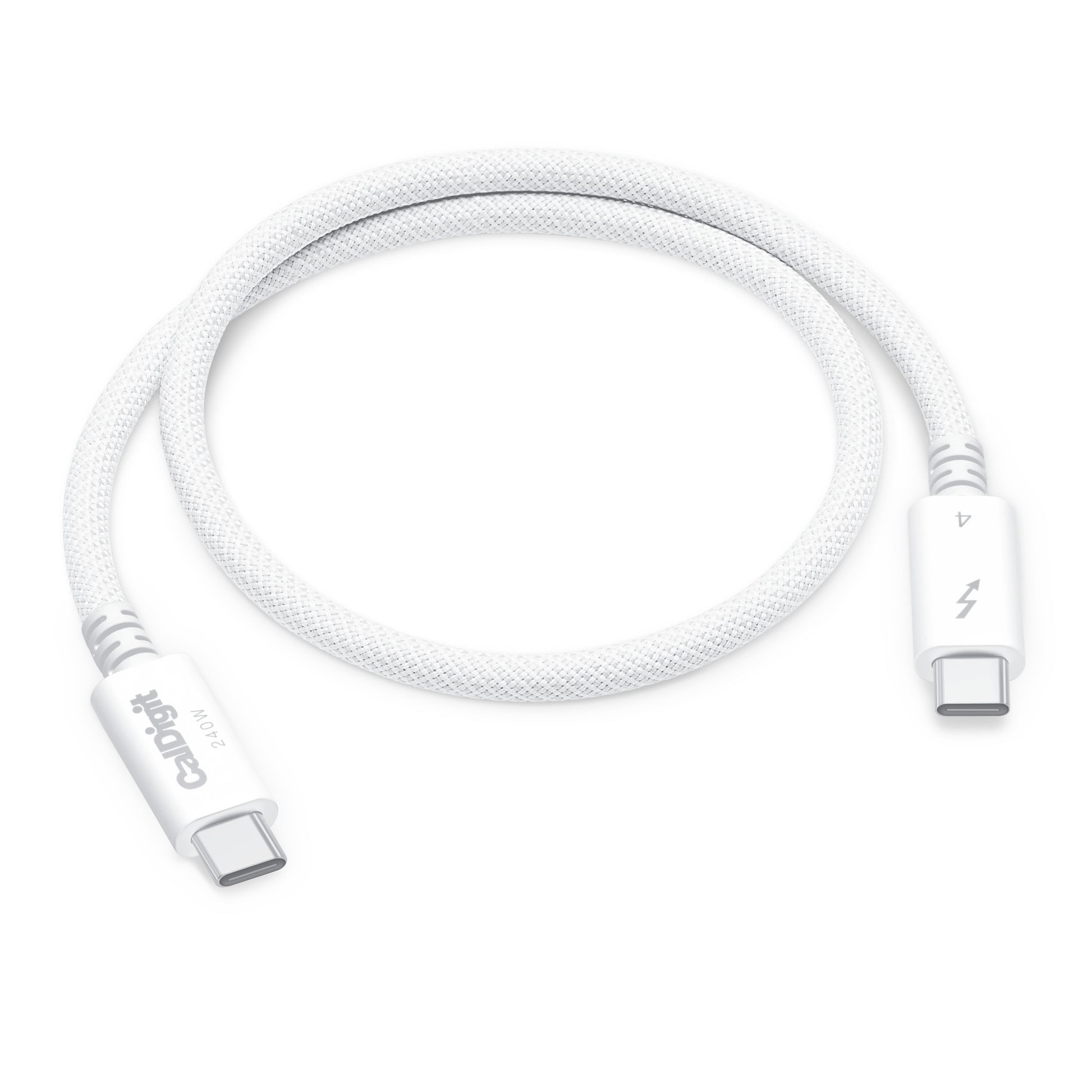
Likewise, cables matter. Some USB-C cables support only charging or basic USB data transfer, while certified Thunderbolt cables are designed to handle the higher speeds and capabilities that Thunderbolt requires.
Security Features
Modern Thunderbolt versions include improved security technologies designed to help protect computers from unauthorized access through connected devices.
Hardware manufacturers also implement additional security measures, firmware protections, and operating system safeguards.
These improvements have made Thunderbolt safer and more reliable than earlier implementations.
Common Devices That Use Thunderbolt
Many modern devices now take advantage of Thunderbolt technology.
High-speed external SSDs use it for rapid file transfers.
Professional monitors receive video, data, and power through one cable.
Docking stations connect keyboards, mice, Ethernet, storage, displays, and audio equipment.
Professional audio interfaces depend on its low-latency communication.
Scientific instruments and industrial equipment also use Thunderbolt where high-speed data transfer is essential.
As computing demands continue to increase, more categories of devices are adopting Thunderbolt.
The Future of Thunderbolt
The amount of digital information people create continues to grow every year.
Video resolutions are increasing.
Artificial intelligence applications process larger datasets.
Virtual reality and augmented reality require greater bandwidth.
Cloud computing and high-speed storage continue evolving.
Thunderbolt is expected to remain an important technology because it provides the performance needed for these increasingly demanding tasks.
Future versions will likely continue increasing speed, efficiency, compatibility, and power delivery while simplifying the way devices connect.
Why Thunderbolt Matters
Thunderbolt represents far more than a faster cable. It reflects a broader shift toward simpler, more powerful computing. By combining data transfer, video output, power delivery, networking, and device communication into a single connection, it reduces clutter while expanding what modern computers can do.
Whether you’re transferring massive video projects, connecting multiple displays, backing up years of family photos, charging your laptop, or creating a streamlined workstation with a single cable, Thunderbolt makes these tasks faster and more convenient.
As computers continue to evolve and digital workloads become increasingly demanding, Thunderbolt stands as one of the most important connection technologies ever developed. It quietly powers countless professional workflows and everyday experiences, proving that sometimes the smallest ports can unlock the biggest possibilities.