The internet feels almost magical. You type a website name into your browser, press Enter, and within seconds a webpage appears on your screen. Whether you’re reading the latest news, watching videos, shopping online, or sending an email, everything seems effortless. Yet behind this simple experience lies an incredible system that makes global communication possible.
Two of the most important technologies working quietly behind the scenes are DNS and IP addresses. They are closely connected, but they serve completely different purposes. Without them, the internet as we know it simply wouldn’t work.
Many people hear these terms together and assume they mean the same thing. They don’t. Understanding the difference between DNS and an IP address not only helps you better understand how the internet works but also makes troubleshooting network problems much easier.
Understanding the Basics of the Internet
Before exploring DNS and IP addresses, it helps to understand how devices communicate over the internet.
Every time your phone, laptop, tablet, or smart TV connects to the internet, it joins an enormous global network containing billions of connected devices. These devices constantly exchange information, from tiny text messages to massive video files.
For one device to send information to another, it must know exactly where the destination device is located on the network. Just as a postal service needs a mailing address to deliver a letter, the internet needs a unique identifier for every connected device.
That identifier is called an IP address.
Remembering billions of numerical addresses would be impossible for humans, so another system was created to translate easy-to-read website names into those numerical addresses.
That system is DNS.
What Is an IP Address?
An Internet Protocol (IP) address is a unique numerical identifier assigned to every device connected to a network that uses the Internet Protocol.
Think of it as the digital address of a computer, smartphone, server, router, or any internet-connected device.
Whenever information travels across the internet, it needs both a source address and a destination address. IP addresses provide this information, allowing data to reach the correct destination.
Without IP addresses, internet communication would be impossible because devices would have no way to identify one another.
Why Every Device Needs an IP Address
Imagine living in a city where every house had the same address. Delivering mail would be nearly impossible.
The internet faces the same challenge.
Every connected device needs a unique address so data packets know exactly where to go.
When you visit a website, send an email, stream a movie, or join a video call, your device sends and receives data using IP addresses.
Each request includes your device’s IP address as the sender and the destination server’s IP address as the receiver.
This addressing system allows billions of devices to communicate accurately every second.
IPv4: The Original Internet Addressing System
The first widely adopted version of Internet Protocol uses 32-bit addresses.
This version is known as IPv4.
IPv4 addresses appear as four numbers separated by periods.
For example:
192.168.1.1
Each number ranges from 0 to 255.
Although IPv4 has powered the internet for decades, it can provide approximately 4.3 billion unique addresses.
At one time, this seemed more than enough.
Today, with billions of smartphones, laptops, smart TVs, Internet of Things devices, and servers connected worldwide, IPv4 addresses have become increasingly scarce.
IPv6: The Future of Internet Addressing
To solve the shortage of available addresses, engineers developed IPv6.
IPv6 uses 128-bit addresses, creating an unimaginably large number of unique addresses.
An IPv6 address looks very different from IPv4.
For example:
2001:0db8:85a3:0000:0000:8a2e:0370:7334
The enormous address space means humanity is unlikely to run out of IPv6 addresses in the foreseeable future.
IPv6 also introduces improvements in efficiency, security support, and network performance.
Public and Private IP Addresses
Not all IP addresses serve the same purpose.
A public IP address identifies a device or network on the global internet.
Internet service providers assign public IP addresses so homes and businesses can communicate with websites and online services.
Private IP addresses are used inside local networks such as homes, offices, and schools.
Your laptop, smartphone, printer, and smart speaker often communicate using private IP addresses assigned by your router.
The router then connects the local network to the public internet.
Static and Dynamic IP Addresses
Some devices always use the same IP address.
These are called static IP addresses.
Web servers, business systems, and network equipment often require static addresses because other devices need to locate them consistently.
Most home internet users receive dynamic IP addresses.
These addresses are temporarily assigned by the internet service provider and may change over time.
Dynamic addressing helps internet providers manage available addresses efficiently.
What Is DNS?
DNS stands for Domain Name System.
It is often described as the internet’s phonebook.
Instead of remembering complicated numerical IP addresses, people use easy-to-read domain names like:
google.com
wikipedia.org
nasa.gov
bbc.com
DNS translates these human-friendly names into the numerical IP addresses computers actually use.
Without DNS, every website visit would require typing long numerical addresses into your browser.
Why DNS Exists
Humans naturally remember words much better than long strings of numbers.
Imagine trying to memorize the numerical IP addresses of every website you visit daily.
Few people could remember even ten such addresses.
Now imagine remembering thousands.
DNS solves this problem by allowing people to use meaningful names while computers continue using numerical addresses behind the scenes.
This simple idea transformed the internet into something practical for billions of users.
How DNS Works
The process happens so quickly that most users never notice it.
When you type a website address into your browser, the browser first asks a DNS server to find the corresponding IP address.
The DNS server searches its records.
If it already knows the answer, it immediately returns the correct IP address.
If not, it queries other DNS servers across the internet until the correct address is found.
Once the IP address is returned, your browser connects directly to the website’s server.
Only then does the webpage begin loading.
This entire sequence often takes only milliseconds.
Understanding Domain Names
A domain name is the human-readable name of a website.
Examples include:
example.com
amazon.com
openai.com
Each domain name is registered and linked to one or more IP addresses through DNS records.
If a website’s server changes location or receives a new IP address, users usually never notice because only the DNS records need updating.
The domain name remains the same.
DNS Records
DNS servers store information in specialized records.
Different record types provide different kinds of information.
Some records map domain names to IPv4 addresses.
Others point to IPv6 addresses.
Additional records specify mail servers, verify domain ownership, or direct internet traffic to specific services.
These records work together to ensure internet services operate correctly.
DNS Servers Around the World
DNS is not controlled by a single computer.
Instead, it operates through a distributed global network of servers.
This decentralized design makes DNS highly reliable.
If one server becomes unavailable, another can often answer the request.
This architecture allows billions of DNS lookups to occur every day while keeping internet communication fast and dependable.
DNS Caching Makes the Internet Faster
Repeatedly searching for the same website would waste time.
To improve efficiency, DNS information is temporarily stored in caches.
Your browser may remember recent DNS lookups.
Your operating system also stores DNS information.
Your router may cache DNS responses.
Internet service providers often maintain large DNS caches as well.
Because of caching, frequently visited websites usually load faster.
Eventually, cached information expires, ensuring updates remain accurate.
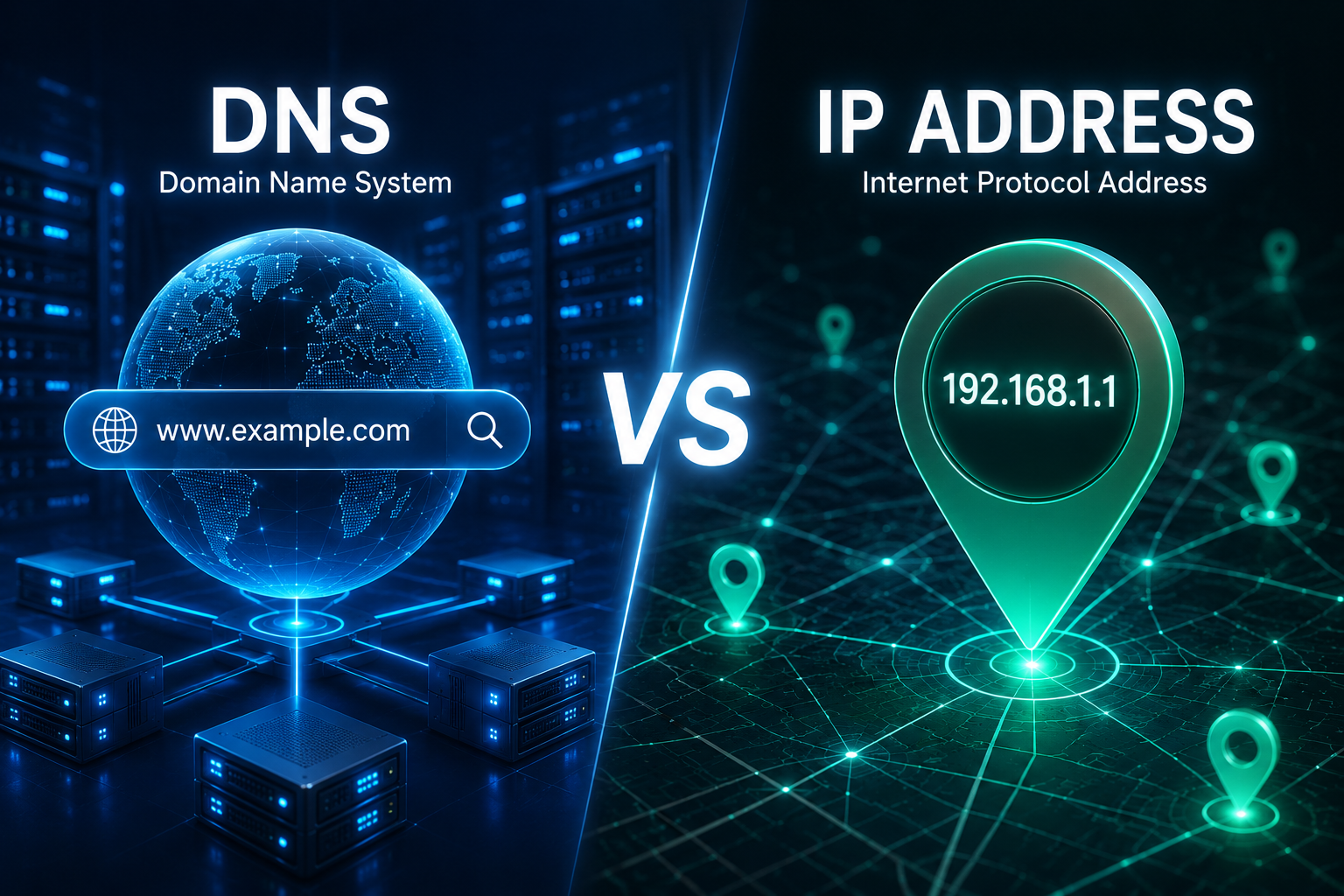
DNS vs IP Address: The Fundamental Difference
Although DNS and IP addresses work together, they perform entirely different jobs.
An IP address identifies the exact location of a device on a network.
DNS translates human-friendly domain names into those numerical addresses.
The easiest way to understand the difference is to compare them to a telephone system.
A person’s name helps you identify who you want to call.
Their phone number tells the telephone network exactly where to connect the call.
Similarly, a domain name identifies the website you want to visit.
The IP address tells the internet where that website actually exists.
DNS acts as the directory that connects the two.
An Everyday Example
Imagine you want to visit a friend.
You know your friend’s name, not the exact street address.
You search a contacts list, find the address, and travel there.
DNS performs the same function.
You type “example.com.”
DNS looks up the matching IP address.
Your browser then connects to that numerical address.
Without DNS, you would have to remember the numerical address yourself.
Can One IP Address Host Multiple Websites?
Yes.
Modern web hosting commonly allows many websites to share a single IP address.
Web servers examine the requested domain name and deliver the correct website even though multiple domains point to the same numerical address.
This technique has made web hosting far more efficient.
Can One Website Have Multiple IP Addresses?
Absolutely.
Large websites often use many servers distributed across different countries.
DNS can return different IP addresses depending on your location.
This improves speed, reliability, and fault tolerance.
If one server experiences problems, another can continue serving visitors.
This approach is widely used by global websites.
What Happens If DNS Stops Working?
A DNS failure can make the internet appear broken even when network connections still exist.
If DNS cannot translate a domain name into an IP address, your browser won’t know where to connect.
You may see error messages indicating the server cannot be found.
Interestingly, if you already know the website’s numerical IP address, you may still be able to connect directly, although many modern websites require proper domain names for security and hosting purposes.
Why DNS Is Essential for Cybersecurity
DNS also plays an important role in internet security.
Modern DNS services help block malicious websites, phishing attacks, and malware domains.
Some organizations use secure DNS services that automatically prevent users from accessing known dangerous websites.
DNS security technologies also help verify that DNS responses have not been altered by attackers.
These protections improve trust across the internet.
How Content Delivery Networks Use DNS
Many popular websites rely on Content Delivery Networks (CDNs).
These networks store copies of website content in data centers around the world.
When you request a webpage, DNS helps direct you to the nearest server rather than one located thousands of miles away.
This reduces loading time, decreases latency, and improves the browsing experience.
Streaming platforms, online games, news websites, and major e-commerce companies all benefit from this approach.
DNS and IP Addresses Work Together
It is impossible to separate DNS from IP addressing completely because they complement one another.
DNS exists to make IP addresses easier for humans to use.
IP addresses exist because computers require precise numerical identifiers for communication.
Neither system replaces the other.
Instead, each solves a different problem.
Without IP addresses, computers could not communicate.
Without DNS, humans would struggle to navigate the internet.
Common Misunderstandings
Many people believe a website’s name is its internet address.
Technically, it is not.
The domain name is simply an easy-to-remember label.
The true destination is always an IP address.
Another common misconception is that changing a website’s server requires changing its domain name.
In reality, administrators simply update the DNS records with the new IP address.
Visitors continue using the same domain name without noticing any difference.
The Future of DNS and IP Addressing
As internet usage continues expanding, both DNS and IP technologies continue evolving.
IPv6 adoption is steadily increasing, providing enough addresses for the growing number of connected devices.
DNS services are becoming faster, more secure, and more intelligent through technologies such as encrypted DNS, DNS over HTTPS (DoH), and DNS over TLS (DoT), which help protect user privacy and prevent unauthorized monitoring of DNS queries.
At the same time, advances in cloud computing, edge computing, and artificial intelligence are placing greater demands on DNS infrastructure, requiring faster resolution and improved reliability.
Conclusion
DNS and IP addresses are among the most fundamental building blocks of the internet, yet they serve very different purposes. An IP address is the unique numerical identifier that allows computers, servers, and other devices to communicate across networks. DNS, on the other hand, is the translation system that converts memorable domain names into those numerical addresses, making the internet practical and user-friendly.
Every time you open a website, stream a video, send an email, or use an online service, these two technologies work together seamlessly behind the scenes. You type a familiar website name, DNS finds the correct IP address, and your device connects to the right destination in fractions of a second.
Understanding the difference between DNS and IP addresses reveals just how elegantly the internet has been designed. One system speaks the language of humans, while the other speaks the language of computers. Together, they form an invisible partnership that keeps the modern internet running smoothly, connecting billions of people and devices around the world every single day.