Imagine opening your favorite website. You type a familiar name like a news site, a search engine, or an online store into your web browser, press Enter, and within moments the page appears. It feels effortless, almost magical. Yet behind this seemingly simple action, a remarkable process takes place in a fraction of a second. Before your browser can display any webpage, it must first discover where that website actually lives on the internet.
That discovery is made possible by a DNS server.
Although billions of people use the internet every day, relatively few realize that the Domain Name System, or DNS, is one of its most essential technologies. Without DNS servers, the modern internet as we know it simply would not function. Every website visit, email, video stream, online game, and smartphone app depends on DNS in some way.
A DNS server is often called the “phonebook of the internet,” but this comparison only scratches the surface. In reality, DNS is a globally distributed system that translates human-friendly website names into numerical internet addresses, allowing computers to communicate with one another quickly and accurately.
Understanding what a DNS server is and how it works offers a fascinating glimpse into one of the internet’s most important yet invisible technologies.
What Is a DNS Server?
A DNS server is a specialized computer that helps translate domain names into IP addresses.
Humans prefer memorable names like google.com, wikipedia.org, or nasa.gov because they are easy to remember. Computers, however, communicate using numerical addresses called Internet Protocol (IP) addresses.
An IP address acts like the unique location of a device or server on the internet. When your browser requests a webpage, it cannot simply ask for “example.com.” Instead, it needs the numerical IP address where that website is hosted.
The DNS server performs this translation almost instantly.
Without DNS servers, internet users would need to memorize long strings of numbers for every website they wanted to visit, making the web far less practical and accessible.
Why the Internet Needs DNS
Imagine trying to call your friends if your phone stored only their telephone numbers and never their names. You would have to memorize hundreds of different number combinations.
The internet would face the same challenge without DNS.
Every website, cloud service, email provider, streaming platform, and online application exists somewhere on the internet with one or more IP addresses. These addresses are perfectly understandable to computers but extremely inconvenient for people.
DNS bridges this gap.
Instead of remembering a complex numerical address such as an IPv4 address like 93.184.216.34 or a much longer IPv6 address, users simply type a recognizable domain name into their browser.
The DNS infrastructure quietly performs the translation behind the scenes.
Understanding Domain Names
A domain name is the human-readable address of a website.
For example, in the address:
The different parts each serve a purpose.
The “.com” portion is called the Top-Level Domain (TLD).
The “example” portion is known as the second-level domain.
The “www” portion is typically a subdomain, although many websites no longer require it.
Together, these components create a unique internet address that DNS servers can interpret.
What Is an IP Address?
Every device connected to the internet requires an IP address.
An IP address functions much like a mailing address. It tells data exactly where it needs to travel.
There are currently two major versions of IP addresses.
IPv4 uses 32 bits and appears as four groups of numbers separated by periods.
IPv6 uses 128 bits and was introduced because the world began running out of IPv4 addresses as billions of devices came online.
DNS servers can translate domain names into either IPv4 or IPv6 addresses depending on how a website is configured.
How a DNS Server Works
Although DNS operates incredibly quickly, several steps occur before a webpage loads.
When you type a website address into your browser, the browser first checks whether it already knows the IP address from a recent visit. If it does, no DNS lookup is needed.
If the address is not stored locally, the operating system checks its own DNS cache.
If the answer still cannot be found, the request is sent to a recursive DNS resolver, often operated by your internet service provider or a public DNS provider.
If the recursive resolver does not already know the answer, it begins searching through the global DNS hierarchy.
It contacts root DNS servers.
The root servers direct it toward the appropriate top-level domain servers.
Those servers point it to the authoritative DNS server responsible for the specific website.
The authoritative server returns the correct IP address.
The recursive resolver sends that address back to your browser.
Finally, the browser connects directly to the website’s web server and downloads the requested webpage.
This entire sequence typically takes only a few milliseconds.
The Global DNS Hierarchy
DNS is organized as a hierarchical system rather than one enormous database.
At the top are the root DNS servers.
These servers know where to find information about every top-level domain.
Below them are top-level domain servers responsible for extensions such as .com, .org, .net, .edu, and country-code domains like .uk or .jp.
Further down are authoritative DNS servers that store the official DNS records for individual domains.
This layered structure makes DNS highly scalable and capable of supporting hundreds of millions of registered domain names worldwide.
What Is a Recursive DNS Resolver?
Most internet users interact first with a recursive resolver.
Its job is to find the requested IP address on behalf of the user.
Instead of forcing your computer to search the entire DNS hierarchy itself, the recursive resolver performs the work.
Once it obtains an answer, it often stores that information temporarily in its cache.
Future users requesting the same website can receive the answer immediately without repeating the full lookup process.
Caching dramatically reduces internet latency and improves browsing speed.
What Is an Authoritative DNS Server?
The authoritative DNS server contains the official DNS records for a particular domain.
If someone owns a website, the authoritative server holds the trusted information that specifies where the website, email services, and other internet resources are located.
Unlike recursive resolvers, authoritative servers do not search elsewhere for answers.
They provide the final, authoritative response.
Whenever DNS information changes, these servers become the source of truth for the updated records.
DNS Records Explained
DNS servers store different kinds of information called DNS records.
Each record serves a different purpose.
An A record maps a domain name to an IPv4 address.
An AAAA record maps a domain to an IPv6 address.
A CNAME record allows one domain name to point to another.
MX records specify where emails should be delivered.
TXT records store text information that helps verify domain ownership and supports email security technologies.
NS records identify which authoritative name servers are responsible for a domain.
Together, these records enable websites, email systems, cloud services, and countless online applications to function correctly.
DNS Caching Makes the Internet Faster
One reason websites load quickly is DNS caching.
Whenever a DNS lookup succeeds, the resulting information is temporarily stored.
Your browser may cache it.
Your operating system may cache it.
Your router may cache it.
Your internet service provider may also cache it.
Each cache reduces the need for repeated DNS lookups.
Eventually, cached information expires according to a value called the Time to Live (TTL), after which a fresh lookup occurs.
Caching improves speed while reducing the workload on DNS infrastructure worldwide.
Public DNS Servers
Although many people automatically use the DNS servers supplied by their internet service provider, numerous organizations operate public DNS services.
These services often emphasize speed, reliability, privacy, or enhanced security.
Some public DNS providers maintain large global networks capable of answering DNS queries rapidly from locations close to users.
Because DNS plays such a central role in internet performance, choosing a fast DNS provider can sometimes reduce the time needed to begin loading websites.
However, the overall browsing experience also depends on many other factors, including internet connection speed, server performance, and network congestion.
DNS and Internet Security
DNS was originally designed for functionality rather than security.
As cyber threats evolved, attackers found ways to exploit weaknesses in DNS.
One example is DNS spoofing, where attackers attempt to provide false DNS information, directing users toward fraudulent websites.
Another threat involves DNS cache poisoning, where incorrect records become stored inside DNS caches.
Modern security technologies have been developed to reduce these risks.
DNSSEC, or Domain Name System Security Extensions, allows DNS responses to be digitally signed, helping users verify that information has not been altered during transmission.
This significantly improves trust in DNS responses.
DNS Over HTTPS and DNS Over TLS
Privacy has become an increasingly important concern for internet users.
Traditional DNS requests are often transmitted without encryption, meaning others on the network may observe which websites a user is attempting to visit.
To address this issue, encrypted DNS technologies have been developed.
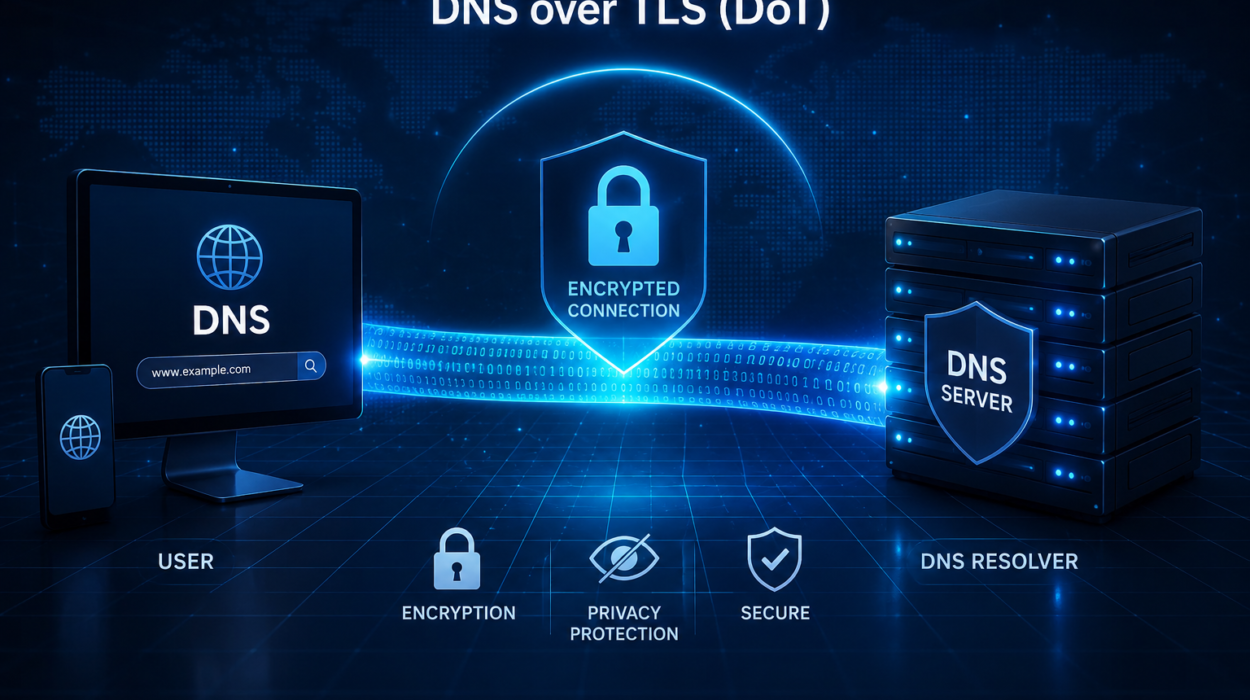
DNS over HTTPS, commonly called DoH, sends DNS requests through encrypted HTTPS connections.
DNS over TLS, known as DoT, encrypts DNS traffic using the Transport Layer Security protocol.
Both technologies help protect DNS queries from interception or unauthorized monitoring, although they differ in how they integrate with existing internet infrastructure.
Why DNS Sometimes Fails
Occasionally, browsers display messages indicating that a website cannot be found.
Many different factors can cause DNS failures.
The website’s authoritative DNS server may be temporarily unavailable.
The internet connection may be interrupted.
Cached DNS information may have become outdated.
Configuration errors may exist within DNS records.
In some cases, cyberattacks targeting DNS infrastructure can temporarily disrupt access to websites.
Because nearly every internet activity begins with DNS resolution, DNS problems can make entire websites appear offline even when their servers remain operational.
How DNS Supports Email
DNS does much more than locate websites.
Email depends heavily on DNS.
When someone sends an email, mail servers use DNS MX records to determine where incoming messages should be delivered.
Additional DNS records help verify that email originates from authorized servers, reducing spam and phishing attacks.
Modern email security technologies such as SPF, DKIM, and DMARC all rely on DNS records to improve authentication and trust.
DNS in Cloud Computing
Cloud computing has greatly increased the importance of DNS.
Many modern websites operate across multiple servers distributed around the world.
DNS helps direct users to the most appropriate server based on location, network conditions, or service availability.
If one server experiences problems, DNS can often redirect users to another healthy server without requiring any action from the visitor.
This flexibility contributes to the reliability of today’s internet services.
DNS and Content Delivery Networks
Many large websites use Content Delivery Networks, or CDNs, to improve speed.
DNS plays a key role in this process.
Instead of always directing users to one central server, DNS may send each visitor to a nearby CDN server.
A visitor in New York might receive content from a server in the northeastern United States, while someone in Tokyo connects to a server in Japan.
By reducing physical distance, websites often load much faster.
Can Changing Your DNS Improve Speed?
Some people notice modest improvements after switching to a faster public DNS provider.
This improvement mainly affects the time required to perform DNS lookups rather than the download speed of webpages themselves.
Once the browser knows the website’s IP address, actual content delivery depends on the website’s hosting infrastructure, internet bandwidth, routing efficiency, and other network conditions.
Therefore, changing DNS may slightly reduce the delay before a webpage begins loading, but it cannot increase the maximum speed of your internet connection.
DNS and the Future Internet
The internet continues to evolve, and DNS evolves alongside it.
As IPv6 adoption expands, DNS increasingly supports the much larger address space needed for billions of connected devices.
Growing concerns about privacy are encouraging wider adoption of encrypted DNS technologies.
Cybersecurity improvements continue to strengthen DNS against increasingly sophisticated attacks.
Cloud computing, edge computing, artificial intelligence, and the Internet of Things all rely heavily on efficient, reliable DNS infrastructure.
Despite constant technological change, the core purpose of DNS remains the same: connecting people with the digital resources they seek.
Why DNS Is One of the Internet’s Greatest Innovations
Every time you open a website, send an email, stream a video, use an online map, or launch a mobile app, DNS quietly performs its work in the background. Most users never notice it, yet nearly every internet interaction depends on its ability to translate simple names into precise numerical addresses.
The Domain Name System is far more than an internet phonebook. It is a globally distributed, highly resilient infrastructure that enables billions of devices to communicate seamlessly every day. Its hierarchical design, intelligent caching, and continuous evolution have allowed the internet to grow from a small research network into a worldwide platform connecting billions of people.
Although DNS servers rarely receive the attention given to smartphones, satellites, or artificial intelligence, they remain among the most important technologies ever created. Without them, navigating the internet would be vastly more complicated, and the fast, user-friendly web we depend on today would simply not exist.