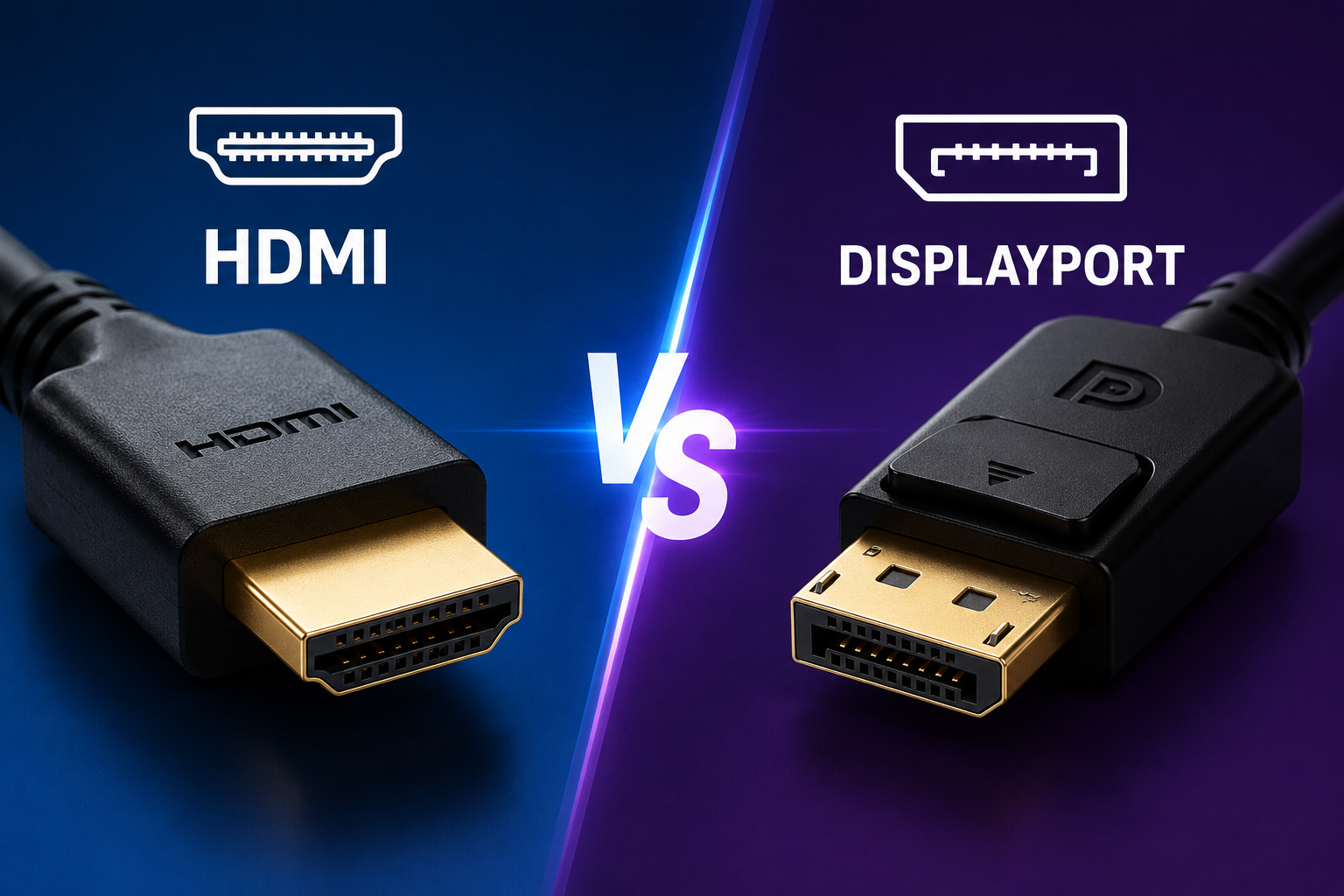
Choosing a display cable might seem like a small decision, but it can have a surprisingly big impact on your viewing experience. Whether you’re building a gaming PC, setting up a home office, editing 4K videos, or simply connecting a laptop to a monitor, you’ll almost certainly encounter two popular display standards: HDMI and DisplayPort.
At first glance, they appear to do the same thing. Both carry high-definition video and digital audio through a single cable. Both support stunning image quality, modern displays, and advanced features. Yet beneath their similar appearance lies a world of important differences that can influence gaming performance, professional productivity, entertainment systems, and even the number of monitors you can connect.
Understanding these differences doesn’t require an engineering degree. Once you know how each technology works and where it excels, choosing the right cable becomes much easier.
Why Display Connections Matter
Modern displays are capable of extraordinary image quality. Today’s monitors and televisions can produce razor-sharp 4K and 8K resolutions, incredibly smooth refresh rates, vibrant colors, and lifelike contrast.
However, the display itself is only part of the equation.
The connection between your computer or media device and the screen determines how much information can travel every second. If the connection cannot deliver enough bandwidth, the display may be forced to reduce its refresh rate, resolution, color depth, or advanced features.
This is why display interfaces have continued to evolve over the past two decades.
What Is HDMI?
HDMI stands for High-Definition Multimedia Interface.
Introduced in 2002, HDMI was created to simplify home entertainment. Instead of requiring separate cables for video and audio, HDMI combined both into a single digital connection.
Before HDMI became widespread, connecting televisions often meant dealing with several cables carrying different signals. HDMI made setup dramatically easier while also improving picture and sound quality.
Today, HDMI is the most common display interface in the world.
You’ll find it on televisions, gaming consoles, Blu-ray players, streaming devices, projectors, laptops, desktop PCs, cameras, soundbars, and many monitors.
Its widespread adoption is one of its greatest strengths.
What Is DisplayPort?
DisplayPort is another digital display interface, introduced in 2006 by the Video Electronics Standards Association (VESA).
Unlike HDMI, which was primarily designed for consumer entertainment devices, DisplayPort was created with computers in mind.
Its designers focused on delivering extremely high bandwidth, support for multiple monitors, professional graphics workloads, and future expansion.
As a result, DisplayPort has become the preferred choice for many desktop PCs, gaming monitors, professional workstations, and high-end displays.
Although less common on televisions, DisplayPort is extremely popular in the PC industry.
How HDMI and DisplayPort Work
Both HDMI and DisplayPort transmit digital video and audio.
Instead of converting information into analog signals, they send digital data directly from the graphics processor to the display.
Because the information remains digital throughout the connection, image quality does not gradually degrade the way it often did with older analog standards such as VGA.
If the signal remains intact, the picture arriving at the display is essentially identical to the one produced by the graphics card.
The main differences between HDMI and DisplayPort involve bandwidth, supported features, device compatibility, and intended use.
Bandwidth: The Highway for Visual Data
Bandwidth refers to how much data a cable can carry each second.
Imagine two highways.
One has four lanes.
The other has twelve lanes.
Both allow cars to travel, but the wider highway can transport many more vehicles simultaneously.
Display connections work similarly.
Higher bandwidth allows a display interface to carry higher resolutions, faster refresh rates, greater color precision, and advanced technologies without compromising quality.
Each new version of HDMI and DisplayPort increases available bandwidth.
HDMI Versions
HDMI has evolved steadily over the years.
Early HDMI versions focused on supporting HD television.
Later versions introduced support for 4K resolution, High Dynamic Range (HDR), higher refresh rates, enhanced audio formats, gaming features, and increased bandwidth.
HDMI 2.1 represented a major leap forward by supporting significantly higher resolutions and refresh rates than previous versions.
It also introduced several gaming-oriented technologies that greatly improve the experience on modern consoles and PCs.
DisplayPort Versions
DisplayPort has also undergone continuous improvement.
Each new generation has substantially increased bandwidth while adding support for higher resolutions, faster refresh rates, improved compression techniques, and enhanced display capabilities.
DisplayPort has consistently emphasized support for cutting-edge monitors, especially those used by gamers, engineers, designers, researchers, and content creators.
Resolution Support
Both HDMI and DisplayPort can support extremely high resolutions.
Modern versions of both standards are capable of carrying 4K video at high refresh rates.
They also support 8K displays under appropriate hardware conditions.
Future display technologies will continue pushing these limits, and newer versions of each interface are designed to accommodate increasingly demanding visual experiences.
For the average user, either connection provides more than enough image quality for everyday computing and entertainment.
Refresh Rate Matters
Resolution determines image sharpness.
Refresh rate determines smoothness.
A refresh rate of 60 Hz updates the image sixty times every second.
A refresh rate of 144 Hz updates it 144 times.
Higher refresh rates create smoother animations, more responsive gaming, and reduced motion blur.
DisplayPort has traditionally led the PC industry in supporting extremely high refresh rates, especially at high resolutions.
This made it the preferred connection for competitive gamers using monitors capable of 144 Hz, 240 Hz, 360 Hz, or even higher refresh rates.
Modern HDMI versions have largely closed this gap, especially HDMI 2.1, which supports many high-refresh-rate gaming displays.
Gaming Performance
Gamers often wonder whether HDMI or DisplayPort provides better performance.
The answer depends more on the version of the interface than on the name itself.
Modern HDMI 2.1 and recent DisplayPort versions both provide excellent gaming experiences.
Both support technologies that reduce screen tearing, lower input lag, and improve visual smoothness.
However, many gaming monitors still offer their widest range of gaming features through DisplayPort because the PC gaming ecosystem has long centered around this standard.
Competitive PC gamers frequently choose DisplayPort because it commonly supports the highest refresh rates available on gaming monitors.
Console gamers, on the other hand, almost always use HDMI because modern gaming consoles are designed around it.
Variable Refresh Rate
One of the biggest advances in display technology is Variable Refresh Rate (VRR).
Normally, a monitor refreshes at a fixed speed.
But games rarely produce frames at perfectly consistent intervals.
VRR allows the display’s refresh rate to adjust dynamically to match the graphics processor.
This reduces screen tearing, minimizes stuttering, and creates much smoother gameplay.
Both modern HDMI and DisplayPort support variable refresh rate technologies, although compatibility depends on the specific devices involved.
High Dynamic Range
High Dynamic Range, commonly known as HDR, dramatically improves image realism.
HDR expands the range between the darkest shadows and the brightest highlights while also increasing color richness.
Instead of washed-out scenes, HDR allows sunlight to appear dazzling while preserving detail in darker areas.
Both HDMI and DisplayPort support HDR, provided that the display, graphics hardware, operating system, and media all support compatible HDR standards.
Audio Support
Although DisplayPort is often associated with computers, it also carries digital audio.
HDMI likewise transmits both video and audio through a single cable.
Modern versions of both interfaces support multi-channel digital audio suitable for movies, games, and music.
HDMI has become especially important in home theaters because it also supports advanced surround-sound technologies and features designed specifically for televisions and audio receivers.
Multi-Monitor Support
One area where DisplayPort has traditionally stood out is multi-monitor capability.
DisplayPort introduced a technology known as Multi-Stream Transport (MST), which allows multiple compatible monitors to be connected in sequence from a single DisplayPort output under supported hardware configurations.
This simplifies cable management and makes complex workstation setups easier.
Professionals working with financial data, software development, engineering, scientific visualization, and digital design often benefit from this capability.
HDMI generally requires separate outputs for each display.
Home Entertainment
If your primary goal is watching movies or connecting devices to a television, HDMI is almost always the preferred choice.
Nearly every television sold today includes multiple HDMI ports.
Streaming devices, Blu-ray players, soundbars, AV receivers, and gaming consoles all rely heavily on HDMI.
Because of this universal compatibility, HDMI has become the standard connection for consumer entertainment.
Most living rooms around the world use HDMI without users ever needing to think about the technology behind it.
Professional Workstations
Graphic designers, video editors, architects, engineers, and scientists often work with multiple high-resolution displays.
For these users, DisplayPort frequently offers greater flexibility.
Its support for extremely high refresh rates, multiple displays, and advanced monitor features makes it particularly attractive in professional environments.
Many workstation graphics cards include several DisplayPort outputs for precisely this reason.
Cable Length and Signal Quality
Both HDMI and DisplayPort are digital interfaces.
For typical cable lengths used at home or in offices, both deliver excellent image quality.
Longer cable runs can eventually introduce signal integrity challenges, especially at very high resolutions and refresh rates.
In these situations, active cables or fiber-optic versions may be used to maintain reliable performance.
For most users, standard certified cables of reasonable length work perfectly well.
USB-C and DisplayPort
Many modern laptops use USB-C ports instead of traditional display connectors.
One reason this works so well is that USB-C can carry DisplayPort signals using a feature called DisplayPort Alt Mode.
This allows a single USB-C connection to transmit video, data, and power simultaneously, depending on the device.
As laptops become thinner and more portable, this capability has become increasingly valuable.
Connectors and Physical Design
The physical connectors of HDMI and DisplayPort differ noticeably.
HDMI connectors are widely recognized and come in several sizes, including standard, Mini HDMI, and Micro HDMI for smaller devices.
DisplayPort connectors are generally found on desktop computers and monitors.
Mini DisplayPort, once popular on certain laptops and tablets, uses a smaller connector while carrying DisplayPort signals.
Although the connectors differ physically, adapters exist for many situations where devices use different interfaces. However, supported features depend on the capabilities of both the source and display, and some conversions require active adapters.
Compatibility
HDMI wins when it comes to universal compatibility.
Televisions, projectors, gaming consoles, streaming devices, cameras, and countless other electronics include HDMI ports.
DisplayPort is less common outside the PC world but dominates many desktop monitor setups.
If you’re purchasing equipment for a home theater, HDMI is almost certainly the expected connection.
If you’re building a powerful desktop workstation, DisplayPort is likely to play a larger role.
Which One Offers Better Picture Quality?
A common misconception is that one interface automatically produces a sharper image than the other.
In reality, picture quality depends primarily on the capabilities of the display, graphics hardware, cable certification, and interface version.
If HDMI and DisplayPort are transmitting the same resolution, refresh rate, color format, and bit depth within their supported specifications, the displayed image quality is effectively the same.
The real differences lie in maximum supported performance and available features rather than basic image clarity.
Future Developments
Display technology continues advancing rapidly.
Higher resolutions, faster refresh rates, wider color gamuts, improved HDR performance, and immersive virtual reality all require increasing amounts of bandwidth.
Both HDMI and DisplayPort continue evolving to meet these demands.
Manufacturers regularly introduce updated specifications that support next-generation displays while improving efficiency and compatibility.
As monitors become more advanced, display interfaces will continue playing a critical role in delivering the full visual experience.
Which Should You Choose?
The best choice depends entirely on how you use your devices.
If you’re connecting a television, gaming console, streaming device, Blu-ray player, or home theater system, HDMI is usually the most practical and widely compatible option.
If you’re building a gaming PC, using high-refresh-rate monitors, or creating a professional workstation with multiple displays, DisplayPort often provides greater flexibility and is commonly the preferred interface.
Many modern graphics cards and monitors include both ports, allowing users to choose whichever connection best matches their equipment and intended use.
Final Thoughts
HDMI and DisplayPort are both remarkable technologies that have transformed how we experience digital media. They make it possible to enjoy crystal-clear movies, ultra-smooth games, detailed scientific visualizations, and professional creative work with astonishing fidelity.
Rather than competing in a winner-takes-all battle, these two standards have evolved to serve different strengths. HDMI has become the universal language of home entertainment, connecting billions of televisions and consumer devices worldwide. DisplayPort, meanwhile, has established itself as a powerful standard for high-performance computing, advanced gaming, and professional productivity.
Understanding their differences allows you to make informed decisions, ensuring that your display setup delivers the best possible performance. Whether you’re watching a favorite film, competing in an esports tournament, editing cinematic footage, or exploring the latest scientific simulations, the right display connection helps bring every pixel to life with the clarity and precision modern technology can achieve.