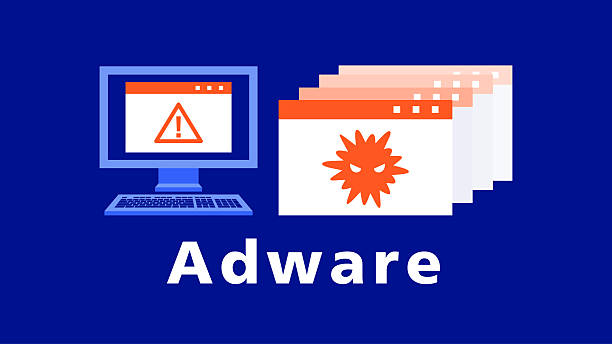
Imagine opening your computer to check your email or browse your favorite website, only to be greeted by endless pop-up ads, unexpected browser redirects, and promotions that seem to follow you everywhere. At first, it might seem like an ordinary advertising campaign. But if these ads appear constantly—even when you are not visiting advertising-heavy websites—you could be dealing with adware.
Adware is one of the most common forms of unwanted software found on computers, smartphones, and tablets. While some adware is relatively harmless and simply displays advertisements, other forms can invade your privacy, slow down your device, collect information about your online activities, and expose you to more dangerous cyber threats.
Understanding what adware is, how it works, and how to avoid it is an important step toward staying safe in today’s digital world. Whether you use your devices for work, education, shopping, or entertainment, knowing how adware operates can help you protect both your privacy and your personal information.
What Is Adware?
Adware, short for advertising-supported software, is software designed to display advertisements on a user’s device. The main goal of adware is to generate revenue by showing ads, redirecting web traffic, or encouraging users to click promotional content.
Not all adware is considered malware. Some legitimate free applications include advertising as a way to fund development. In these cases, users are informed that advertisements will be displayed, and the software typically behaves as described.
However, adware becomes problematic when it installs without clear permission, displays excessive advertisements, changes browser settings without consent, tracks user activity, or becomes difficult to remove. Security experts often classify these intrusive forms of adware as potentially unwanted programs (PUPs) or, in more aggressive cases, malware.
The difference lies largely in transparency, user consent, and behavior.
How Adware Works
Adware usually runs quietly in the background after it has been installed. Once active, it monitors certain activities and delivers advertisements based on various factors.
Some adware simply inserts banner ads into web pages. Others generate pop-up windows, replace advertisements on legitimate websites, redirect search results, or automatically open promotional pages in your browser.
Many types of adware collect information about your browsing habits. They may record the websites you visit, the products you search for, your approximate location, your browser type, or the advertisements you click. This information is often used to display more targeted advertisements.
While targeted advertising itself is common across the internet, unauthorized adware often gathers this information without fully informing users or obtaining meaningful consent.
How Adware Gets Onto Your Device
One of the reasons adware remains so widespread is that people often install it without realizing it.
Free software downloaded from unofficial websites is one of the most common sources. During installation, additional software may be bundled with the main application. If users quickly click “Next” without reviewing the installation options, they may unknowingly agree to install advertising software alongside the program they actually wanted.
Fake software updates are another common method. Cybercriminals sometimes create websites claiming that your browser, media player, or security software needs an urgent update. Instead of installing a legitimate update, the download installs adware.
Adware may also spread through deceptive advertisements, browser extensions, unofficial mobile applications, pirated software, and malicious email attachments.
In some cases, compromised websites automatically attempt to download unwanted software through vulnerabilities in outdated browsers or operating systems, although modern security protections have significantly reduced these attacks.
Signs That Your Device May Have Adware
Adware often reveals itself through noticeable changes in how your device behaves.
One of the most obvious signs is a sudden increase in advertisements. Pop-ups may appear frequently, even when you are not browsing advertising-heavy websites.
Your browser’s homepage or default search engine may suddenly change without your permission. Clicking search results might redirect you to unfamiliar websites filled with advertisements.
Your computer may become noticeably slower because adware consumes processing power and memory while running continuously in the background.
You may also notice new toolbars, browser extensions, or unfamiliar applications that you never intentionally installed.
On mobile devices, excessive advertising, unusual battery drain, higher data usage, and unexplained app behavior may indicate adware.
These symptoms do not always confirm the presence of adware, but they are warning signs worth investigating.
Is All Adware Malware?
The answer is no.
Some software developers offer free applications supported by advertisements. Users knowingly accept these advertisements in exchange for free access to the software.
This business model is not inherently malicious. Many legitimate apps use advertising responsibly while respecting user privacy and providing clear information about data collection.
Problems arise when software installs advertisements without permission, secretly collects personal information, manipulates browser settings, or resists removal.
Cybersecurity professionals generally distinguish between legitimate advertising-supported software and intrusive adware based on transparency, user consent, and privacy practices.
Why Cybercriminals Use Adware
Advertising generates billions of dollars every year, and cybercriminals attempt to profit from this system.
Each advertisement displayed may generate a small payment. Every click can produce additional revenue. When adware infects thousands or even millions of devices, these small amounts can add up to significant profits.
Some malicious operators also collect valuable user data, including browsing habits and search histories, which may be sold to advertising networks or other third parties.
In more dangerous cases, adware acts as a gateway for additional malware by directing users to malicious websites or downloading other harmful software.
Types of Adware
Adware comes in many different forms.
Some programs display simple banner advertisements inside their own application windows.
Others inject advertisements directly into web pages, replacing legitimate ads with their own promotional content.
Browser-based adware modifies browser settings, installs unwanted extensions, changes search providers, or redirects internet traffic.
Mobile adware often appears inside unofficial apps, displaying intrusive full-screen advertisements or excessive notifications.
Certain advanced forms operate almost invisibly while tracking browsing behavior and sending collected information to remote servers.
Although their techniques differ, their primary purpose remains the same: generating advertising revenue.
How Adware Affects Your Privacy
Privacy is one of the biggest concerns associated with adware.
Many intrusive adware programs monitor online behavior to build advertising profiles.
Depending on the software, collected information may include browsing history, search queries, clicked advertisements, IP addresses, device information, installed software, approximate geographic location, and technical details about your system.
Most adware does not directly steal passwords or banking information, but excessive data collection still raises important privacy concerns.
If collected information is poorly protected or shared irresponsibly, users may lose control over how their personal data is used.
Can Adware Damage Your Computer?
Adware usually does not destroy files in the way that ransomware or destructive viruses might.
However, it can still negatively affect your computer.
Constant advertising consumes processing power, memory, storage space, and internet bandwidth.
Browser performance often slows significantly.
Startup times may become longer.
Some adware interferes with web browsing by injecting scripts into pages or redirecting internet traffic.
More concerning is the fact that malicious adware may expose users to dangerous websites containing phishing scams, fake software downloads, or additional malware.
In this way, adware can increase the overall security risk for your device.
Adware on Smartphones
Adware is not limited to desktop computers.
Android smartphones are more commonly targeted because users can install applications from multiple sources. However, iPhones are not completely immune, especially if security protections are bypassed or users install untrusted configuration profiles.
Mobile adware often displays excessive advertisements inside apps, sends unwanted notifications, opens browser windows automatically, or redirects users to promotional websites.
Some malicious apps request unnecessary permissions, allowing them to collect information beyond what is needed for their stated purpose.
Downloading applications only from trusted app stores and reviewing permissions carefully can significantly reduce these risks.
How Adware Differs From Other Malware
Adware shares some characteristics with malware but serves a different primary purpose.
Viruses are designed to spread by infecting files or programs.
Worms spread automatically across networks without requiring infected files.
Trojans disguise themselves as legitimate software while secretly performing malicious actions.
Spyware focuses primarily on secretly monitoring user activity and collecting information.
Ransomware encrypts files and demands payment for their recovery.
Adware, by contrast, is mainly designed to display advertisements and generate advertising revenue. Nevertheless, aggressive forms of adware often overlap with spyware because they also collect browsing data.
Modern cybersecurity experts recognize that software can belong to multiple categories simultaneously.
How Security Software Detects Adware
Modern antivirus and cybersecurity programs use several techniques to detect adware.
They compare software against databases of known threats.
They analyze program behavior to identify suspicious activities such as unauthorized browser modifications or excessive advertising.
Some security tools monitor new software installations and warn users before potentially unwanted programs are installed.
Cloud-based threat intelligence allows security software to identify newly discovered adware more quickly than ever before.
Regular updates ensure that security software can recognize newly emerging threats.
How to Prevent Adware
Preventing adware begins with careful online habits.
Download software only from trusted developers and official websites whenever possible.
Read installation screens carefully instead of clicking through them quickly. Many bundled applications can be declined during installation.
Keep your operating system, browser, and security software updated to reduce vulnerabilities.
Be cautious when clicking online advertisements, especially those promising free prizes, urgent software updates, or unrealistic offers.
Avoid downloading pirated software, unofficial browser extensions, or applications from unknown sources.
Review app permissions before installation, particularly on smartphones.
Reliable antivirus software can provide an additional layer of protection by identifying potentially unwanted programs before they become established.
How to Remove Adware
If your device becomes infected, removing adware usually involves several steps.
The first step is uninstalling suspicious applications through your operating system’s application management tools.
Browser extensions should also be reviewed carefully. Unknown or unwanted extensions should be removed.
Resetting browser settings can restore the homepage, search engine, and startup pages that adware may have modified.
Running a full scan with reputable antivirus or anti-malware software can identify and remove remaining components.
In severe cases where adware has deeply modified the system, advanced cleanup tools or professional technical assistance may be necessary.
Keeping backups of important files remains good practice even though adware itself rarely deletes personal data.
The Economic Side of Adware
Advertising supports much of the free content available on the internet.
Many legitimate developers rely on advertising revenue to provide software at no cost.
This creates an important distinction between ethical advertising-supported software and intrusive adware.
Responsible developers explain how advertisements work, respect user privacy, offer clear privacy policies, and provide users with meaningful choices.
Intrusive adware ignores these principles by prioritizing advertising revenue over user experience and privacy.
Understanding this difference helps users make informed decisions about the software they choose to install.
The Future of Adware
As digital advertising technologies continue to evolve, adware is also changing.
Modern operating systems include stronger security protections that make unauthorized installations more difficult.
Web browsers increasingly block intrusive pop-ups, malicious redirects, and unsafe downloads.
Artificial intelligence is also improving threat detection by identifying suspicious software behavior more quickly than traditional methods alone.
At the same time, cybercriminals continue developing new techniques to bypass security protections, making ongoing cybersecurity awareness essential.
The battle between security developers and malicious software creators continues to evolve alongside advances in technology.
Why Cybersecurity Awareness Matters
Technology has become deeply woven into everyday life. We work, learn, communicate, shop, manage finances, and store personal memories on our digital devices. This makes cybersecurity more important than ever before.
Adware may seem like a minor annoyance compared with ransomware or identity theft, but it serves as a reminder that even seemingly harmless software can affect privacy, security, and device performance.
Learning to recognize suspicious downloads, understanding how software is installed, and maintaining good digital habits are powerful ways to reduce risk.
Conclusion
Adware is software designed primarily to display advertisements and generate revenue, but not all adware is equally harmful. Legitimate advertising-supported applications can provide useful services while respecting user privacy and obtaining informed consent. Intrusive adware, however, may install without permission, flood devices with unwanted advertisements, collect browsing information, alter browser settings, and expose users to additional cybersecurity threats.
Fortunately, adware is often preventable. Downloading software from trusted sources, keeping devices updated, reading installation prompts carefully, using reputable security software, and remaining cautious online can greatly reduce the chances of infection.
As our lives become increasingly connected through technology, understanding threats like adware is an essential part of digital literacy. By staying informed and practicing safe computing habits, users can enjoy the benefits of the internet while protecting both their devices and their personal privacy.