Public Wi-Fi has become part of everyday life. Whether you are sitting in a coffee shop, waiting at an airport, studying in a library, staying in a hotel, or relaxing at a park, free internet access is often just a tap away. It makes life more convenient by allowing us to browse websites, check email, watch videos, connect with friends, and even work remotely without using mobile data.
But behind this convenience lies an important question: Is public Wi-Fi safe?
The answer is not always. While many public Wi-Fi networks are legitimate and reasonably secure, others can expose your personal information if you are not careful. Cybercriminals often take advantage of unsecured wireless networks to steal passwords, intercept sensitive information, or trick users into connecting to fake hotspots.
The good news is that staying safe on public Wi-Fi does not require advanced technical knowledge. By understanding how these networks work and following a few smart habits, you can significantly reduce your risk while enjoying the convenience of free internet.
What Is Public Wi-Fi?
Public Wi-Fi is a wireless internet network that anyone can access without installing equipment at home. Businesses, schools, airports, hotels, restaurants, shopping malls, hospitals, and many public spaces provide Wi-Fi so visitors can connect their smartphones, tablets, or laptops to the internet.
Unlike your home Wi-Fi network, which is usually protected by a password and controlled by you, public Wi-Fi is shared among many users. Because dozens or even hundreds of devices may be connected at the same time, these networks present unique security challenges.
Some public networks require a password or login page, while others allow anyone nearby to connect instantly.
Why Public Wi-Fi Can Be Risky
When you use public Wi-Fi, your data travels through a network that you do not own or control. If the network lacks proper security, someone nearby may attempt to intercept certain types of network traffic or exploit weaknesses in connected devices.
Imagine having a conversation in a crowded room instead of inside your own house. In a private room, your conversation is much harder for strangers to overhear. In a crowded room, however, there is a greater chance someone may listen. Public Wi-Fi can create similar risks if information is not properly protected.
Modern websites and apps often use strong encryption, which greatly improves security, but public networks still increase the opportunities for attackers to attempt scams or technical attacks.
How Data Travels Over Wi-Fi
When your phone or computer connects to Wi-Fi, information is transmitted through radio waves between your device and a wireless router.
Every time you open a webpage, send a message, stream a video, or log into an account, data moves back and forth across the network.
If that information is encrypted, it is converted into unreadable code that can only be understood by the intended recipient.
If information is not encrypted, someone with the right tools may be able to observe parts of the communication.
Fortunately, today’s internet is much safer than it was years ago because most major websites now use encrypted HTTPS connections by default.
Encryption Makes a Big Difference
Encryption is one of the most important technologies protecting internet users.
It scrambles information before it leaves your device so that even if someone intercepts the data, they cannot easily understand it without the correct encryption keys.
When you visit a secure website, your browser usually displays a padlock icon beside the web address. This typically indicates that the connection uses HTTPS encryption.
HTTPS helps protect information such as passwords, credit card numbers, and personal messages while they travel across the internet.
However, encryption only protects data that is actually encrypted. Visiting insecure websites or using outdated applications can still expose information.
What Is an Open Wi-Fi Network?
An open Wi-Fi network allows users to connect without entering a password.
These networks are extremely convenient, but they also offer fewer protections than properly secured wireless networks.
Anyone within range can usually join an open network, making it easier for attackers to monitor network activity or attempt certain attacks.
This does not mean every open Wi-Fi network is dangerous. Many businesses provide open access responsibly. It simply means users should remain cautious and avoid assuming the network is completely secure.
Fake Wi-Fi Hotspots
One of the most common public Wi-Fi scams involves fake wireless networks.
A cybercriminal may create a hotspot with a name that looks legitimate.
For example, imagine a coffee shop named “Central Cafe.” An attacker nearby could create a network called “CentralCafe_Free” or “Central Cafe Guest.”
Unsuspecting visitors may accidentally connect to the fake network instead of the real one.
Once connected, the attacker may try to observe network activity or present fake login pages designed to steal usernames and passwords.
For this reason, it is always wise to ask staff for the official Wi-Fi network name before connecting.
Man-in-the-Middle Attacks
One potential threat on insecure networks is known as a man-in-the-middle attack.
In this type of attack, a cybercriminal attempts to position themselves between your device and the website or service you are using.
Instead of information traveling directly between you and the destination, it passes through the attacker first.
Modern encryption makes many of these attacks much more difficult than they once were, but poorly configured networks, outdated software, or insecure websites can still leave users vulnerable.
Keeping devices updated and using encrypted websites greatly reduces this risk.
Packet Sniffing
Data moving across a network is broken into small units called packets.
Attackers sometimes use specialized software known as packet sniffers to examine network traffic.
On secure networks with strong encryption, intercepted packets are generally unreadable.
On insecure connections, however, some information may be exposed.
Because of widespread HTTPS adoption, packet sniffing is far less useful against secure websites than it once was, but it remains a reason to avoid transmitting sensitive information over unknown networks whenever possible.
Session Hijacking
After you log into a website, the website often stores a temporary session that tells the server you are already authenticated.
If attackers somehow obtain this session information, they may attempt to impersonate your active connection.
Modern websites reduce this risk by using encrypted cookies, secure authentication methods, and short session lifetimes.
Nevertheless, using trusted websites and logging out after completing important tasks remains a good security habit.
Malware on Public Networks
Public Wi-Fi itself does not automatically infect your device with malware.
However, attackers sometimes attempt to spread malicious software through fake software updates, deceptive download pages, or fraudulent pop-up messages shown while users browse.
Some may even create fake login portals that encourage users to install unnecessary applications.
Downloading software only from trusted sources significantly reduces this risk.
Why Software Updates Matter
Operating system updates do much more than introduce new features.
They often fix newly discovered security vulnerabilities that cybercriminals might otherwise exploit.
Whether you use Windows, macOS, Android, iPhone, or Linux, installing security updates promptly helps protect your device while using both public and private networks.
The same applies to web browsers and mobile apps.
Updated software is generally much better equipped to defend against modern cyber threats.
Virtual Private Networks (VPNs)
A Virtual Private Network, commonly called a VPN, creates an encrypted tunnel between your device and a trusted VPN server.
Instead of sending internet traffic directly across the local network, the VPN encrypts the data before it leaves your device.
This additional layer of protection makes it much harder for others on the same network to observe your online activity.
VPNs are especially useful when using public Wi-Fi, although they do not eliminate every possible security risk.
For example, a VPN cannot protect you from entering your password into a fake phishing website.
Multi-Factor Authentication Adds Extra Protection
Passwords alone are no longer enough to secure many online accounts.
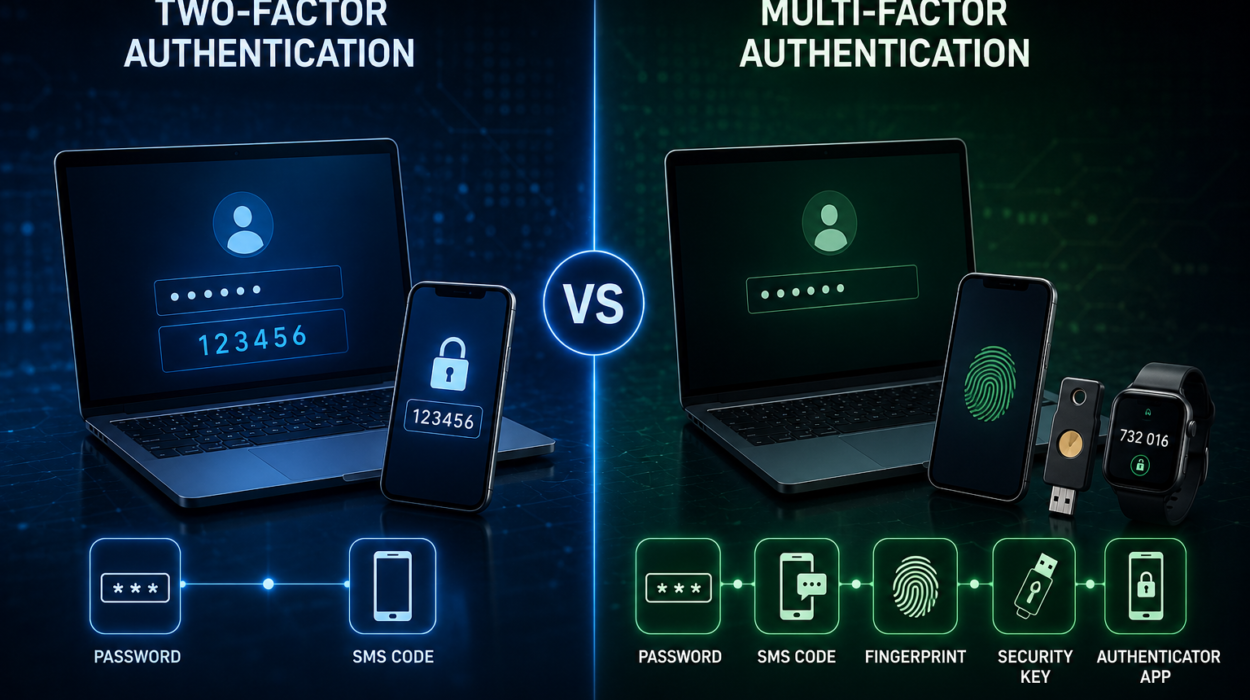
Multi-factor authentication, often abbreviated as MFA, requires a second form of verification in addition to your password.
This might involve a temporary code generated by an authentication app, a hardware security key, or biometric verification such as a fingerprint.
Even if someone somehow learns your password, they are much less likely to access your account without the second authentication factor.
Enabling MFA is one of the most effective ways to improve account security.
Secure Websites Are Your Friend
Before entering sensitive information online, look carefully at the website address.
Secure websites use HTTPS encryption.
Most browsers clearly indicate secure connections.
Although HTTPS does not guarantee that a website is trustworthy, it does protect information transmitted between your browser and the website.
Always check that you are visiting the correct website, especially when logging into banking, shopping, or email accounts.
Avoid Sensitive Transactions on Unknown Networks
Public Wi-Fi is generally suitable for activities like reading news, watching videos, checking weather forecasts, or browsing social media.
Activities involving sensitive financial or personal information deserve extra caution.
If possible, wait until you are using your trusted home network or your mobile data connection before accessing online banking, filing taxes, or entering highly sensitive personal information.
If you must perform these tasks on public Wi-Fi, using a VPN and ensuring the website uses HTTPS encryption greatly improves security.
Turn Off Automatic Wi-Fi Connections
Many smartphones and laptops automatically reconnect to previously used wireless networks.
While convenient, this feature can create risks.
An attacker could create a fake network using the same name as one your device remembers.
Your device might automatically connect without you realizing it.
Disabling automatic connections for public Wi-Fi networks gives you greater control over where your device connects.
File Sharing Should Be Disabled
Some computers allow users to share files, printers, or folders across a local network.
These features are useful at home or in trusted workplaces but are unnecessary on public Wi-Fi.
Disabling network sharing when using public wireless networks reduces opportunities for unauthorized access.
Most modern operating systems include settings that distinguish between trusted private networks and public networks.
Choosing the “Public Network” option activates stricter security settings.
Be Careful with Login Pages
Many public Wi-Fi networks display a login page before allowing internet access.
These pages, known as captive portals, are common in hotels, airports, and coffee shops.
Legitimate captive portals usually request simple information such as accepting terms of service or entering a room number.
Be cautious if a login page unexpectedly asks for banking information, email passwords, or other sensitive credentials.
If something seems unusual, ask staff whether the login page is genuine.
Watch for Phishing Attempts
Public Wi-Fi users are frequent targets for phishing scams.
A phishing attack attempts to trick users into revealing passwords, financial information, or other personal data by pretending to be a trusted organization.
These scams often appear as fake login pages, deceptive emails, or convincing text messages.
Before entering any sensitive information, carefully examine website addresses, email senders, and unexpected requests.
If in doubt, close the webpage and visit the organization’s official website directly.
Mobile Hotspots Can Be Safer
If your smartphone has a mobile hotspot feature, using it can sometimes be more secure than connecting to unfamiliar public Wi-Fi.
Your mobile carrier encrypts communications differently than open wireless networks, reducing some local network risks.
However, mobile hotspots consume cellular data, so users should monitor their data plans.
Public Wi-Fi and Privacy
Even when your internet traffic is encrypted, network operators may still observe certain information, such as the approximate time you connected, the amount of data transferred, or the domain names you access in some situations.
This does not necessarily mean someone is reading your messages or viewing your passwords, but it highlights the importance of understanding that privacy on shared networks is never absolute.
Using privacy-conscious services and encrypted communications helps minimize the amount of information exposed.
Common Myths About Public Wi-Fi
Many people believe that every public Wi-Fi network is dangerous.
This is not true.
Many organizations invest considerable effort in securing their wireless infrastructure.
Others believe that using HTTPS makes every activity completely safe.
While HTTPS provides excellent protection for transmitted data, it cannot prevent users from falling for phishing scams or downloading malicious software.
Another common myth is that smartphones are immune to cyberattacks.
Although modern smartphones include strong security protections, they can still be targeted by phishing, malicious apps, and social engineering.
Good security habits matter regardless of the device you use.
Public Wi-Fi in the Modern Internet
The internet has become significantly safer over the past decade.
Widespread adoption of HTTPS encryption, stronger Wi-Fi security standards, improved browser protections, automatic software updates, and multi-factor authentication have dramatically reduced many older risks.
At the same time, cybercriminals continue developing new methods to deceive users.
Today’s greatest threats often rely less on breaking encryption and more on convincing people to reveal information voluntarily through phishing or fake websites.
Understanding these evolving threats is an important part of staying safe online.
Building Smart Online Habits
Cybersecurity is not about living in constant fear of hackers. It is about making informed decisions.
Taking a few simple precautions—keeping your devices updated, connecting only to trusted Wi-Fi networks, verifying website addresses, enabling multi-factor authentication, avoiding suspicious downloads, and using encrypted connections—can dramatically reduce your risk.
These habits quickly become second nature and protect you not only on public Wi-Fi but across the entire internet.
The Bottom Line
Public Wi-Fi offers tremendous convenience, helping millions of people stay connected wherever they go. Most of the time, using these networks for everyday browsing is perfectly reasonable, especially as modern encryption has made the internet far more secure than it once was.
Still, public networks should never be treated with the same level of trust as your private home Wi-Fi. Understanding how wireless networks work, recognizing common cyber threats, and practicing good digital hygiene can help keep your personal information safe.
Public Wi-Fi is not something to fear—it is something to use wisely. With the right knowledge and careful habits, you can enjoy the convenience of free internet while protecting your privacy, your accounts, and your digital life.