Passwords have protected our online accounts for decades. They unlock our email, social media, bank accounts, cloud storage, streaming services, shopping websites, and countless other digital platforms. Yet despite their importance, passwords have always had one major weakness—they depend on humans. People often create passwords that are easy to remember, reuse the same password across multiple websites, or accidentally reveal them through phishing scams. As cybercrime has grown more sophisticated, passwords have become one of the weakest links in online security.
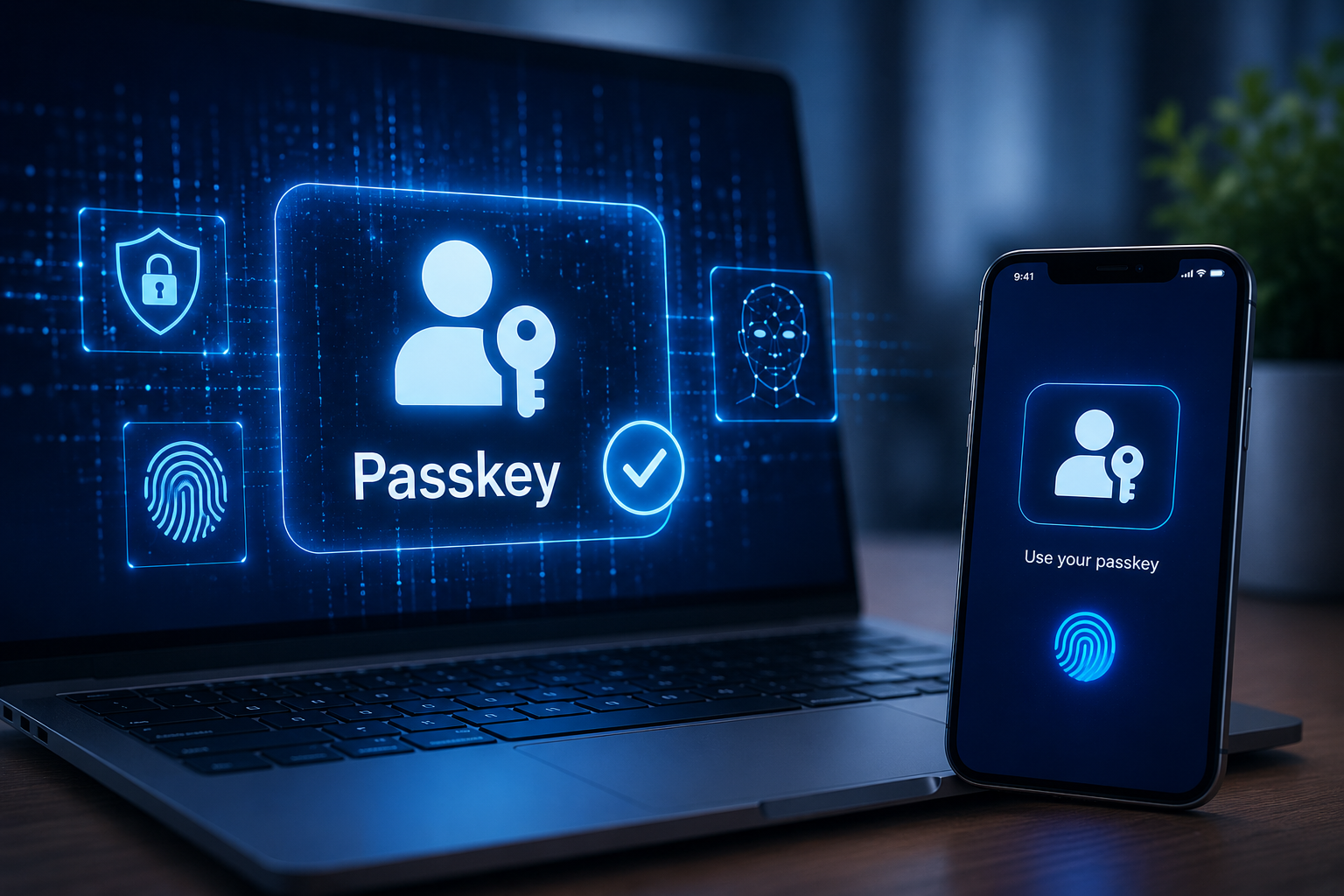
A new technology called passkeys aims to solve this problem. Instead of relying on passwords that you must remember or type, passkeys allow you to sign in using the same methods you already use to unlock your device, such as your fingerprint, face recognition, or a PIN. Behind this simple experience lies advanced cryptography that makes passkeys both easier to use and significantly more resistant to common cyberattacks.
Passkeys are rapidly becoming the future of online authentication. Major technology companies, including Apple, Google, and Microsoft, have integrated passkey support into their operating systems and services, while many websites and apps are beginning to adopt the technology.
Understanding how passkeys work reveals why cybersecurity experts believe they could eventually replace traditional passwords for millions of people.
The Problem With Passwords
Passwords have existed since the early days of computing because they offer a straightforward way to verify someone’s identity. If you know the correct password, the system assumes you are the legitimate account owner.
However, this approach creates several security challenges.
People frequently choose short or predictable passwords because they are easier to remember. Others use the same password for many different websites. If one website suffers a data breach, attackers may try the stolen password on other accounts, hoping the victim reused it elsewhere.
Phishing attacks create another major risk. Cybercriminals build fake login pages that closely resemble legitimate websites. If users unknowingly enter their password, attackers immediately gain access to the real account.
Even strong passwords are not immune. Massive databases containing billions of stolen passwords have been leaked over the years, giving criminals enormous resources for automated attacks.
To improve security, many services introduced two-factor authentication (2FA), requiring users to enter both a password and a temporary verification code. While this adds protection, passwords remain vulnerable to phishing, theft, and human error.
Passkeys were designed to eliminate these weaknesses.
What Is a Passkey?
A passkey is a modern, passwordless method of signing in to online accounts. Instead of requiring you to remember and type a secret password, a passkey uses cryptographic keys stored securely on your device.
When you sign in with a passkey, you simply verify your identity using your fingerprint, facial recognition, or device PIN. Your device performs the complex cryptographic operations automatically, allowing you to access your account without ever entering a password.
Importantly, your fingerprint or face is not sent to the website. These biometric methods are used only to unlock the passkey stored securely on your device.
The website never learns your biometric information.
How Passkeys Work
The technology behind passkeys relies on a well-established cryptographic technique called public-key cryptography.
When you create a passkey for a website, your device generates two mathematically related cryptographic keys.
One is called the private key.
The other is called the public key.
The private key remains securely stored on your device. It never leaves your phone, tablet, computer, or security hardware.
The public key is sent to the website and stored on its servers.
Because of the mathematical relationship between these two keys, they work together without revealing the private key itself.
Later, when you sign in, the website sends a unique cryptographic challenge to your device.
Your device uses the private key to create a digital signature proving that it possesses the correct key.
The website verifies the signature using the stored public key.
If the signature is valid, the login succeeds.
At no point does your private key leave your device.
Why Two Keys Are Better Than One Password
Traditional passwords require both you and the website to know the same secret.
If attackers steal that secret, they can pretend to be you.
Passkeys work differently.
The website stores only the public key.
Even if hackers break into the website and steal its database, they obtain only public keys, which cannot be used to generate the corresponding private keys.
Without the private key stored on your device, attackers cannot sign in.
This dramatically reduces the damage caused by database breaches.
The Role of Biometrics
Many people assume passkeys rely entirely on fingerprints or facial recognition.
In reality, biometrics are simply a convenient way to unlock the private key stored on your device.
Your fingerprint does not become your password.
Your face is not uploaded to the website.
Instead, your device compares the fingerprint or face scan locally using secure hardware built into the device.
If the match succeeds, the private key becomes available for authentication.
If your device does not support biometrics, you can usually unlock the passkey using your device PIN or another local authentication method.
Why Passkeys Resist Phishing
One of the greatest advantages of passkeys is their resistance to phishing attacks.
Suppose an attacker creates a fake banking website that looks identical to the real one.
With passwords, you might unknowingly type your password into the fake page.
With passkeys, this attack usually fails.
The passkey is cryptographically linked to the legitimate website where it was originally created.
If your browser detects that the website’s identity does not match the registered site, your device will refuse to use the passkey.
Since there is no password to type, there is nothing for the phishing site to steal.
This makes passkeys far more secure against one of the most common forms of cybercrime.
Device Authentication
When you use a passkey, your device first confirms that you are the legitimate user.
This may involve scanning your fingerprint.
It may use facial recognition.
It may ask for your device PIN.
Only after successful verification does the device unlock the private key needed for authentication.
This process happens within secure hardware specifically designed to protect sensitive information from malware and unauthorized access.
Creating a Passkey
Setting up a passkey usually takes only a few moments.
When a website offers passkey support, you choose the option to create one.
Your device generates the cryptographic key pair automatically.
The public key is sent to the website.
The private key remains protected on your device.
After confirming your identity using your fingerprint, face, or PIN, the setup is complete.
From then on, future logins become much faster because you no longer need to remember or type a password.
Synchronizing Passkeys Across Devices
Many people own several devices, such as a smartphone, tablet, and laptop.
Modern operating systems can securely synchronize passkeys across trusted devices using encrypted cloud services.
For example, a passkey created on your smartphone may automatically become available on your tablet or computer after secure synchronization.
Importantly, this synchronization is encrypted so that cloud providers cannot simply read your private keys.
This allows users to enjoy convenience without sacrificing security.
What Happens If You Lose Your Device?
Losing a phone or laptop naturally raises concerns.
Fortunately, losing a device does not necessarily mean losing access to your accounts.
If your passkeys have been securely synchronized with your trusted account, you can usually recover them on a replacement device after verifying your identity.
Even if someone steals your phone, they still need to bypass your device’s security protections, such as fingerprint authentication, facial recognition, or your PIN, before they can use any stored passkeys.
This provides multiple layers of protection.
Are Passkeys More Secure Than Passwords?
In many situations, yes.
Passkeys eliminate several major weaknesses associated with passwords.
There is no password to guess.
There is no password to steal from phishing websites.
There is no password to reuse across different services.
There is no password database containing reusable secrets.
Even sophisticated attacks become significantly more difficult because the private key never leaves the user’s device.
Security experts generally consider passkeys to provide stronger protection against many common cyberattacks than passwords alone.
Can Passkeys Be Hacked?
No security system is completely immune to attack.
However, passkeys dramatically reduce many of today’s most common threats.
An attacker who compromises a website cannot obtain your private key.
A phishing website cannot trick your browser into revealing your passkey.
Password guessing attacks become impossible because there is no password to guess.
That said, attackers may still attempt other methods, such as stealing an unlocked device, installing malware, or manipulating users through social engineering.
Cybersecurity always benefits from keeping devices updated, enabling screen locks, and remaining cautious about suspicious messages.
Passkeys and Two-Factor Authentication
Many websites currently combine passwords with two-factor authentication.
Passkeys often provide comparable or even stronger protection because authentication requires both possession of the device and successful local verification through biometrics or a PIN.
Some organizations may still require additional authentication factors depending on their security policies.
For highly sensitive environments, multiple layers of security remain valuable.
Do Passkeys Replace Password Managers?
Password managers remain useful because many websites still require passwords.
However, as more services adopt passkeys, users may find themselves relying less on stored passwords.
Many password managers have also begun supporting passkeys, allowing users to manage both passwords and passkeys within the same application.
This helps ease the transition while websites continue adopting the new technology.
Which Devices Support Passkeys?
Support for passkeys has expanded rapidly.
Modern versions of smartphones, tablets, laptops, and desktop computers increasingly include built-in support.
Popular web browsers also support passkey authentication, making it possible to use passkeys across many different websites and applications.
As adoption continues, compatibility is expected to become even more widespread.
Which Websites Use Passkeys?
An increasing number of online services now allow users to create passkeys instead of traditional passwords.
Email providers, cloud storage platforms, financial services, online retailers, and social media platforms have begun introducing passkey support.
Because the technology follows open standards developed by the FIDO Alliance and the World Wide Web Consortium (W3C), many companies can implement compatible systems without creating their own unique authentication methods.
This shared approach encourages broad adoption across the internet.
The Technology Behind the Scenes
Although using a passkey feels simple, sophisticated cryptography operates in the background.
The mathematical algorithms used in public-key cryptography are designed so that calculating the private key from the public key is computationally infeasible with current technology.
Each login involves a unique challenge generated by the website.
Because every authentication session is different, intercepted communications cannot simply be replayed by attackers.
This challenge-response process forms one of the foundations of modern digital security.
Privacy Benefits
Passkeys also offer privacy advantages.
Since your fingerprint or facial data never leaves your device, websites cannot collect or store your biometric information.
Instead, they receive only cryptographic proof that authentication succeeded.
This reduces the amount of sensitive personal information transmitted over the internet.
The approach follows an important principle in cybersecurity: share only the information necessary to complete the task.
The Future of Online Authentication
The internet is gradually moving toward a passwordless future.
Passwords have served users for decades, but their limitations have become increasingly difficult to manage as online services continue to multiply.
Passkeys offer a solution that combines stronger security with greater convenience.
Instead of memorizing dozens of complex passwords, users simply unlock their trusted devices using familiar methods they already use every day.
As more websites adopt passkeys, logging in may become faster, safer, and far less frustrating.
Conclusion
Passkeys represent one of the most significant advances in online authentication since the invention of passwords. By replacing shared secrets with powerful cryptographic key pairs, they eliminate many of the vulnerabilities that have long challenged internet security. Because the private key remains securely stored on your device and never travels across the internet, passkeys provide strong protection against phishing, password theft, and large-scale data breaches.
Perhaps their greatest strength is that they make security simpler rather than more complicated. Instead of remembering countless passwords, you authenticate using your fingerprint, face, or device PIN while sophisticated cryptography works quietly in the background. This combination of convenience, privacy, and robust security is why passkeys are increasingly viewed as the future of digital identity. As adoption continues to grow, they have the potential to make the internet not only easier to use but also substantially safer for everyone.