Every website you visit depends on technologies working quietly behind the scenes. Whether you are reading a news article, shopping online, streaming a video, or checking your email, someone has made sure that the website loads quickly, stays online, and reaches visitors around the world.
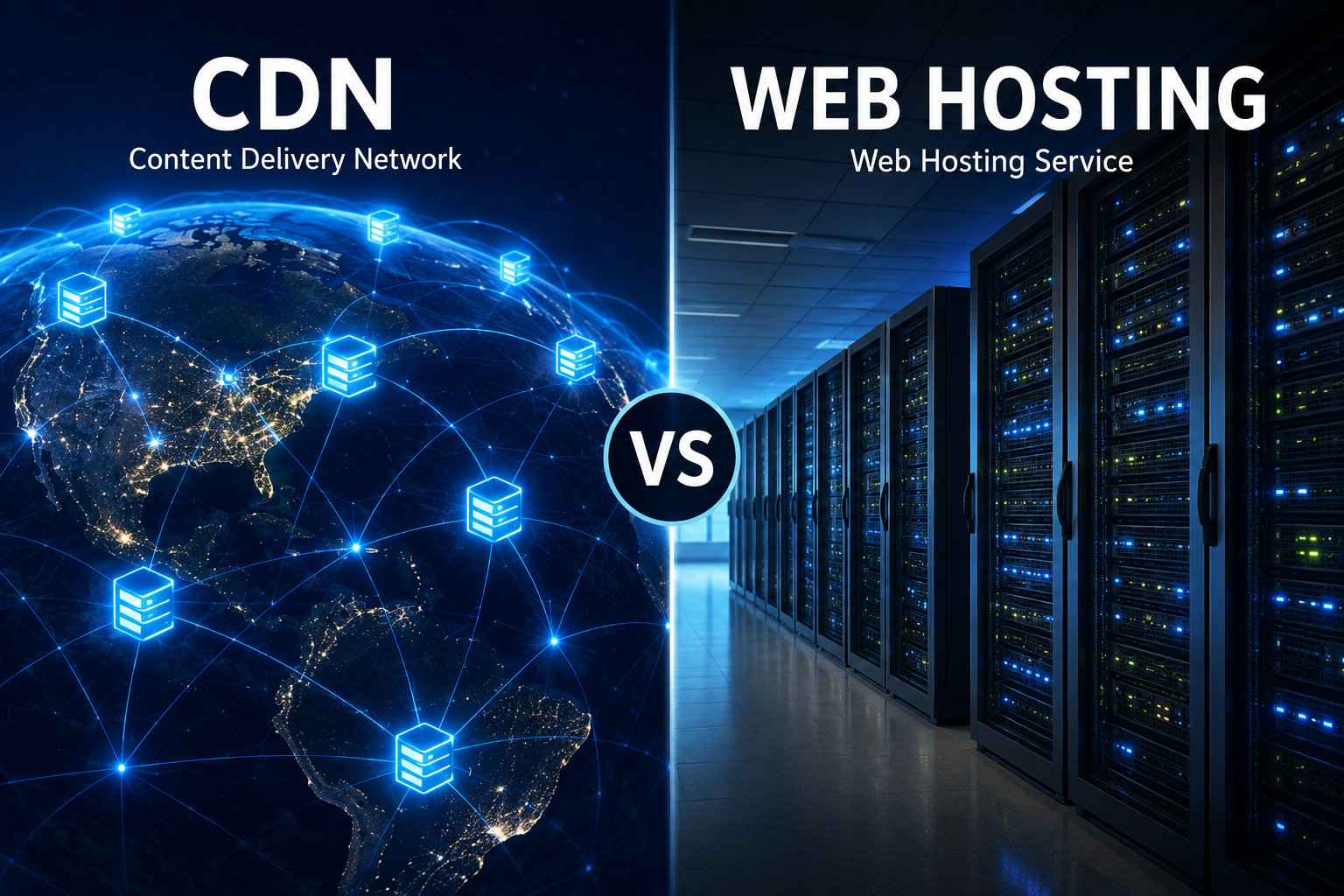
Two terms often appear when discussing websites: web hosting and CDN, short for Content Delivery Network. Beginners frequently assume they are the same thing because both are involved in delivering websites to users. In reality, they serve very different purposes, yet they work together to create a fast, reliable, and secure online experience.
Understanding the difference between web hosting and a CDN is essential for anyone who owns a website, plans to start a blog, runs an online business, or simply wants to understand how the modern internet works.
What Is Web Hosting?
Web hosting is the service that stores your website’s files and makes them available on the internet.
Every website consists of files such as HTML documents, CSS stylesheets, JavaScript code, images, videos, databases, and other digital content. These files must live somewhere so that visitors can access them whenever they type your website’s address into a browser.
That “somewhere” is a web server.
A web hosting company owns and maintains powerful computers called servers. These servers remain connected to the internet twenty-four hours a day, seven days a week. When someone visits your website, the hosting server receives the request and sends the necessary files back to the visitor’s browser.
Without web hosting, your website simply cannot exist on the internet.
Think of web hosting as the physical home where your website permanently lives.
What Is a CDN?
A Content Delivery Network, or CDN, is a global network of servers that stores copies of your website’s content closer to visitors around the world.
Instead of making every visitor connect directly to your hosting server, a CDN keeps cached copies of static files on many servers located in different countries and regions.
When someone opens your website, the CDN automatically delivers the content from the server that is geographically closest to that visitor whenever possible.
This dramatically reduces the distance that data must travel.
As a result, web pages usually load faster.
Unlike web hosting, a CDN does not replace your website’s main server. Instead, it works alongside it.
Why Was the CDN Created?
In the early days of the internet, websites were usually hosted on a single server located in one city or country.
This worked reasonably well when most visitors lived nearby.
As the internet became global, new challenges appeared.
Imagine a website hosted in New York.
Visitors in New York might experience excellent loading speeds.
However, someone opening the same website from Australia or South Africa would need data to travel across thousands of kilometers and multiple internet networks before reaching their device.
The greater the distance, the longer the delay.
This delay is known as latency.
CDNs were developed to reduce this problem by placing copies of website content much closer to users.
The Simple Analogy
Imagine a popular book.
Web hosting is like the original library where the book is stored.
If everyone in the world had to visit that one library to read the book, it would become crowded, and many people would have to travel enormous distances.
A CDN is like creating thousands of local libraries around the world, each containing copies of the same book.
People simply visit the nearest library instead of traveling across the globe.
The original library still exists, but most readers obtain the book from nearby locations.
This is essentially how a CDN works.
How Web Hosting Works
When someone enters a website address into a browser, several steps occur almost instantly.
The browser first discovers the server responsible for the website through the Domain Name System, or DNS.
It then sends a request to the hosting server.
The hosting server processes the request.
If necessary, it retrieves information from databases, generates dynamic content, and gathers all required website files.
Finally, it sends those files back to the visitor.
Every page request depends on the hosting server.
The hosting server is therefore the central source of truth for the website.
How a CDN Works
A CDN changes only part of this process.
Instead of downloading every file directly from the hosting server, many files come from nearby CDN servers.
Suppose your website is hosted in Germany.
A visitor in Japan opens your homepage.
The CDN determines that one of its Japanese servers already contains recent copies of your images, stylesheets, fonts, and JavaScript files.
Rather than requesting these files from Germany, the visitor downloads them directly from Japan.
If a file is not yet available on the CDN server, that server retrieves it from the original hosting server, stores a copy temporarily, and serves it to future visitors.
This temporary storage process is called caching.
The Main Purpose of Web Hosting
The purpose of web hosting is simple.
It stores your website permanently.
It manages databases.
It runs server-side programming languages like PHP, Python, Ruby, Java, or Node.js.
It processes user logins.
It handles shopping carts.
It stores uploaded files.
It performs calculations.
It executes website applications.
Without hosting, none of these functions could happen.
The Main Purpose of a CDN
A CDN has a different goal.
Its purpose is to deliver website content as quickly and efficiently as possible.
Rather than replacing your hosting provider, it accelerates content delivery.
Most CDNs focus on serving static files efficiently.
These include images, videos, CSS files, JavaScript files, downloadable documents, and fonts.
Many modern CDNs also optimize content automatically, compress files, and improve security.
Does a CDN Replace Web Hosting?
No.
This is one of the biggest misconceptions.
A CDN cannot completely replace web hosting.
Your website still requires an original server where all files, databases, and applications are stored.
The CDN depends on that server.
Whenever new content is published, updated, or changed, the CDN retrieves fresh copies from the hosting server.
Think of the hosting server as the original source.
The CDN is simply a faster delivery system.
Speed Differences
Speed is the biggest advantage of using a CDN.
When visitors are physically close to the hosting server, website performance may already be excellent.
However, visitors located far away often experience higher latency.
A CDN reduces that latency.
Because information travels shorter distances, pages usually begin loading more quickly.
Images appear sooner.
Videos start faster.
Fonts load more smoothly.
Overall user experience improves.
For websites with international audiences, the performance improvement can be dramatic.
What Is Latency?
Latency measures how long it takes for data to travel from one point to another.
Even though data moves close to the speed of light through fiber-optic cables, the journey still takes time.
Signals must pass through many routers, switches, and internet providers before reaching their destination.
The farther the journey, the greater the delay.
Reducing physical distance is therefore one of the most effective ways to improve website speed.
That is exactly what CDNs are designed to accomplish.
CDN and Website Traffic
Imagine a website suddenly becomes viral.
Millions of people begin visiting within a few hours.
If every visitor connects directly to one hosting server, that server may become overloaded.
Response times slow down.
In severe cases, the website crashes.
A CDN distributes much of this traffic across many servers worldwide.
Instead of one server handling everything, hundreds or even thousands of servers share the workload.
This greatly improves scalability.
Static Content and Dynamic Content
Understanding the difference between static and dynamic content helps explain why CDNs are effective.
Static content rarely changes.
Examples include images, logos, CSS files, JavaScript files, downloadable PDFs, videos, and fonts.
Dynamic content changes depending on the visitor.
Examples include user dashboards, shopping carts, personalized recommendations, banking information, and account settings.
CDNs excel at delivering static content.
Dynamic content usually continues coming from the original hosting server, although modern CDNs increasingly assist with dynamic acceleration as well.
Reliability During High Traffic
One major advantage of CDNs is improved reliability.
If one CDN server experiences technical problems, nearby servers can often continue serving visitors.
This redundancy helps websites remain available during unexpected failures.
Similarly, traffic spikes become easier to handle because requests are distributed across many locations.
Web hosting alone may struggle under sudden popularity.
Security Benefits
Modern CDNs provide much more than faster loading.
Many include security features designed to protect websites from cyberattacks.
One important example is protection against Distributed Denial-of-Service, or DDoS, attacks.
During a DDoS attack, attackers flood a website with enormous numbers of fake requests.
The goal is to overwhelm the server until legitimate visitors cannot access the site.
Because CDNs operate large global networks, they can often absorb and filter malicious traffic before it reaches the hosting server.
Many CDNs also include web application firewalls, automated bot detection, encryption support, and traffic monitoring.
Bandwidth Savings
Every time a visitor downloads an image or video directly from your hosting server, bandwidth is consumed.
Popular websites can generate enormous bandwidth usage.
A CDN reduces this burden.
Since cached files are served from CDN servers instead of the hosting server, the origin server transfers less data.
This can reduce hosting costs while improving performance.
Geographic Performance
Suppose a website is hosted in London.
Visitors from the United Kingdom enjoy fast loading.
Without a CDN, visitors in Brazil, India, Canada, South Africa, and Australia may experience slower performance due to longer network paths.
With a CDN, copies of the website exist much closer to those visitors.
As a result, loading times become more consistent regardless of location.
This is especially valuable for businesses serving international customers.
Which Websites Need a CDN?
Not every website requires a CDN.
A small personal website with only local visitors may perform perfectly well using quality web hosting alone.
However, websites with larger audiences often benefit significantly.
News websites.
Online stores.
Educational platforms.
Streaming services.
Photography portfolios.
Gaming websites.
Software download platforms.
Corporate websites with international visitors.
Any website receiving traffic from multiple countries can usually improve performance through a CDN.
Can Small Websites Benefit?
Yes.
Even relatively small websites may gain advantages.
Images often load faster.
Hosting bandwidth decreases.
Security improves.
Visitors from distant countries enjoy better performance.
Many CDN providers even offer free plans suitable for personal websites, blogs, and small businesses.
Web Hosting Types
Web hosting itself comes in several forms.
Shared hosting places many websites on one server.
Virtual Private Servers divide one physical machine into multiple isolated virtual servers.
Dedicated servers assign an entire physical server to one customer.
Cloud hosting distributes websites across multiple virtual resources for greater flexibility.
Regardless of which hosting type is chosen, a CDN can often work alongside it.
CDN Caching Explained
Caching is one of the most important concepts behind CDNs.
When the CDN first requests a file from the hosting server, it stores a temporary copy.
Future visitors requesting the same file receive the cached version.
Eventually, the cache expires or is refreshed whenever the original content changes.
This system dramatically reduces repeated requests to the hosting server.
Caching therefore saves bandwidth, reduces server workload, and speeds up delivery.
Can a CDN Improve SEO?
Website speed is one factor that search engines consider when evaluating user experience.
A faster website generally provides a better browsing experience.
Although using a CDN alone does not guarantee higher rankings, improved loading speed can contribute positively to overall website performance metrics.
Visitors are also more likely to remain on fast-loading websites, reducing frustration and improving engagement.
CDN and Video Streaming
Video files are often extremely large.
Delivering them from one server to viewers worldwide would create delays and heavy bandwidth usage.
Streaming platforms therefore rely heavily on CDNs.
Instead of downloading videos from one central location, viewers receive content from nearby servers.
This reduces buffering and enables smoother playback.
CDN and Online Shopping
For e-commerce websites, every second matters.
Research consistently shows that slower websites often experience higher abandonment rates.
A CDN helps online stores deliver product images, stylesheets, and scripts more quickly.
Faster pages create smoother shopping experiences, which can improve customer satisfaction and potentially increase sales.
CDN and Mobile Users
Mobile internet connections vary greatly in speed and quality.
Some users connect through fast fiber-backed Wi-Fi networks.
Others rely on slower cellular networks.
A CDN helps optimize content delivery for mobile users by reducing latency and delivering cached resources from nearby locations.
This often leads to faster loading on smartphones and tablets.
Common Misconceptions
Many beginners assume purchasing a CDN means they no longer need hosting.
This is incorrect.
Others believe a CDN automatically makes every website extremely fast.
While CDNs often improve performance substantially, website speed also depends on factors such as server quality, website design, database efficiency, image optimization, and clean programming.
A CDN is one important piece of performance optimization, not a complete solution by itself.
Choosing Between CDN and Web Hosting
This question is actually based on a misunderstanding.
It is not a choice between one or the other.
A website requires web hosting.
A CDN is an optional enhancement.
The hosting server stores and manages your website.
The CDN helps distribute that website more efficiently.
Most successful websites use both technologies together.
The Future of Content Delivery
The internet continues evolving rapidly.
Modern CDNs increasingly provide edge computing, allowing certain applications to execute directly on CDN servers closer to users.
Artificial intelligence is beginning to optimize traffic routing automatically.
Image compression, video optimization, security analysis, and caching strategies continue becoming more sophisticated.
Meanwhile, web hosting providers are adopting faster storage technologies, more powerful processors, and cloud-native architectures.
Together, these innovations are making websites faster, more secure, and more reliable than ever before.
Final Thoughts
Although web hosting and CDNs are closely connected, they serve fundamentally different purposes. Web hosting provides the foundation of every website by storing its files, databases, and applications on servers connected to the internet. Without hosting, a website simply cannot exist.
A Content Delivery Network builds upon that foundation by making content travel more efficiently. Through a global network of distributed servers, a CDN reduces latency, accelerates page loading, improves reliability, enhances security, and helps websites perform consistently for visitors around the world.
Rather than competing technologies, web hosting and CDNs are complementary partners. Web hosting creates the home for your website, while a CDN acts as a worldwide delivery system that brings your content closer to every visitor. Together, they form one of the essential building blocks of the fast, responsive, and connected web that billions of people rely on every day.