Imagine waking up one morning and discovering that someone has gained access to your email account. Soon after, they reset the passwords to your social media accounts, online banking, cloud storage, and shopping websites. It all started because one password was stolen.
This kind of cyberattack happens every day across the world. Passwords alone are no longer enough to protect our digital lives. They can be guessed, stolen in data breaches, captured through phishing scams, or cracked using automated software. As more of our personal information moves online, protecting our accounts has become more important than ever.
This is where Multi-Factor Authentication (MFA) comes in. It adds an extra layer of security that makes it much harder for attackers to access your accounts, even if they know your password. Today, MFA is used by millions of people and organizations to protect everything from email accounts and smartphones to online banking systems and government services.
Understanding how MFA works is one of the most valuable steps anyone can take toward staying safe in the digital world.
What Is Multi-Factor Authentication?
Multi-Factor Authentication (MFA) is a security method that requires users to provide two or more forms of verification before they can access an account, device, or online service.
Instead of relying only on a password, MFA asks for additional evidence that proves you are really the person trying to log in.
Think of it like entering a secure building. A key may unlock the front door, but you might also need to scan an ID card or provide a fingerprint before entering a restricted area. Even if someone steals the key, they still cannot get inside without the second form of verification.
The same idea applies online. Your password is only the first step. MFA requires one or more additional factors before granting access.
Why Passwords Alone Are No Longer Enough
For decades, passwords have been the primary way people protected their online accounts. While passwords remain important, they have significant weaknesses.
Many people choose passwords that are short or easy to guess. Others reuse the same password across multiple websites. If one website experiences a data breach, attackers may try that same password on many other services.
Cybercriminals also use phishing emails, fake login pages, malicious software, and social engineering techniques to trick people into revealing their passwords.
Even strong passwords can sometimes be stolen.
MFA dramatically reduces this risk because knowing the password alone is usually not enough to gain access.
What Does “Factor” Mean?
In cybersecurity, a factor is a category of evidence used to verify a person’s identity.
The first category is something you know.
This includes passwords, PINs, or answers to security questions.
The second category is something you have.
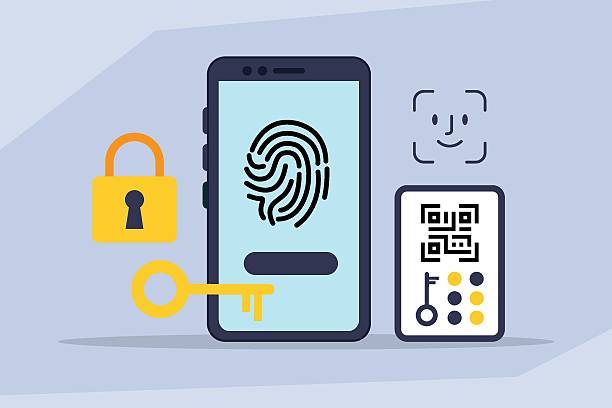
Examples include your smartphone, a security key, a smart card, or a device that generates one-time verification codes.
The third category is something you are.
This includes biometric information such as your fingerprint, facial recognition, iris scan, or voice pattern.
MFA combines two or more of these categories. Because the factors come from different types of evidence, they provide much stronger protection than a password alone.
How Multi-Factor Authentication Works
When you log into an account protected by MFA, the process usually begins normally.
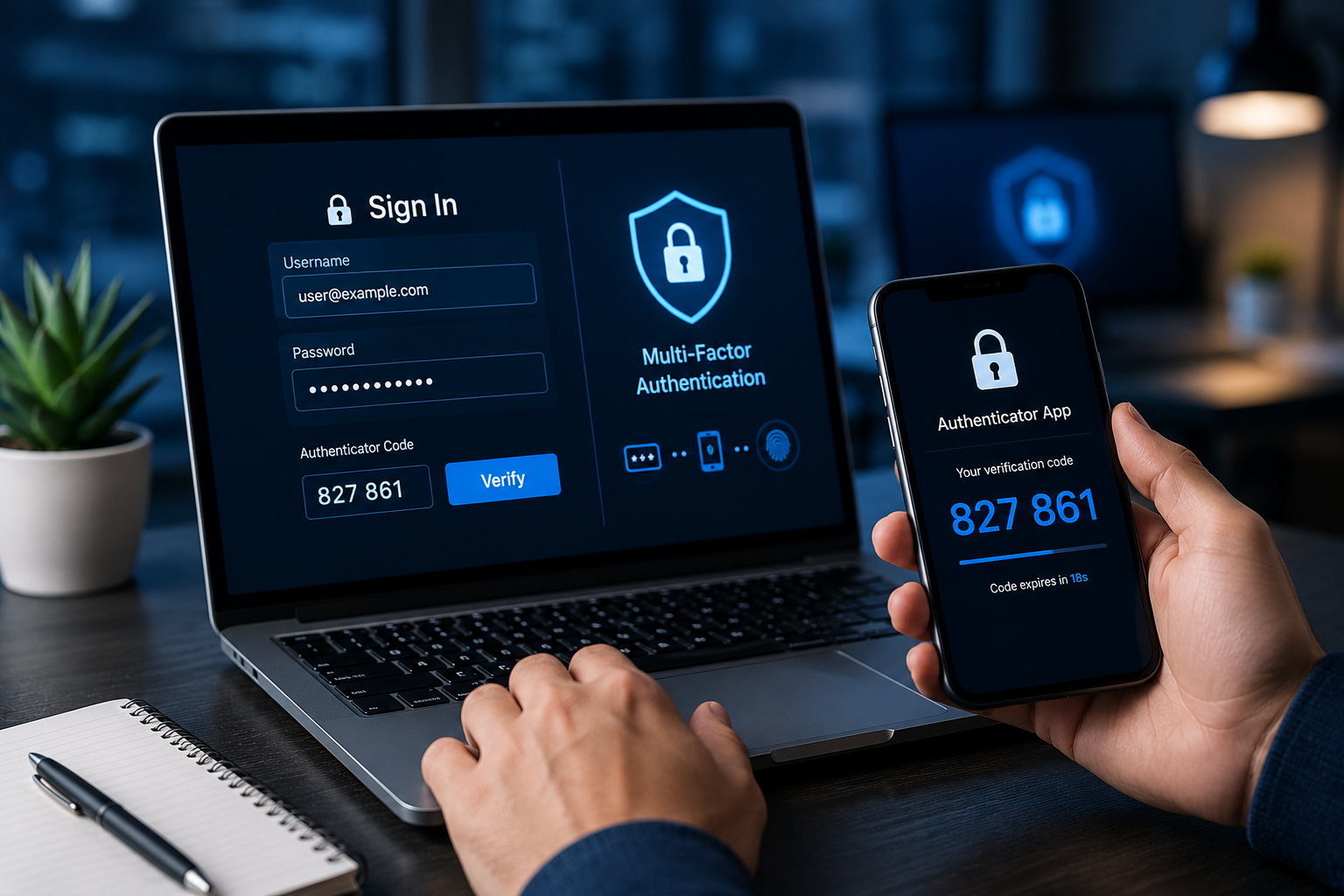
You enter your username and password.
If the password is correct, the system does not immediately grant access.
Instead, it requests another verification step.
Perhaps a six-digit code appears in an authentication app. Maybe your phone receives a notification asking you to approve the login. Some systems ask you to insert a hardware security key or scan your fingerprint.
Only after successfully completing this second verification does the system allow access.
This extra step usually takes only a few seconds but significantly improves security.
Common Types of MFA
Modern authentication systems use several different verification methods.
One of the most common is a one-time password, often called an OTP. This temporary code is valid for only a short period and changes constantly. It may be sent through an authentication app, a hardware token, or, in some cases, a text message.
Authentication apps are among the most widely recommended methods. These apps generate time-based security codes that work even without an internet connection. Because the codes change frequently, they are much more secure than static passwords.
Push notifications have also become popular. Instead of typing a code, users simply receive a message on their trusted device asking whether they approve the login attempt.
Hardware security keys provide even stronger protection. These small physical devices connect through USB, NFC, or Bluetooth and must be present during login. Because they rely on advanced cryptographic techniques, they offer excellent resistance against phishing attacks.
Biometric authentication is becoming increasingly common on smartphones and laptops. Fingerprint scanners and facial recognition systems allow users to verify their identity quickly while providing an additional layer of protection.
Two-Factor Authentication and Multi-Factor Authentication
People often use the terms Two-Factor Authentication (2FA) and Multi-Factor Authentication (MFA) interchangeably, but they are not exactly the same.
Two-Factor Authentication specifically requires exactly two verification factors.
For example, entering a password followed by a fingerprint is 2FA.
Entering a password followed by a phone notification and then a hardware security key involves more than two factors and therefore falls under the broader category of MFA.
In practice, most consumer accounts use two factors, while larger organizations may require multiple verification steps depending on the sensitivity of the information being protected.
Why MFA Is So Effective
One of the greatest strengths of MFA is that it makes stolen passwords much less useful.
Imagine that a cybercriminal somehow learns your password.
Without MFA, they may immediately access your account.
With MFA enabled, they would still need your trusted device, fingerprint, or security key.
Obtaining that additional factor is usually far more difficult.
This dramatically reduces the success rate of many common cyberattacks, including password guessing, credential stuffing, and many phishing attempts.
Although no security system is perfect, MFA significantly raises the barrier for attackers.
The Science Behind MFA Security
The effectiveness of MFA comes from combining independent methods of identity verification.
Each factor is designed to be separate from the others.
A password exists only as information you remember.
A smartphone or security key is a physical object you possess.
A fingerprint is part of your unique biological characteristics.
Because these factors are independent, compromising one does not automatically compromise the others.
Modern authentication systems also rely on strong cryptographic algorithms that securely verify identities without exposing sensitive information during the login process.
These mathematical techniques help ensure that authentication remains reliable even across the global internet.
Authentication Apps
Authentication apps have become one of the most trusted forms of MFA.
After linking the app to an online account, it generates a new six-digit code every few seconds.
The website and the app both calculate the same code independently using synchronized timing and cryptographic algorithms.
Because the code changes constantly and expires quickly, it is extremely difficult for attackers to reuse.
Authentication apps generally provide stronger security than text-message verification because they are less vulnerable to certain forms of interception.
SMS Verification
Many websites still send one-time verification codes through text messages.
This method is simple and widely available.
For many users, it represents a significant improvement over password-only security.
However, cybersecurity experts generally consider SMS verification less secure than authentication apps or hardware security keys.
Attackers may sometimes exploit weaknesses involving phone numbers, mobile networks, or social engineering.
For this reason, stronger MFA methods are increasingly recommended whenever possible.
Biometric Authentication
Biometric authentication verifies identity using physical characteristics that are unique to each individual.
Fingerprint recognition is one of the most familiar examples.
Facial recognition has also become common on smartphones and laptops.
Some specialized systems use iris scans or voice recognition.
Modern biometric systems usually do not store actual images of your fingerprint or face. Instead, they create encrypted mathematical representations that are compared during authentication.
This approach helps protect privacy while maintaining security.
Hardware Security Keys
Hardware security keys are considered among the strongest forms of MFA available today.
These small devices contain secure cryptographic components that communicate directly with supported websites.
Because authentication occurs through cryptographic proof rather than manually entered codes, hardware keys are highly resistant to phishing attacks.
Many security professionals, journalists, researchers, and organizations handling sensitive information rely on hardware security keys for maximum protection.
Where MFA Is Used
Multi-Factor Authentication has become a standard feature across many digital services.
Banks use it to protect customer accounts and financial transactions.
Email providers use it to safeguard personal communications.
Social media platforms offer MFA to prevent unauthorized access.
Healthcare organizations use it to protect confidential medical records.
Businesses rely on MFA to secure employee accounts and company data.
Government agencies increasingly require MFA for online public services.
Educational institutions also use MFA to protect student information and research systems.
As cyber threats continue to evolve, MFA has become an essential component of modern cybersecurity.
MFA in Everyday Life
Many people already use MFA without realizing it.
When your banking app asks you to approve a login on your phone, that is MFA.
When your email account requests a verification code after entering your password, that is MFA.
When you unlock your smartphone with your fingerprint after entering a PIN, multiple authentication factors are working together.
These everyday examples show how seamlessly MFA has become part of modern technology.
Can MFA Stop Every Cyberattack?
No security system can eliminate every possible threat.
Attackers continue developing increasingly sophisticated techniques.
For example, criminals sometimes create fake websites designed to trick users into entering both their password and temporary verification code. This type of attack is known as phishing.
Some attackers attempt “push fatigue” attacks by repeatedly sending login approval requests until a user accidentally accepts one.
Others use malware capable of stealing authentication information directly from infected devices.
Despite these risks, MFA remains one of the most effective defenses available. When combined with strong passwords, software updates, cautious online behavior, and phishing awareness, it provides excellent protection against the vast majority of account compromise attempts.
Best Practices for Using MFA
Using MFA effectively involves more than simply turning it on.
Strong, unique passwords remain essential because they protect the first authentication factor.
Keeping authentication apps and devices updated helps maintain security against newly discovered vulnerabilities.
Recovery codes provided during MFA setup should be stored safely in case a trusted device is lost or replaced.
It is also important to remain cautious of unexpected login requests. If you receive an authentication prompt that you did not initiate, it should never be approved.
Awareness remains one of the strongest defenses against cybercrime.
The Future of Authentication
Authentication technology continues to evolve rapidly.
Many technology companies are moving toward passwordless authentication, where users sign in primarily through cryptographic credentials, trusted devices, or biometrics instead of traditional passwords.
Passkeys represent one of the newest developments in this field. They use advanced cryptography to authenticate users securely while reducing many of the risks associated with passwords.
Artificial intelligence is also being incorporated into authentication systems. Modern security platforms can analyze login behavior, device characteristics, geographic location, and network activity to identify unusual access attempts and request additional verification only when necessary.
These innovations aim to make authentication both more secure and more convenient.
Why Multi-Factor Authentication Matters More Than Ever
As our lives become increasingly digital, protecting online identities has become a fundamental part of everyday life. Email accounts store years of conversations. Banking apps manage finances. Cloud services hold personal documents and treasured photographs. Social media accounts preserve memories and connections with friends and family.
A single compromised password can put all of these at risk.
Multi-Factor Authentication provides an essential safeguard by requiring more than one form of proof before granting access. It transforms a simple password into a much stronger security system, making unauthorized access far more difficult even when passwords are exposed.
While MFA cannot stop every cyber threat, it remains one of the most effective and scientifically sound security practices available today. By combining independent forms of identity verification, it helps protect personal information, financial assets, and digital identities in an increasingly connected world. In an age where cyberattacks are becoming more frequent and sophisticated, enabling MFA is one of the simplest yet most powerful steps anyone can take to stay secure online.